Game
Swidev's Side Projects

5 months ago

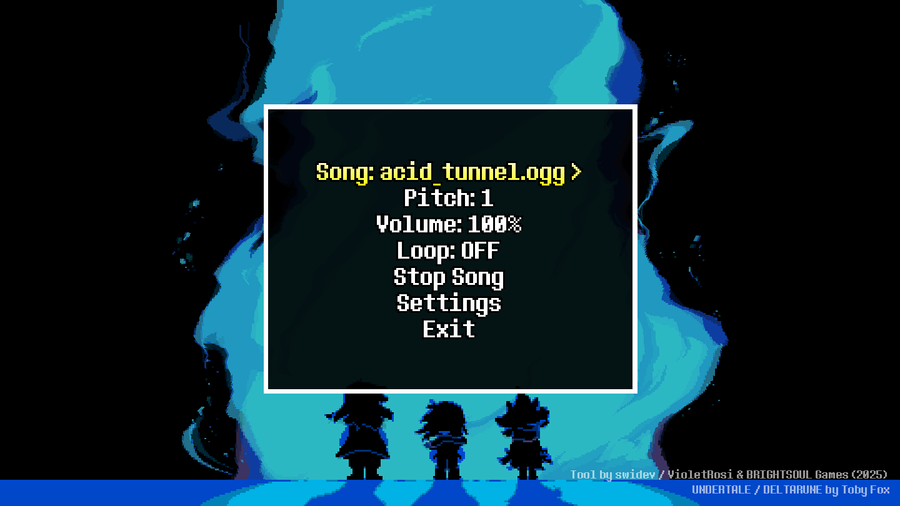
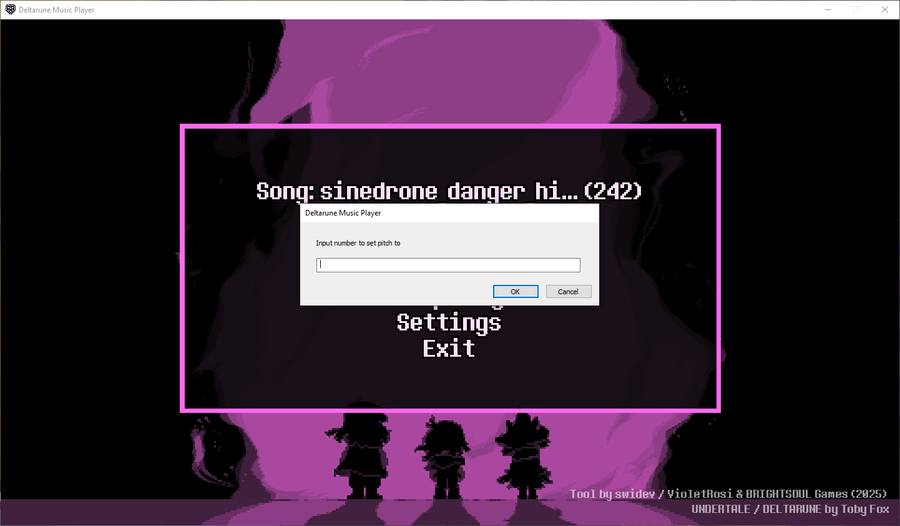
Tips for the DELTARUNE music player: You can press "E" on Pitch & Volume to set those two values to any value within the normal limits.


More tips:

  • You can also hold Left Shift or X on those two options and press the left and right arrow keys to move the values up or down by 0.01 per press.

  • Also, on the music option, you can press and hold X/Left Shift while pressing the arrow keys to switch songs faster.

  • You can press R on the song, pitch, volume, and loop options to reset them to their default values.

Hope that helps!



0 comments

Loading...

Next up

The game is back in development! (Read Article)

Legend of Tenna board sprites for Uffi

My Deltarune music player has been released.

September 2025 Devlog (Link in Article)

We've got a big update this time!

Frequently Asked Questions (Read Article)

A mod nobody asked for... (Read Article)

The place to find my side projects (Read Article)

New video over on YouTube! (Read Article)

A drawing I did of my OC from my fangame. Not sure if I want to do shading yet. (Sketch + Black & White line art included)

wip uffi redesign for deltarune prophecy retold