
Comments (13)


really cool!! i love it! just hope there will be more options such as modifying music volume or even turning it ON/OFF because it might be a problem when watching a video ❤️

Helpy is not showing up but i hear the music What's the reason ?


how i move helpy from center of my screen


It's pretty cool! I just wish there were more advanced settings (like changing the volume, selecting animation options, or enabling all random animations, as well as changing the size of Helpy).
There are some drawbacks, such as the inability to hide Helpy, which requires me to close the app.
Additionally, when playing Sonic Frontiers, two suggestions conflict due to the use of a computer mouse (I play with a gamepad, but I need to use a mouse for this).
I hope for updates, as it's a pretty cool app!

hello. When I run Helpy, my screen turns dark except for Helpy. How do I fix that?
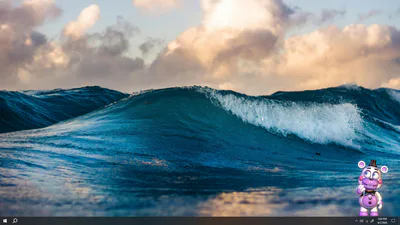
Desktop Helpy
About
Desktop Helpy was originally meant for an April fools joke even though it was a day ago from release I decided to release it as a random app, so it's not really a joke anymore.
Helpy will watch and motivate you to keep working or to keep playing games.
How to use it
Helpy might get in the way but you can just click on the icon to temporarily hide him.
you can also interact with him a little bit. left click on Helpy to make him jump for no reason and right click Helpy for a random surprise or something.  Click and hold Helpy's feet to drag him anywhere you want!
Options
there are two options to change any settings make sure the app is in focus and press 'o' to get out of the options click on Helpy.
Credits
Phantom Freddy model by Project: FNAF and RazvanAndrei123
Helpy by UU6FMP, Urall and Cloudspecman
that's it, Bye!