

What are stickers?
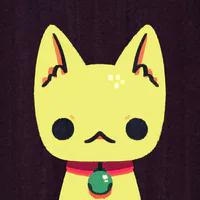
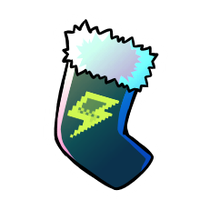
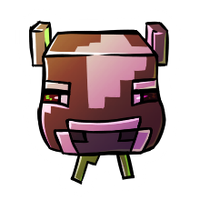
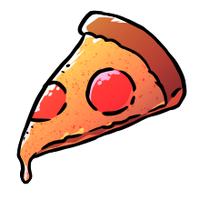
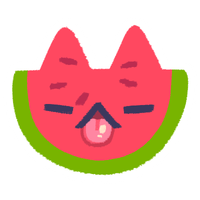
Stickers are collectible images you can place on posts and comments (on comments, they take the form of reactions; more on that later). They're a fun way of decorating and reacting to content. There are four different kinds of stickers, being basic Game Jolt stickers, premium Game Jolt stickers, basic creator stickers, and premium creator stickers.
How do I get stickers?
You get stickers from sticker packs, and there are five ways to obtain sticker packs.
(1) You can purchase basic Game Jolt sticker packs from the shop in your sticker backpack with coins earned from completing quests.
(2) Some special quests will reward you with basic Game Jolt sticker packs.
(3) You will receive one basic pack of a creator's stickers each time you leave a charged sticker on one of their posts, provided they are participating in this feature.
(4) Premium Game Jolt sticker packs can be purchased from the shop in your sticker backpack with Joltbux, a currency that is purchased with real money.
(5) Premium creator sticker packs can be purchased with Joltbux from the shop that is located on a creator's profile page, provided they are participating in this feature. Look for the button that says "Open creator shop" that is displayed just below their top supporters.
Where can I find my sticker backpack?
On web or in the desktop app, you'll find the backpack icon in the menu on the top left (note that you'll have to click a menu icon if your screen/window is narrow).
In the mobile app, navigate to and tap on your profile icon, and then you should see the backpack icon.
The backpack icon looks like this:

How do I support creators?
One way is by placing charged stickers on their content. Whenever you do this, Game Jolt gives a portion of their own ad revenue to whichever creator you choose.
Premium creator shop purchases also support creators.
How do I charge stickers?
Each daily quest you complete will automatically charge one of seven orbs. When all seven orbs are charged, you can then place a sticker on a creator's post, and you'll have the option to charge it up before finalizing the placement. Placing a charged sticker will deduct two charged orbs, so you'll have to do a couple more daily quests if you wish to charge them again.
How do I purchase Joltbux so I can buy premium stickers?
Joltbux can be purchased either from the shop located in your sticker backpack, or from any creator's shop.
Note: Purchasing Joltbux from a creator's shop does not directly support that creator. Only the purchase of their premium shop items supports them.
How do I unlock basic creator sticker and premium Game Jolt/creator emojis/reactions?
Place 10 of the same basic creator sticker or premium Game Jolt/creator sticker on posts to unlock it as an emoji and reaction. The stickers don't have to be charged to count toward this goal.
How many stickers can creators make?
As of writing, Game Jolt allows each creator to upload 150 stickers, and 3-10 of those stickers can be manually assigned to a single basic or premium creator sticker pack.
Note: Creators are able to assign a greater number of stickers to a pack as their creator level increases. At creator level 0, 3-5 stickers are allowed per pack, whereas at creator level 5, 3-10 can be assigned to a single pack. Creators level up by interacting with shouts and comments made on their posts.
Where can I use creator stickers/emojis/reactions?
Basic creator stickers/emojis/reactions can currently only be used on the same creator's posts, comments, and firesides.
For example, let's pretend for a moment that there are two creators named PandaC and Ararat. You cannot use PandaC's creator stickers/emojis/reactions on Ararat's posts/comments/firesides. It would only be possible to use them on PandaC's content.
However, premium creator stickers/emojis/reactions do not have this restriction and can be used everywhere.
Are premium Game Jolt/creator stickers permanent?
While premium avatar frames and post backgrounds are permanent, premium stickers decrease in quantity with each use just like basic stickers, so they are not permanent. However, the reactions/emojis you can unlock by placing 10 of a premium sticker are permanent.
Is there any official documentation about stickers?
Yep, right over this way, and many other important topics are also covered there.














27 comments