Game
Hexix
8 years ago

Devlog 2: Game Graphics and Movement Interaction


Game Graphics!

We’ve been hard at work building the graphics system for gameplay. Here is a game between six AI players to show off the engine!
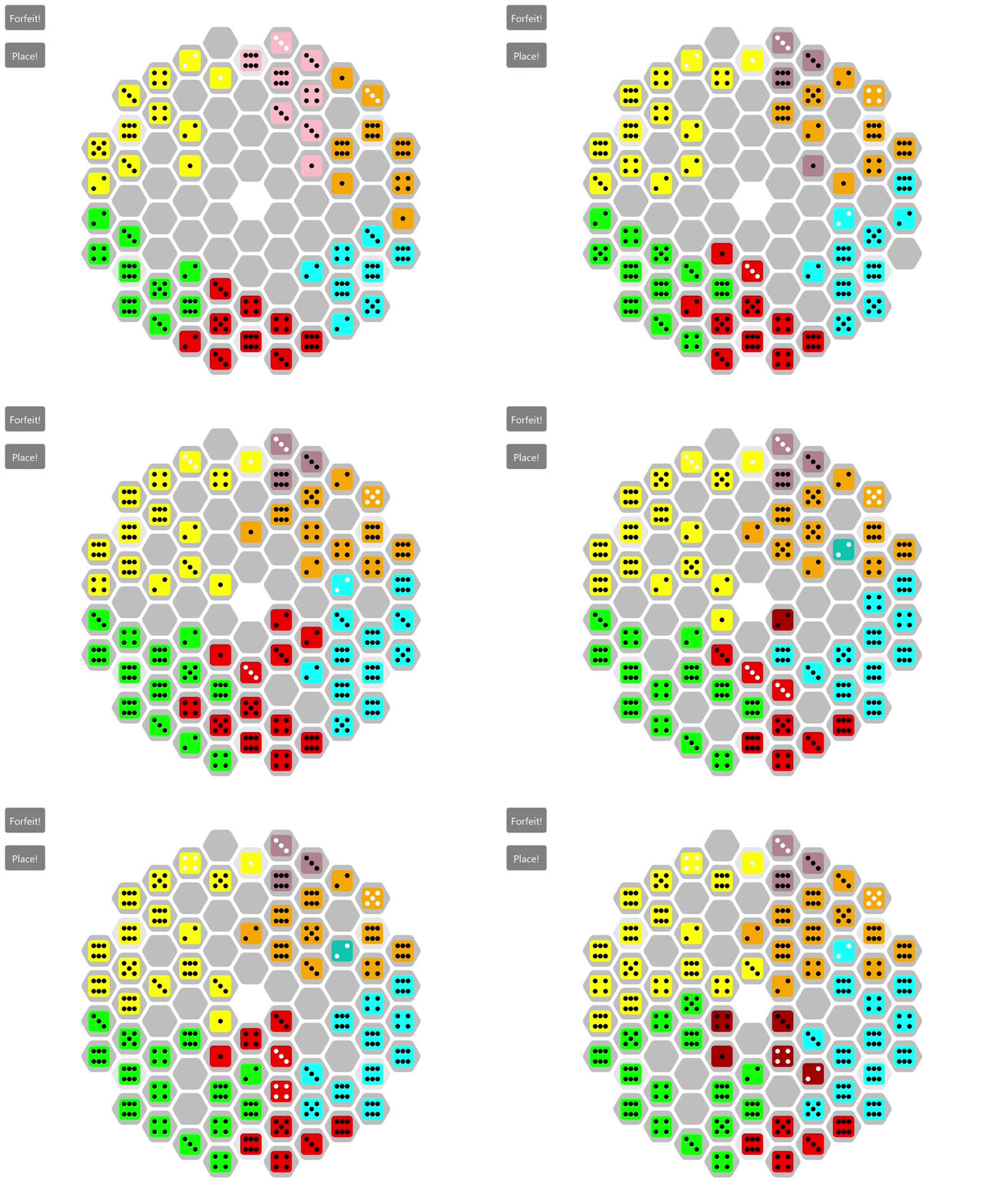
5d0a2a97d5495.gif

Here you can see that the pink player at the top is eliminated right away and the game continues between the remaining players. In this particular game, the AI is looking ahead five moves into the future to determine each move it makes.

Movement Interaction

In addition to creating the game graphics, we’ve developed an interaction system for making moves. Below is an example of placing a piece with this interaction system.
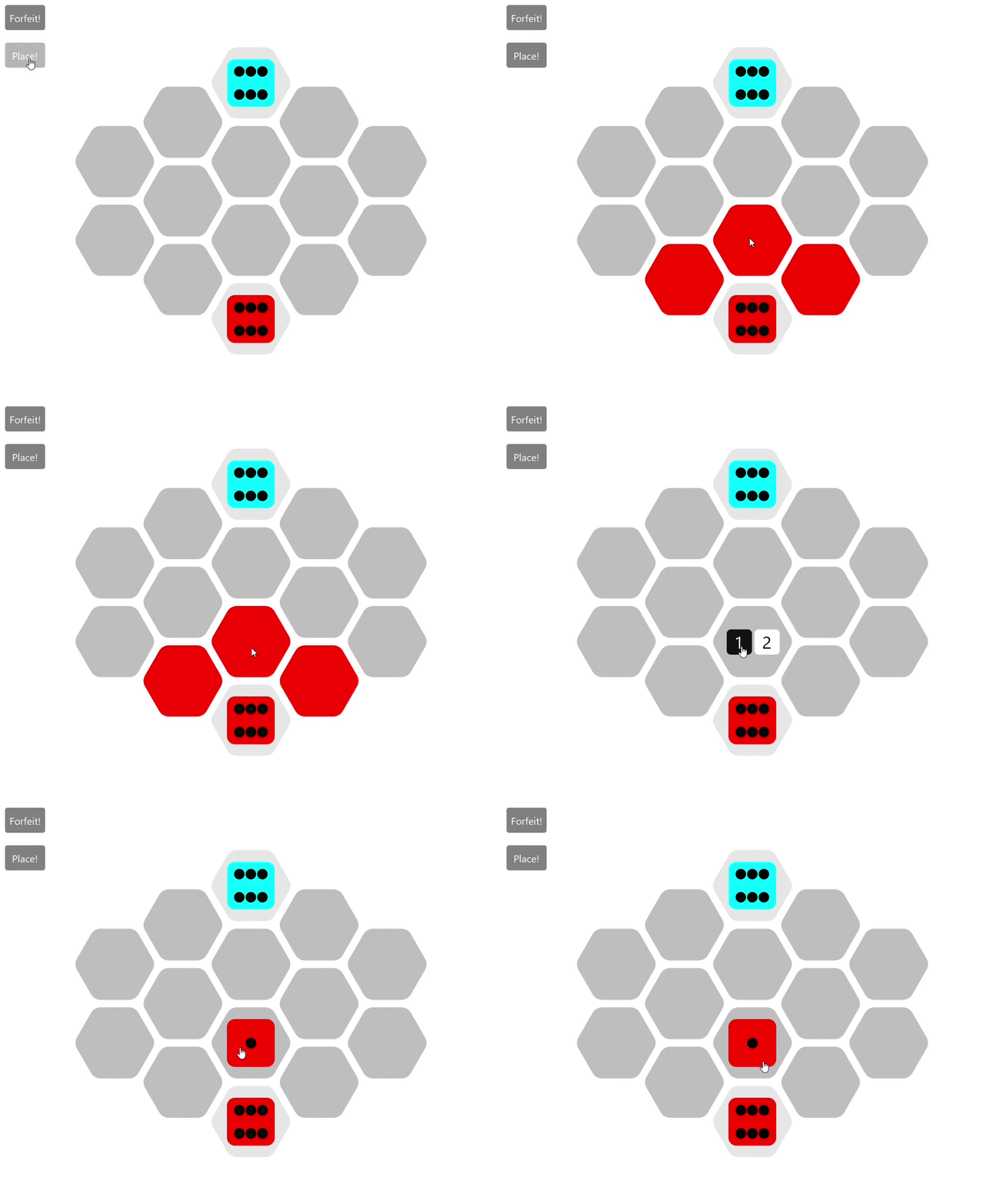
5d0a2a9f16922.gif

When the user clicks the place button, hexagons that are legal to place in are highlighted. Once the user clicks on the highlighted hexagon they want to place in, they are prompted for the type of piece they would like to place and the move is submitted to the core game engine for processing!



0 comments

Loading...

Next up

art comission.

Here's a peaceful little forest scene for this #screenshotsaturday, from the beginning of the game.

Another house i made long time ago.

Runestones: from concept to in-game model🗿

Sometimes the suction cup get sticky. Small animation I made in Blender after doing my tutorial on picking up/dropping objects in animations. Crate model by jQueary (https://sketchfab.com/3d-models/game-ready-sci-fi-crate-d98deca6…).

A Shiny Mega Gengar 🌟 For @ManutkArt 's #ThreeColorsChallenge!

"Day to Day" (also check spud out here he's a great guy and writer: https://soundcloud.com/spudward)

My D&D art for my family so far (WIP if you couldn't tell)

I mostly build 3D First Person Shooter game mechanics in Unity, and in this I'm just showing C4 mechanics I made for a little side project I am working on! :)

2d lighting experiment