I saw that a lot of people were requesting this feature, so I thought I'd show you how to "easily" have gamejolt look like an app on your phone (at least on android, I'm not sure if it's possible on iPhones)
1. Open Gamejolt in a phone web browser. Chrome for example, and navigate to your main feed page.
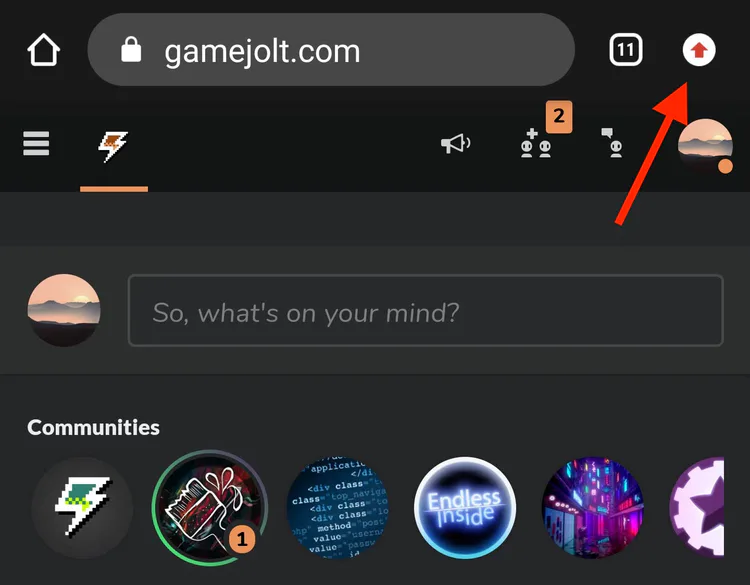
2. Find a "more" button (on chrome at the top right, and a menu should drop down)
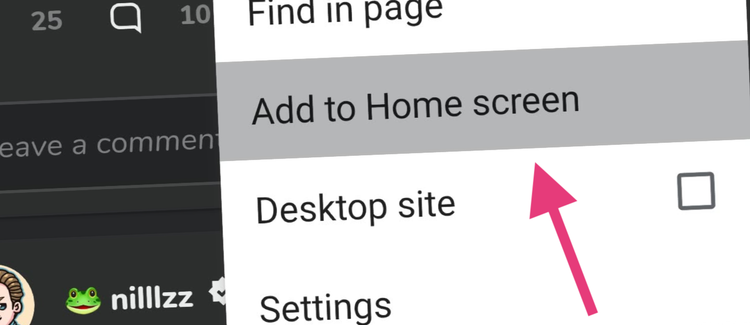
3. Save the site to you home screen. Find the "Add to Home screen" option on chrome.

4. Name the shortcut, such as "Gamejolt App". Or anything that you think might suit your wildest dreams.
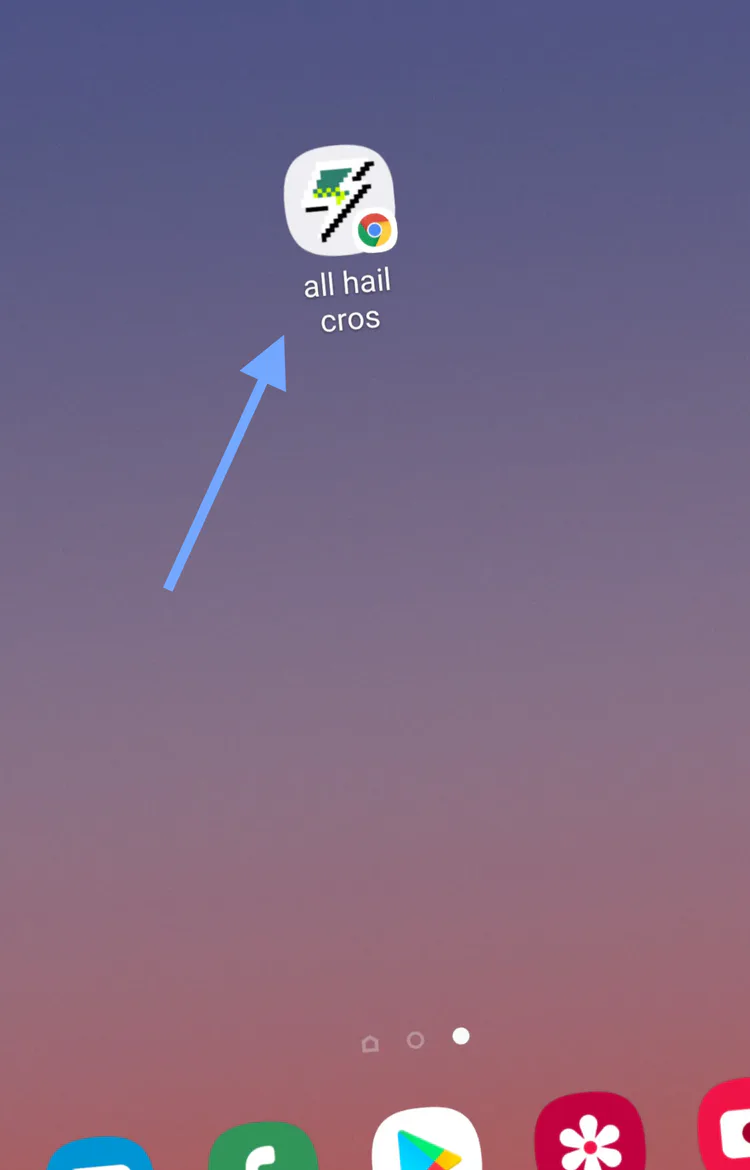
5. There you go! It's there. Enjoy yourself! Works like a standalone app! Or at least its social media features.
We'll be hanging tight until the team releases a real app, but until then, this will do the trick! 







6 comments