

First Step: Find your desired mod's sprite sheet and open it. Then, in Flash, make a new canvas that's the same size as the character's sprite sheet.
For example, let's say I want to change Tricky's sprites in Improbable Outset. His sprite sheet is 8192 X 4096, so I'll make a canvas that's 8192 X 4096.
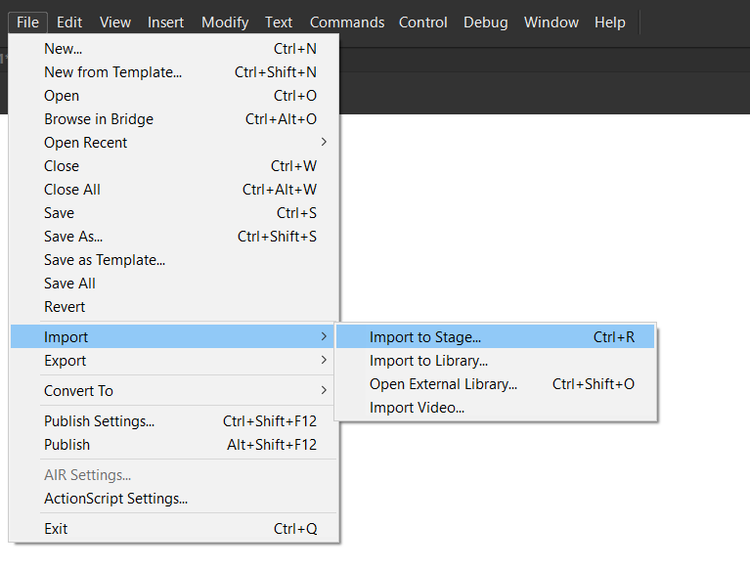
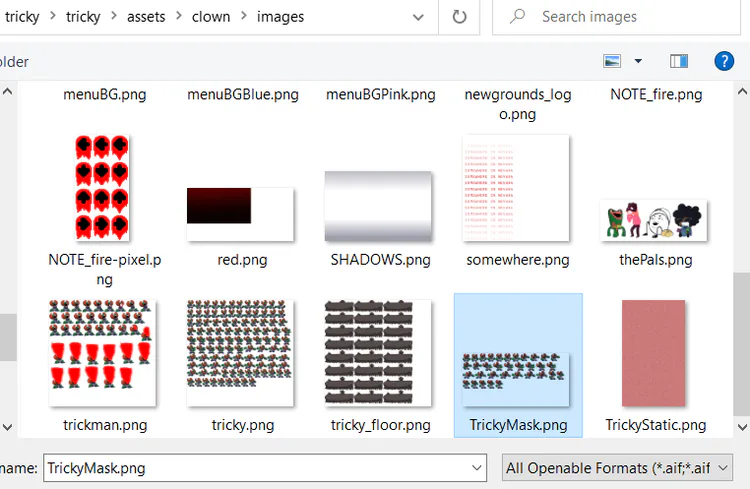
Second Step: Import the sprite sheet by going to File > Import > Import to Stage and double clicking it. If the sprite sheet is not in the center, simply drag it to the center.
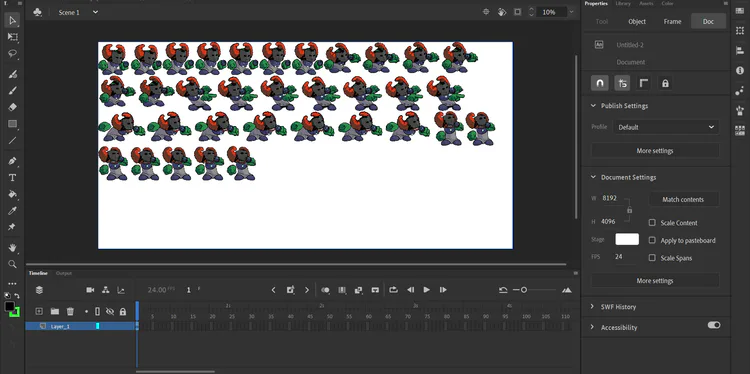
Third Step: Make a new layer and draw over the idle sprite (or any other sprite, but I recommend the idle sprite). You can use more layers, just make sure to convert all body parts into different symbols, then select everything (other than the sprite sheet), right click and press "Convert to Symbol".
Fourth Step: Animate your character. Again, this is not a Flash/Adobe Animate tutorial. If you want to know how to do that, check out Phantom Arcade(the animator of FNF)'s tutorial or any other tutorial.
Last Step: Do the same for all other sprites.
Hope this helped some of you!







0 comments