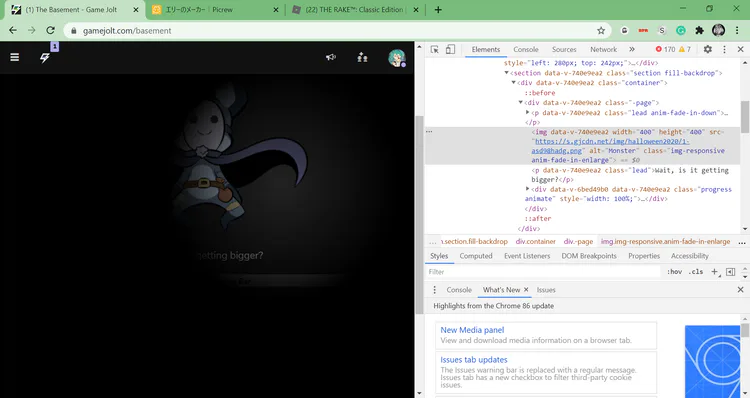
Step 1: Right-click and then open the inspect tab.
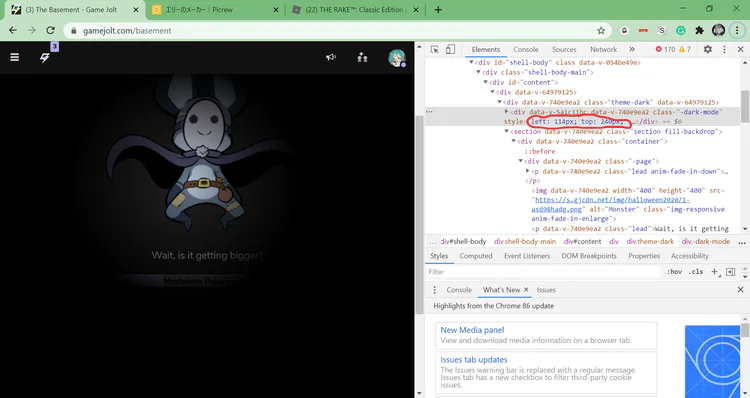
Step 2: Right-click on the circled text and then click the delete element button.
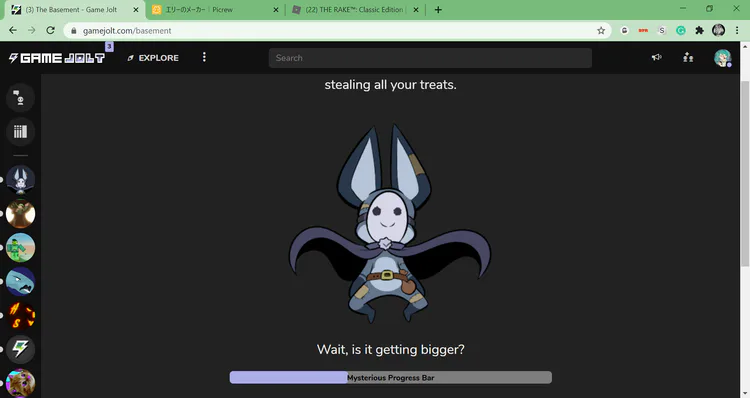
Step 3: Done! Now you can see well.
Step 1: Right-click and then open the inspect tab.
Step 2: Right-click on the circled text and then click the delete element button.
Step 3: Done! Now you can see well.
ok
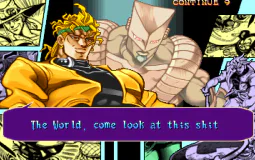
caption this
GAME BOY MUSIC! 👾 If you missed @defensem3ch  's ICONIC set from our Cursed Concert with @PlusMusic
  , you're in luck.
⚠️ FLASHING LIGHT WARNING! ⚠️
Check our posts this weekend for recordings of @WiseDrums 
 , @bmxescape
  and @marcspence1210
  !
!
mfw no gift for christmas
The Cursed Concert we put on with our pals at @PlusMusic was INTERNATIONAL. Here's @marcspence1210 's smashing set from the show!
Check out the rest of the sets from @WiseDrums , @bmxescape and @defensem3ch on our page and Music community!
"ooga booga i am robot ooga booga"
me when
Game Jolt Creator @WiseDrums played during our CURSED CONCERT with @bmxescape , @defensem3ch , @marcspence1210 and @PlusMusic !
Visit @WiseDrums for more 🔥
5 likes and i draw all of these in paint










5 comments