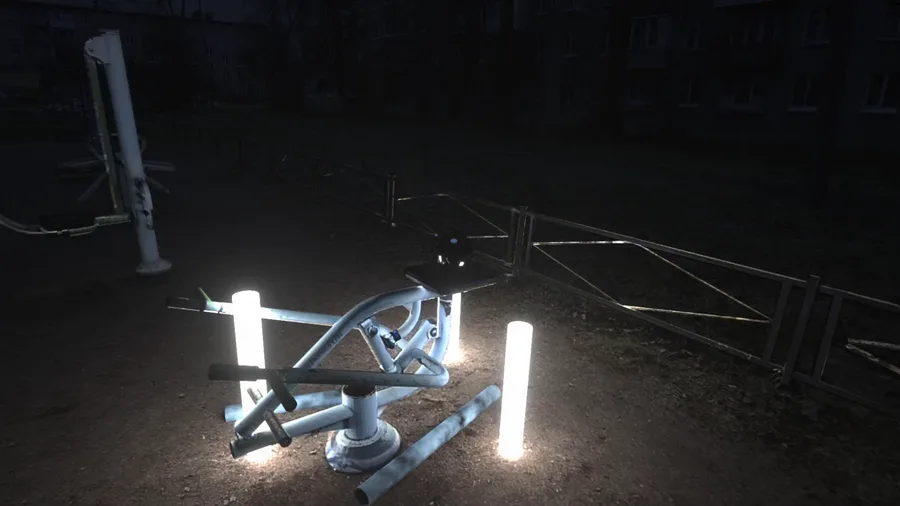



Everything you need to know the basics of how to do this:
GLOMAP workflow by Polyfjord (Do the COLMAP first and then this one)
Gaussian Splatting with Brush by Nicko16
Ian Hubert's De-lighting by InLightVFX
EVERYTHING WAS DONE INSIDE OF BLENDER 4.5.8
I use these tools not because of the stunning never-seen-before quality, but because of ease of use. You can just drop in footage in one program, output into the other and then the third. It is EASY.
About practicality: for this shot I did all of the workflow, and to utilize everything I had to import the Gaussian Splats into blender and then model the scene on top of it to make the De-lighting. You cannot do this with just the Gaussian Splats as far as I know. With the current ways of Gaussian Splatting, it is flawed. The splats are mostly transparent, so if you put something behind it, it will leak through and before mentioned lighting cannot be changed, so you do have to model the scene on top of it to De-light and then re-light it. I personally used Gaussian Splats to make modeling easier, you can probably just use GLOMAP as it too has point cloud that you can try modeling after, although it has less of them and they are pretty inaccurate.
I hope you'll have fun poking around with these tools tho!
If you want me to break down how I used these tools, comment and I might make a post on it!
Happy VFX! :3












2 comments