
" What brush do you use in Ibis paint?? "
Very interesting question...No one's ever asked me about it and knowing some people may get asked again so I made this post!! I'll go into detail about my brush background and the brush sizes I use!! (*´ω`*)🎀💕💕💕
My Brush Background
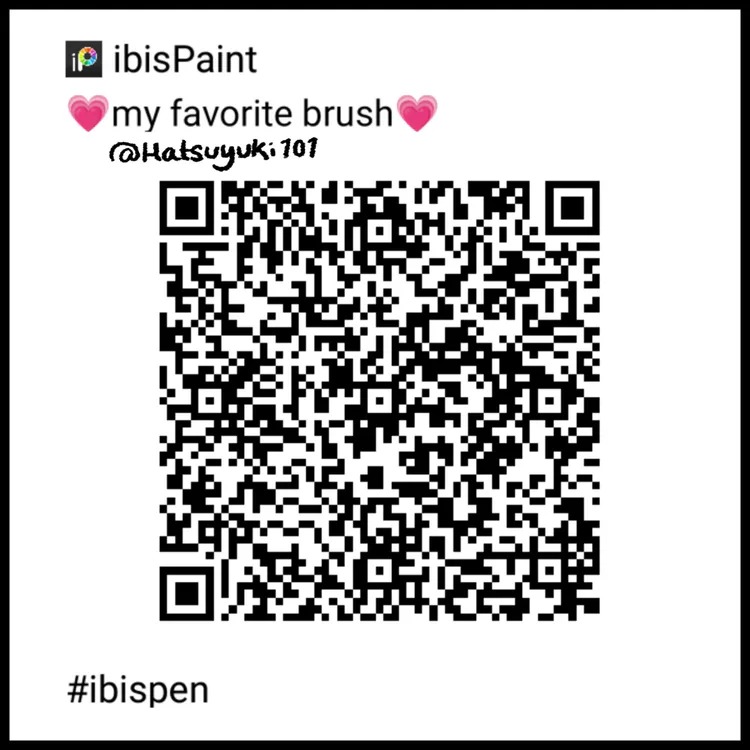
I actually use a modified brush called "slay brush (more jitter)" but I've adjusted the settings so it felt more comfortable for me to use since I'm a little picky my brushes... BEST PART!! This brush is AD FREE meaning you don't have to watch ads to use it!!
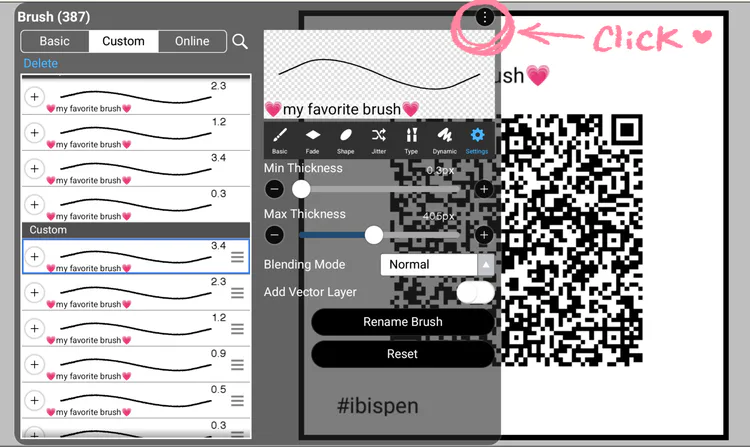
You can use this brush, feel free to take a screenshot of my brush code!! Just have fun!! (≧▽≦)🎀💖💖💖
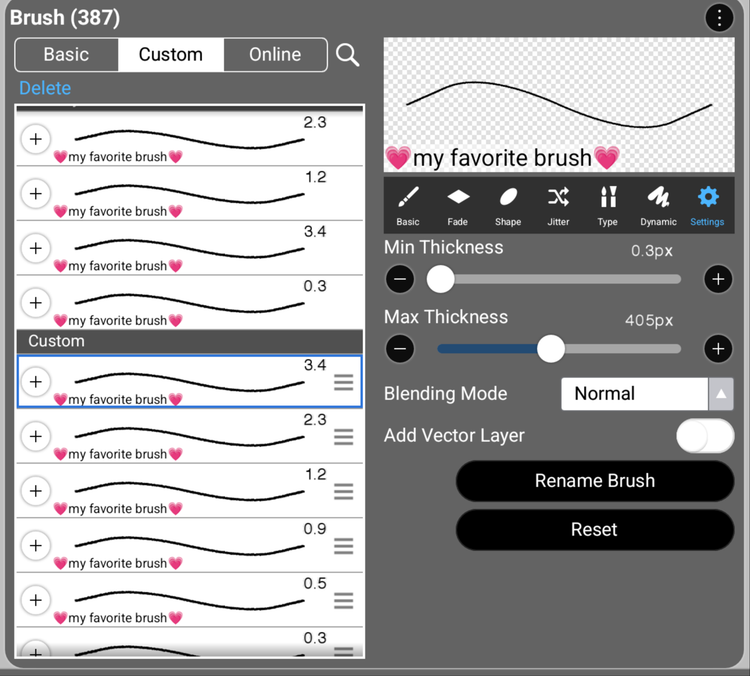
My Brush Sizes
I actually use a lot of different brush sizes but I use the thicker brushes for the main drawing and the smaller brushes for the smaller details I can't capture with the lager brushes!!
How to Import Brushes (works for mobile, tablet, laptop)
1) — Open up brush menu !!
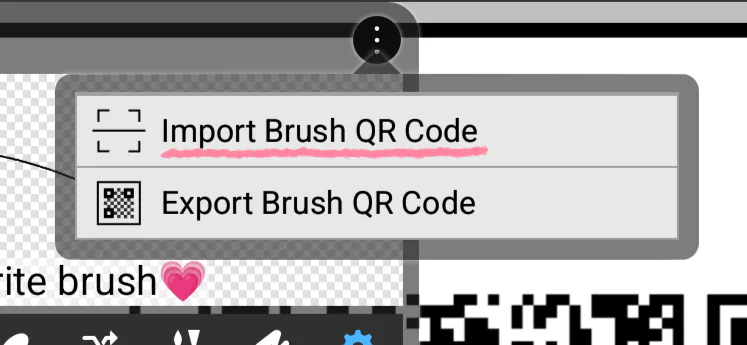
2) — Select the three dots in brush menu !!
3) — Select "Import Brush Code"
4) — It'll open your gallery, look for your downloaded brush !!
Tags — #hatsuyuki101 #ibispaint #brushcode #brush #tutorial #art #digital #drawing




12 comments