
Loading...
10,209
5 years ago

Setup your computer to stream video using OBS or Streamlabs


Follow this guide to get OBS (or Streamlabs OBS) set up to stream some sweet video.

If you don't have either yet, download OBS or Streamlabs OBS. We recommend OBS for getting started.

Open the program that you installed.

Adding a Video Source

In the “Sources” section, click on the + icon to add a new source.

Choose “Game Capture” or “Window Capture”, depending on the program you’re trying to show, and select what you want to capture.

  • If “Game Capture” doesn’t show up or it can’t find the program you want to show, you may need to use “Window Capture” instead.

Right-click the source you just added in the Sources list. You can hover over Transform and select Fit to Screen to quickly get your video looking good.

When you’re happy with the way things look, we can start the Virtual Camera for the program you downloaded.

Virtual Camera for OBS

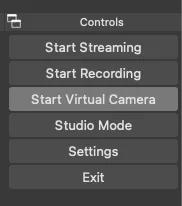
Click “Start Virtual Camera” (bottom right of the OBS window).
pasted_image_0.png

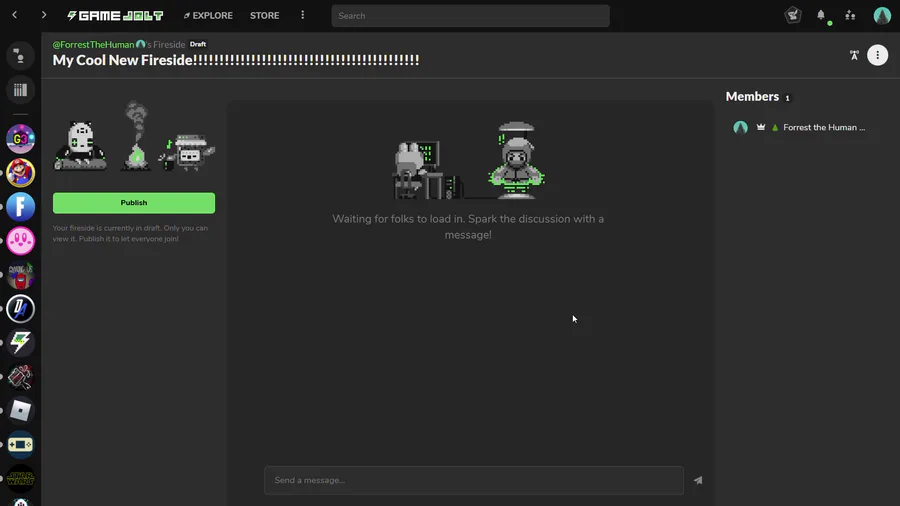
In your fireside streaming device options, choose “OBS Virtual Camera” from the dropdown.

Virtual Camera for Streamlabs OBS

Click the gear ⚙️ icon in the bottom left of your Streamlabs OBS window.

Click on the “Virtual Webcam” 📷 menu option in the window that opens up.

  • You may need to click “Install Virtual Webcam” if you haven’t before.

  • Important! After you install the virtual webcam, you will need to restart Chrome so that it can learn about your new virtual device.

Click “Start Virtual Camera”.

In your fireside streaming device options, choose “Streamlabs OBS Virtual Webcam” from the dropdown.

1
1
1
1


121 comments

Loading...

Next up

Our Bandit Trap Quests End on May 11th!

Celebrate #BanditTrapLaunch!

Share your #BanditDesign and #TrapperDesign!

Tell us your favorite Bandit Trap!

Place Bandit Trap stickers!

Get the game for yourself at https://bit.ly/bandittraplaunch

@Innombrable is a Jolter to Watch and game dev! Follow @Innombrable before the quest ends on May 12 and you'll get Coins!

This week's Fan Art Friday celebrates The Legend of Zelda! Accept the quest in your quest log to get started.

Have you played Bandit Trap?

New quests celebrating the game have entered your log. Tell us about YOUR favorite trap from Bandit Trap using the tag #MyFavoriteBanditTrap.

Get the game: https://bit.ly/bandittraplaunch

🎉 Bandit Trap is OUT NOW! 🎉

Defend your home using inventive boobytraps as the Trapper, or team up as three sneaky Bandits and try to escape with the loot!

Get the game now: https://bit.ly/bandittraplaunch

Complete our quests celebrating the #BanditTrapLaunch!

This week's Fan Art Friday celebrates Sonic! Accept the quest in your quest log to get started.

Everything is Crab is OUT NOW! Choose from near-endless evolutions and options in every run. Out now on Steam and Epic Games Store.

Quests celebrating the game are in your quest log.

Get the game: https://bit.ly/EverythingIsCrabLaunch

Learn more about the quests 🔽

Happy #WIPWednesday! Are you working on a game? Making some art? Practicing a song? Something else? Tell us in the comments!

We have a question and we wanna know: What's your favorite gaming world? Complete the quest and you'll get Coins!

We have a question and we wanna know: Who's your favorite gaming mascot? Complete the quest and you'll get Coins!