
Hello,
We thought we would put another little unity dev tutorial up for your viewing. This tutorial will feature how to create a simple fade in/out script.
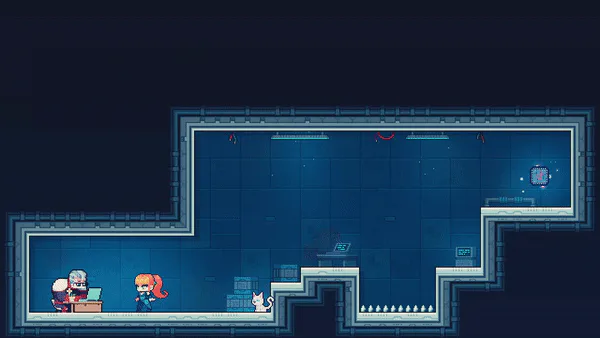
The basis of this is to first, create a GameObject that can be anywhere in the scene. To this object attache a GUITexture. Give this GUITexture a any black texture, and set the width and height to any aspect you want, as you can see from the image below, we chose 1920x1080 as this is the max resolution of that the game will run at.
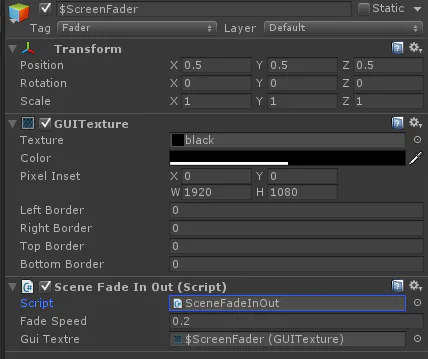
After this add a script, for ease of discussion we have decided to copy the entire source of code from our SceneFader script. Please feel free to use it if you ever need.
using UnityEngine;
using System.Collections;
public class SceneFadeInOut : MonoBehaviour
{
public float fadeSpeed = 1.5f; // Speed that the screen fades to and from black.
private bool sceneStarting = true; // Whether or not the scene is still fading in.
public GUITexture guiTextre;
void Awake ()
{
// Set the texture so that it is the the size of the screen and covers it.
guiTexture.pixelInset = new Rect(0f, 0f, Screen.width, Screen.height);
}
void Update ()
{
// If the scene is starting…
if(sceneStarting)
// … call the StartScene function.
StartScene();
}
public void FadeToClear ()
{
// Lerp the colour of the texture between itself and transparent.
guiTexture.color = Color.Lerp(guiTexture.color, Color.clear, fadeSpeed * Time.deltaTime);
}
public void FadeToBlack ()
{
// Lerp the colour of the texture between itself and black.
guiTexture.color = Color.Lerp(guiTexture.color, Color.black, fadeSpeed * Time.deltaTime);
}
void StartScene ()
{
// Fade the texture to clear.
FadeToClear();
// If the texture is almost clear…
if(guiTexture.color.a <= 0.05f)
{
// … set the colour to clear and disable the GUITexture.
guiTexture.color = Color.clear;
guiTexture.enabled = false;
// The scene is no longer starting.
sceneStarting = false;
}
}
public void EndScene (string name)
{
// Make sure the texture is enabled.
guiTexture.enabled = true;
// Start fading towards black.
FadeToBlack();
// If the screen is almost black…
if(guiTexture.color.a >= 0.95f)
// … reload the level.
Application.LoadLevel(name);
}
}
The last step is to set the fade speed to a required prefference in the editor, and you should have a working fade in script when you first run the scene.
We hope this helps.
Stay tuned for more as we move closer to the demo’s release.
Thanks
Deceptive Games















1 comment