


Comments (3)

Aaah, dragon and adventure ala Legend of Zelda, two of my favorites are in one game 
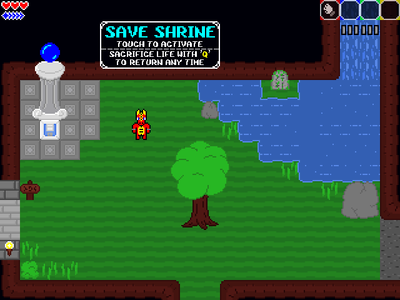
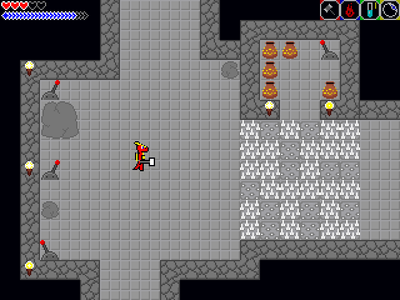
Anyways, it starts real rough with only fists but after getting the sword and getting used to fighting, finally managed to get deeper and found many things such as staff, hammer, mimics ;), health and mana upgrade and also water sole
I'll continue playing to find more
BTW I find it funny that fire slimes could get damaged by fire
Aside from the repetitive nature of the gameplay, it's very fun
Dragon Dreams: A Taste of Adventure HD [v2.3.1]
Dragon Dreams: A Taste of Adventure HD [v1.6.2]
Dragon Dreams: A Taste of Adventure [v1.5.3]
Dragon Dreams: A Taste of Adventure [v1.0.5]
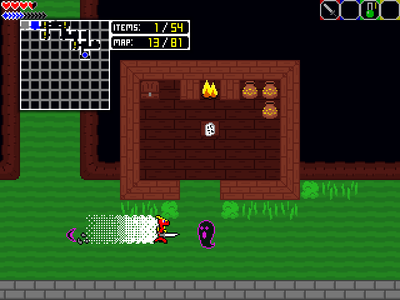
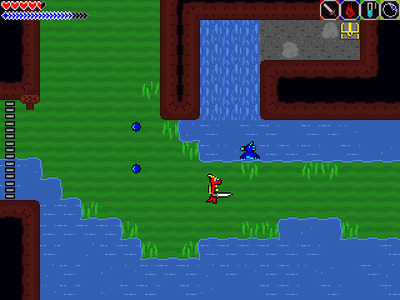
A mysterious dark power lurks within the nearby temple, locked up out of reach. Inhabitants of the world have already begun being taken, killed, or turned into beasts. It's up to you, the only remaining one fit and brave enough for the task, to find a way in and put a stop to this before all is lost!
This game is heavily inspired by The Legend of Zelda (specifically the old 2D ones) in various ways, though with more emphasis on fast paced combat, and RPG elements.
Explore the world as best you can with the abilities you have at the time, to find treasures and new abilities, defeat monsters, and find some way to access the Temple grounds to save the world!
This is kind of a sample / proof-of-cencept of a larger game that I'm working on (Dragon Dreams 1: The Nightmare's Wake), which has many more locations and varieties of everything seen in this. But this is it's own standalone mini-adventure, and it's map is unique to this game, so there's no need to wait for that game!
It also comes with built-in randomisation options, for replayability!
Thanks so much for checking out my game(s)!
I hope you enjoy your time with Dragon Dreams: A Taste of Adventure!
~ ~ ~ ~ ~ ~ ~ ~ ~ ~ ~ ~ ~ ~ ~ ~
If the default keyboard controls are not to your liking, you can rebind them from the main menu in Options > Rebind Keys.
To use a controller, you may need a program to manually remap keys. Something like JoyToKey, or Xpadder.
If you somehow bind your keys in a way that makes you unable to reach the menu to fix them, close the game and navigate to the "Save" folder. There, delete the "CONTROLS.sav" file, and they will be reset to their defaults the next time you run the game.
Here are the default keyboard controls, roughly in order of importance:
Movement - Arrow Keys
Dash (wth modifier) - Shift while moving
Attack/Confirm - X
Magic/Cancel - Z
Use Potion - C
Inventory - Space Bar
Map - Tab
Prev/Next Weapon - 1/2
Prev/Next Magic - 3/4
Prev/Next Potion - A/S
Prev/Next Artifact - D/F
*Pause - Shift + P
*Mute - Shift + M
*Quit to Menu - F2
*These controls are not rebindable