
Comments

REDSPY (Part 1 main)
REDSPY (Part 2)
REDSPY (Part 3)

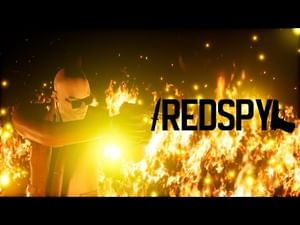
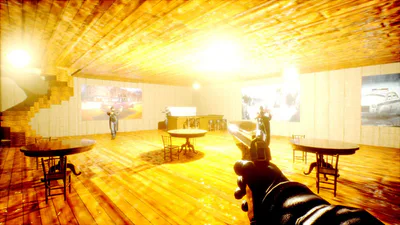
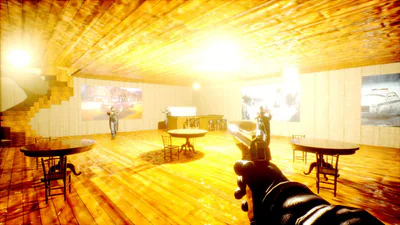
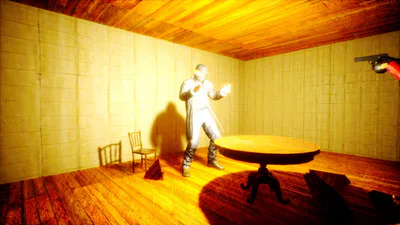
Genre: Tactical Spy First-person shooter Engine: MPEngine (Unreal Engine 4) Developer: MARKPIN
Game Description
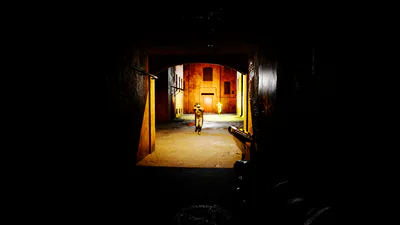
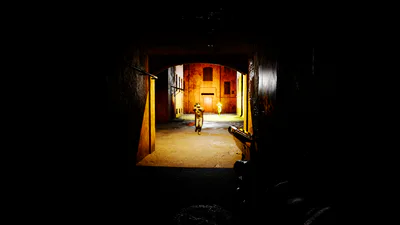
You are Agent Ivan, code-name "REDSPY", a tool operating in the shadows. Follow the orders of your commander, known as "The Terrible", to destroy the Flame of Revolution terrorist gang at all costs.
Your task is to become the last barrier in the path of chaos. You are a silent punishment that will overtake them.
Game Features
Shadow War: Act stealthily, use tactics and improvisation. Sometimes one accurate shot is more important than heavy fire.
Variety of missions: From targeted liquidations in underground bars to hostage rescue and large-scale sabotage in factories and in the subway.
The realism of the MPEngine: Immerse yourself in the gloomy atmosphere of the alternative reality of Europe thanks to advanced graphics and sound.
Personal revenge: What will you do when the war goes beyond orders and touches your past?
System Requirements
Minimum (Target: 1080p Low/Medium settings @ 30-60 FPS)
OS: Windows 10 (64-bit)
Processor: Intel Core i5-4460 / AMD Ryzen 3 1200 or equivalent
Memory: 8 GB RAM
Graphics: NVIDIA GeForce GTX 1050 Ti (4GB) / AMD Radeon RX 560
DirectX: Version 11
Storage: HDD (SSD Recommended)
Recommended (Target: 1080p High settings @ 60+ FPS)
OS: Windows 10 / 11 (64-bit)
Processor: Intel Core i7-8700 / AMD Ryzen 5 3600 or equivalent
Memory: 16 GB RAM
Graphics: NVIDIA GeForce GTX 1080 (8GB) / AMD Radeon RX Vega 56
DirectX: Version 11 or 12
Storage: SSD
Additional Notes: The game was tested on a system with an RTX 2060, delivering performance ranging from 69 to 115 FPS during heavy combat scenes.
Installation Instructions
The game uses a multi-level compressed archive. Please follow these steps strictly to ensure the game installs correctly.
Step 1: Download Files
Go to the official game page on GameJolt.
Download all available files, including the archive located in the "Part 1 main" section.
Ensure you have downloaded the file named
MainRS.7z.Place all downloaded files into a single, separate folder.
Step 2: First Extraction (MainRS)
Locate the file
MainRS.7z.Right-click on it and select:
For 7-Zip: 7-Zip -> Extract Here.
For WinRAR: Extract Here.
After extraction, a new folder will appear. Open it.
Step 3: Second Extraction (Patch .001)
Inside the new folder, you will find the file REDSPYPatch110.7z.001 (the first part of the game archive).
Right-click specifically on the file
REDSPYPatch110.7z.001.Extract it:
Recommended (7-Zip): Extract Here.
WinRAR: Select the file and click Extract.
Crucial: You only need to extract the .001 file. The software will automatically combine data from the other numbered files (like .002, .003, etc.) if they are in the same folder.
Step 4: Launching the Game
After the final extraction, the game folder
REDSPYPatch110will appear.Open this folder.
Find and double-click the executable file
REDSPY.exe.
Done! Enjoy playing REDSPY!
Troubleshooting & Common Errors
1. "Archive is corrupt" or "Unexpected end of data" Error
Cause: Not all archive parts were downloaded, or they are not located in the same folder.
Solution: Verify that all numbered files (
.001,.002, etc.) are downloaded and placed together in one folder before starting Step 3.
2. The game does not launch (Antivirus Issue)
Cause: Some antivirus software (e.g., Windows Defender) may quarantine the indie executable.
Solution: Check your Antivirus Quarantine list. If
REDSPY.exewas removed, restore it and add the game folder to your "Exclusions" or "Allow list."
3. "Missing Visual C++" or "DirectX" Errors