
0.5.6
New:
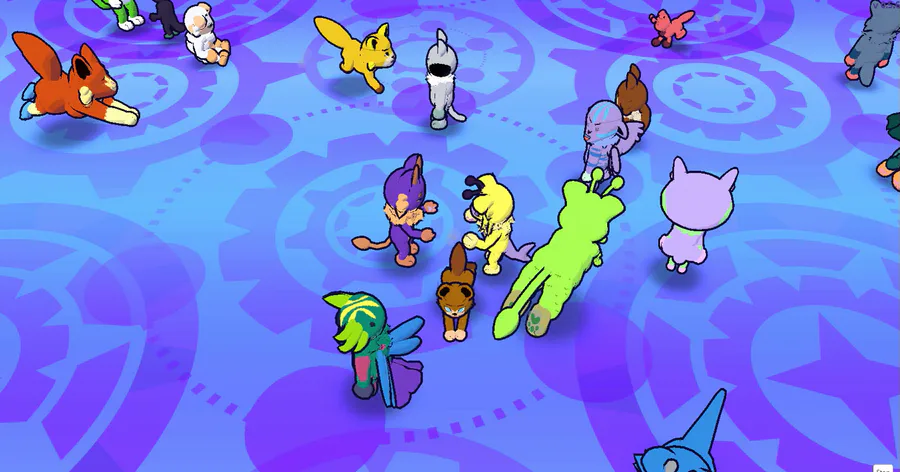
Creatures now occasionally go and babble with each other!
Also added a sitting and looking at themselves animations to their wandering around time
Added a mouse controls bar to help people know what controls are available
Updated the Settings Menu with new options:
Added Resolution dropdown option
Added Graphics Quality dropdown option
Added toggle for hiding mouse controls bar
Added toggle to run game in the background
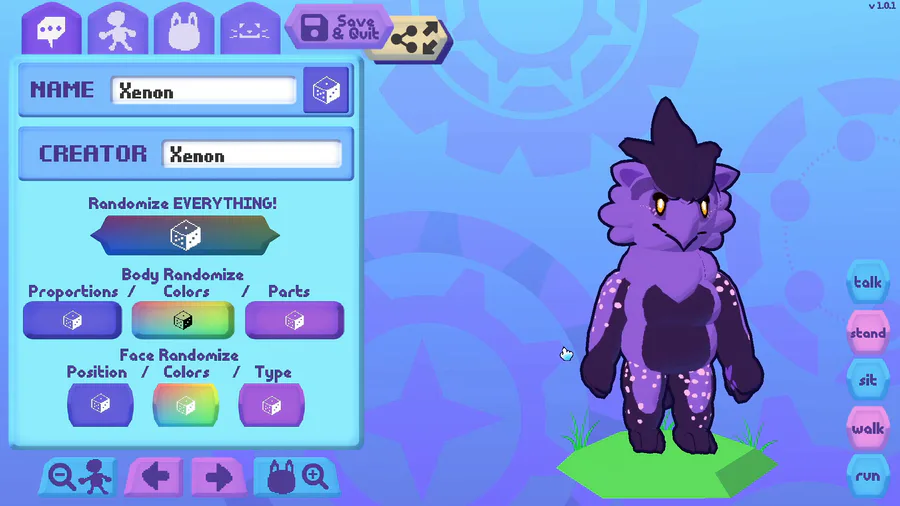
Changed the color of the selected creature panel popup, and changed the Edit button to be the Edit & Share button, to make it more clear that you can share creatures
Color grid menu now highlights all the colors that are applied to a creature for easier color matching.
Gather button now toggles to a Disperse button after it's clicked, and vice versa.
Fixed:
Creatures now no longer continue to move while the player is in Edit mode. This should hopefully result in some performance gains when a lot of creatures are in the Lobby.
Removed the animations for the face option tabs to make the game more responsive in the Face menu. May add a toggle to the graphics settings to apply this for the entire Edit Creature menu for optional performance gains based on player feedback.
Improved on-screen keyboard. Should now be better at taking hardware keyboard inputs at any time without having to click the input field. Still having weirdness with using arrow keys and the mouse to move the caret, but these bugs are noted.
Feature toggle containers now do not show arrows unless there are multiple pages of features.
0.5.5
Fixed creatures distorting/expanding after being saved for some users. When Windows number formats were set to comma decimal separators, it deleted the decimal entirely, causing max or min values to be read for most creature traits.
Added changeable Lobby backgrounds! Release version will unlock all 4, including a green chroma key value for having creatures run around on your stream!
The H key will now hide/unhide the Lobby UI for a clean creature watching experience.
Creatures now blink.
Creature now sits when you change feet pawpad colors, so you can more easily see what's changing.
0.5.4:
Added https:// to genereated QR code links, so that phones will always treat it as a link instead of web searching it sometimes
Removed webcam triggering for some players due to unimplemented QR reader functionality.
0.5.3
New:
Can now generate QR codes of your creatures! The QR is a URL to load that creature in the WebGL build on my main site. You can also use the QR code's URL directly to paste in the Creature Code box.
Added 1 slider
Cheek fluff position depth
Added 29 new body parts
5 new leg types
4 new feet types
5 new arm types
1 new hand
1 new ear types
1 new neck
4 new snouts/beaks
2 new tails
2 new cheeks
4 new horns
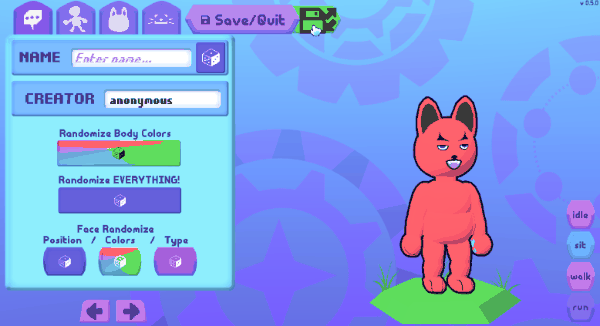
Updated Randomizer buttons; can now randomize body proportions, body colors, and body parts separately
Added a randomize button for proportions also to the body proportions sliders tab
Added buttons to zoom in and out in Edit mode
Added better handling in Edit mode for vertical ratios for mobile fullscreen
Expanded cheek fluff rotation, position, and scale minimum and maximum values
Fixed:
Touch controls on mobile preventing you from editing existing creatures sometimes now appear to be solved
0.5.2:
Fixed a pretty big bug relating to Creature Codes - 0.5.0 or 0.5.1 would not boot codes a version above them, despite technically being able to. This should be fixed for versions moving forward.
Fixed Head Zoom camera making bighhead & smallbody and bigbody & smallhead creatures heads out of frame.
Various backend structures for a cool new sharing feature I'm working on for conventions 👀






0 comments