5 years ago

Read to figure out your project's sprite number!

( like project #, but for sprites!)


Here is how to figure out what sprite number you are using, like project #, but for sprites.

⭐Go onto a costume in scratch.

⭐Open the fill color

⭐Drag the panel into the place where chrome tabs are (top)

⭐And it will show you the sprite # you're using in Scratch.

⭐Like projects, except for sprites

The one I'm using is Sprite10,010,090

It also looks up the color, so that an be useful.



0 comments

Loading...

Next up

Some screenshots from Kirby and the Forgotten Land Demo :)

suss amoguss build

The Scratch Team has just recently updated their Terms of Service yesterday, letting you know they now have full permission to use your content to train AI models.

Enderman before attacking gif!

P.S. gj made the fps a bit faster

Go here for Minecraft: RPG Edition! https://gamejolt.com/games/Minecraft_RPG_Edition/632778

Ricky Rabbit's Seasonal Flavoritiez! Season 3 Episode 13 (Wet Dry roundabout)

FNF Reactor playthrough 93.43%

⠀⠀⠀⠀⠀⠀⠀ ⠀⠀⠀⠀⠀⠀⠀⠀⠀⠀⠀ ⠀⠀⠀⠀⠀⠀⠀⠀⠀⠀

ඞ⠀⠀⠀⠀⠀⠀⠀⠀⠀⠀⠀⠀⠀⠀

So I played FNF Triple Trouble in forkphorus.

p.s. most of the misses are something wrong with the projects, I usually get like 11 misses)

Testing out a new move! This move is for all characters

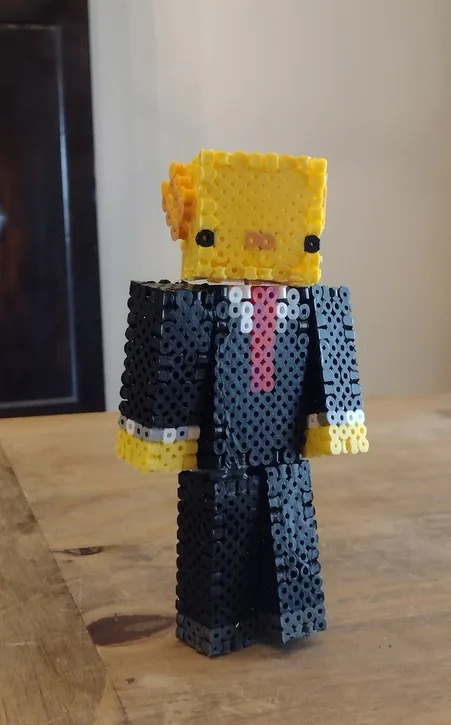
I have been into the hobby of making Perler Bead creations, but I haven't posted any of them on gamejolt yet, so here is an axolotl Minecraft skin :D