-NintendoGamers- @-NintendoGamers-
Joined over 5 years ago
Dev



https://www.youtube.com/watch?v=_1peN2O5zDQ
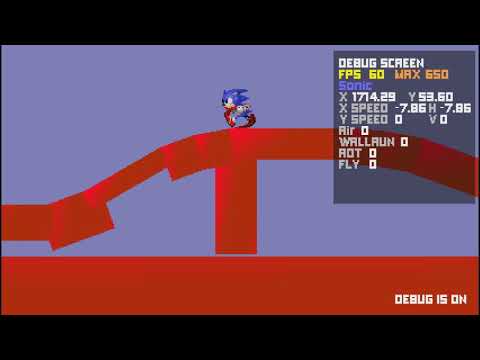
Check out new update! 0.1.3
New:
Debug screen by pressing F3
New floor and wall animated sprites
Debug fly
Controls:
F3 - Debug screen
Delete button - Kill player
Home button - Restart level
End button - Kill game
P - enable debug fly
Numpad - fly control
YouTube
https://www.youtube.com/watch?v=_1peN2O5zDQ
youtube.com
 1
1https://www.youtube.com/watch?v=JfjotUwDhoQ
Hello there!
New update.
* Footstep sounds
* 90 degrees of the floor now behaves like a wall in a collision with a player
* Camera block objects
You can try it right in the browser, but the sounds will not work

YouTube
https://www.youtube.com/watch?v=JfjotUwDhoQ
youtube.com

YouTube
https://www.youtube.com/watch?v=OB7yLTriQXw
youtube.com
https://www.youtube.com/watch?v=8IJiWwvVfzI
The menu is now easily adaptable to any new "rooms". It is enough just to add a few words to the object about the new room.

YouTube
https://www.youtube.com/watch?v=8IJiWwvVfzI
youtube.com