Comments (139)
Happy to see more Undertale bases for engines in the works! The more game engines have bases, the more Undertale fan games we can get!
Hi, is there any way I can contact you, because I would like to discuss the engine's problems and mine (at least mine) and find out what I'm doing wrong. I think I can explain a few of them, but if you don't understand, then as I said, I would like to contact you personally. How to make 2 room triggers and more, how to make each room fade out, and how to make sure that when, for example, at the beginning of the game you talk to a character and he leaves, when you re-enter the same room, he does not stand there, but must be removed from it (because he left 1 time). Thanks for reading, it's hard for me to explain this because I'm Russian, and the translator can make mistakes. I really liked your engine, so I'm making a game based on it. Thanks again

Oh, divine engine, I decided to make a game with its help, author, could you tell me how I can interact with DialogFaces? When transferring an object to your application, there is no way to change faces through global conditions, I will be glad if you answer. With love :)


This engine is great, just have issues with making more text but other than that I am having fun with this engine

Absolutely lovely engine, i hope you are going to update this in the future, but anyways i saw that in the Star save UI there's something called Saveroom blitter, how do i change the writing on it so every frame has his unique room name?
Clickteam Undertale engine
Clickteam Undertale engine pre-last
Clickteam Undertale engine (original)
Information
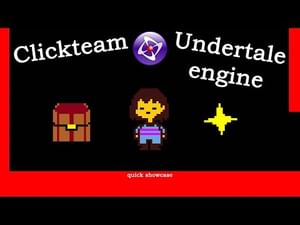
This is an Undertale engine for Clickteam Fusion 2.5 Developer. The engine lets you create Undertale fangames, whether it's a single fight or a big detailed game. The engine was made to be as accurate to the original as possible, so, if spent enough time, it would be possible to recreate the entire Undertale. But, if needed, you still have the option to modify the sprites or mechanics as you'd like.
TO USE THE ENGINE, YOU HAVE TO HAVE DEVELOPER VERSION OF CLICKTEAM, as there're extensions, such as text blitter, item list view and ultimate fullscreen. If you do not have those, then, when trying to open, it'll ask you to download them. Follow the instructions or download them manually and it should be done.
Pre-built systems and mechanics include overworld and battle systems, those consist of: inventory menu, dialog, box, save star, starting and ending the battle, kr, all 20 lv with their xp, at, df; fleeing, game over and much much more. For a better understanding check out the quick showcase video in media section for the game or just simply click this link: Clickteam Undertale engine quick showcase (youtube.com)
It's also recommended to check all lines of code and try changing some of the connected values to get the idea of the things, which weren't shown in the video (yes, there's actually a lot of stuff that wasn't shown)
Understanding of clickteam is needed to work with the engine (obviously)
Credits
McatR for battle engine, which was used (though, it's heavily modified)
TML233 for Undertale engine for GameMaker, from which I took most of the formulas, values for XP (though, they were wrong) and in which I tested how some of the stuff functions. Also most of the sprites were redrawn from there
Toby Fox for the original Undertale, sprites and sound effects
Undertale Wiki community for XP values and some other formulas and breakdowns on how the game works
When making a fangame, using this engine
credit is not required, but
Don't claim the engine to be as yours (because it's not, don't claim others' work as yours in general, it's not cool)
Make sure to report bugs you find
If it's a major bug (like a bug, which can be easily encountered and/or breaks the game), then I'll fix it in the original and update the release package. If it's a minor one (a bug which is very hard to encounter and doesn't break anything), then I'll give the solution to it, but won't change the package, since it's usually not even noticable during normal playthrough. Although, if I get a lot of those small bugs, then I might update it
Tags
(if you want to read them for some reason)