Comments

Potato Software win
Potato Software Android edition
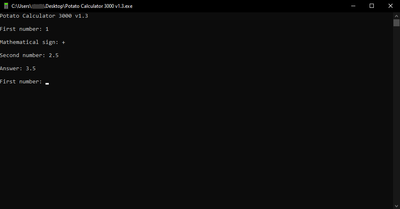
Potato Calculator 3000 v1.3 win
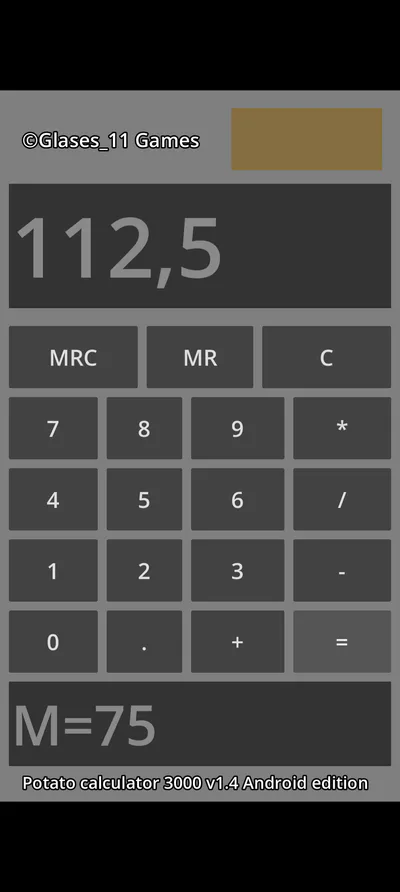
Potato Calculator 3000 v1.4 Android edition
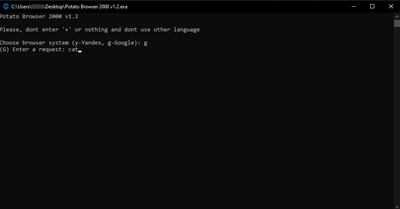
Potato Browser 2000 v1.2 win
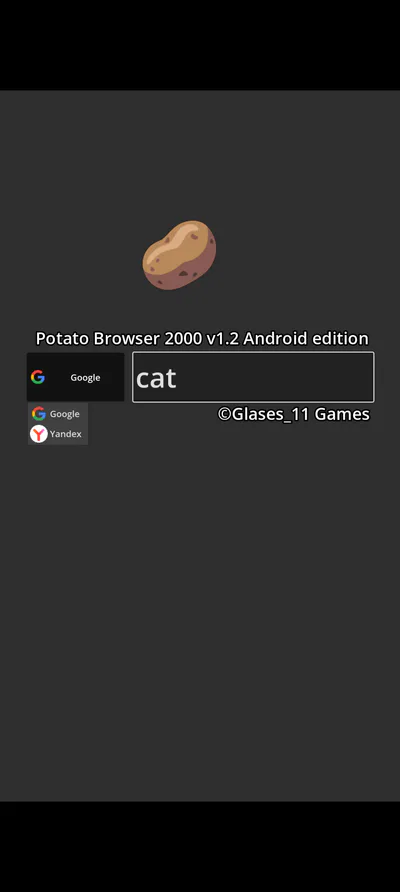
Potato Browser 2000 v1.2 Android edition
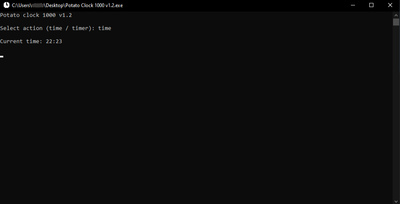
Potato Clock 1000 v1.2 win
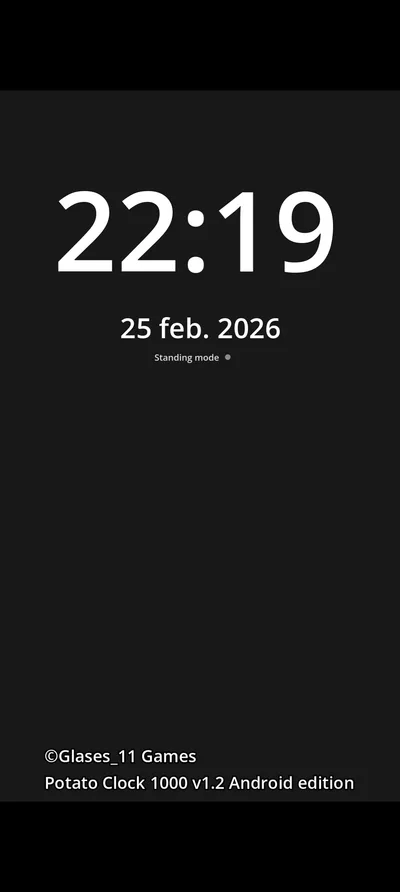
Potato Clock 1000 v1.2 Android edition
Potato Notepad 500 v1.2 win
RU: Potato Software - сборник очень лёгких и нужных программ для слабых устройств.
Windows:
Potato Calculator 3000 v1.3 - простейший калькулятор, считает любые числа (положительные, отрицательные, дробные) и использует сложение (+), вычитание (-), умножение (*) и деление (/). Чтобы посчитать на нём, сначала введите первое число, потом математический знак (+, -, *, /) и потом второе число. Весит 16,5 кб.
Potato Browser 2000 v1.2 - простейший браузер, работает с поисковыми системами Google и Yandex. Для работы нужен любой браузер на вашем устройстве. Весит 17,5 кб.
Potato Clock 1000 v1.2 - простейшие часы, могут показывать время, а можно поставить таймер в минутах (работает только с целыми числами). Весит 17 кб.
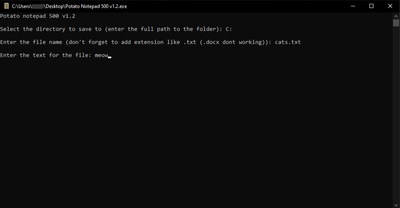
Potato Notepad 500 v1.2 - простейший блокнот, для использования сначала введите путь где будет создан/открыт файл (К примеру C:\test), потом напишите название с расширением (К примеру cat.txt) и потом пишете то, что хотели бы написать/добавить. Весит 18 кб.
Android:
Potato Calculator 3000 v1.4 Android edition - простой калькулятор,считает любые числа (положительные, отрицательные, дробные) и использует сложение (+), вычитание (-), умножение (*) и деление (/). Сверху экран где появляется то, что вы пишите, ответ, то что внесли в память (M=...). В середине кнопки цифр, очистки (C), математические знаки, точка (запятая), кнопка копирования в память (MR) и кнопка вставки из памяти (MRC). Снизу экран, показывающий что сейчас стоит в памяти (M=...). Весит после установки 104 мб.
Potato Browser 2000 v1.2 Android edition - простой браузер, работает с поисковыми системами Google и Yandex. Чтобы их выбрать, есть выпадающий при нажатии список поисковых систем, выбирайте и слева от этого списка пишите в поле запрос. Весит после установки 107 мб.
Potato Clock 1000 v1.2 Android edition - простые часы, показывают время, день, месяц и год. Есть режим "стенда", он переворачивает отображение всей информации набок, чтобы можно было поставить на подставку и выглядело как настольные часы. Весит после установки 104 мб.
Если найдёте какую либо не исправность или баг или возможно что-то хотите предложить пишите на эту почту: [email protected]
Приятного использования!
FAQ:
Q: Какие расширения поддерживает Potato Notepad 500 v1.2?
A: Проверенно: .txt, .doc, .py Не поддерживается: .docx
Q: Почему нету Potato Notepad 500 на Android?
A: Давайте честно, кто будет писать txt на Android е?
Q: Почему нету возможности таймера в Potato Clock 1000 v1.2 Android edition?
A: Пока я не могу это нормально реализовать.
EN:Potato Software is a collection of very light and necessary programs for weak devices.
Windows:
Potato Calculator 3000 v1.3 is a simple calculator that counts any numbers (positive, negative, fractional) and uses addition (+), subtraction (-), multiplication (*) and division (/). To calculate on it, first enter the first number, then the mathematical sign (+, -, *, /) and then the second number. It weighs 16.5 kb.
Potato Browser 2000 v1.2 - the simplest browser, works with Google and Yandex search engines. You need any browser on your device to work. It weighs 17.5 kb.
Potato Clock 1000 v1.2 is the simplest clock, it can show the time, or you can set a timer in minutes (it only works with integers). It weighs 17 kb.
Potato Notepad 500 v1.2 - the simplest notepad, to use, first enter the path where the file will be created/opened (For example C:\test ), then write the name with the extension (For example cat.txt ) and then you write what you would like to write/add. It weighs 18 kb.
Android:
Potato Calculator 3000 v1.4 Android edition is a simple calculator that counts any numbers (positive, negative, fractional) and uses addition (+), subtraction (-), multiplication (*) and division (/). On top of the screen appears what you write, the answer, what you have entered into memory (M=...). In the middle there are buttons for numbers, clearing (C), mathematical signs, a dot (comma), a copy-to-memory button (MR) and an insert-from-memory button (MRC). Below is a screen showing what is currently in memory (M=...). It weighs 104 MB after installation.
Potato Browser 2000 v1.2 Android edition is a simple browser that works with Google and Yandex search engines. To select them, there is a drop-down list of search engines when you click, select and write to the left of this list in the query field. It weighs 107 MB after installation.
Potato Clock 1000 v1.2 Android edition is a simple clock that shows the time, day, month and year. There is a "stand" mode, which turns the display of all information on its side so that it can be placed on a stand and looks like a table clock. It weighs 104 MB after installation.
If you find any malfunction or bug, or perhaps you want to suggest something, write to this email: [email protected]
Enjoy using it!
FAQ:
Q: What extensions does Potato Notepad 500 v1.2 support?
A: Tested: .txt, .doc, .py Not supported: .docx
Q: Why is there no Potato Notepad 500 on Android?
A: Let's be honest, who will write txt on Android?
Q: Why is there no timer option in Potato Clock 1000 v1.2 Android edition?
A: I can't implement it properly yet.