Comments

JoulsTube's Random Card Game - 3DS
It was never a joke.
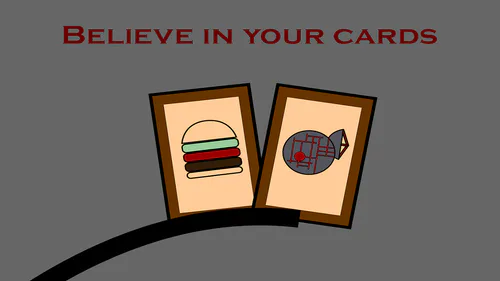
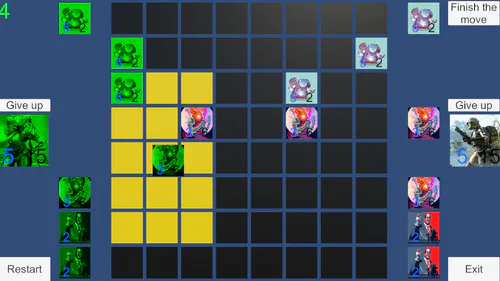
The Scratch build of JoulsTube's Random Card Game, now on the Nintendo 3DS with extra features, including new modes and an 'original' soundtrack (and an option to go back to the old soundtrack if you hate it)!
This game includes the following modes:
Standard Mode: The original Scratch game adjusted for the 3DS!
Quick Mode: A game mode designed to end quickly for shorter sessions!
Enhanced Mode: A game mode featuring features and cards from the Itch and GameJolt builds!
Boss Choice: Fight any of the 3 bosses at your own pace!
Marathon: Fight through endless battles! See how far you can get with health carrying over between fights!
HOW TO PLAY:
On PC:
Press the Play button to play in your browser!
OR
Download the sb3 file and open it in Turbowarp!
On 3DS:
NOTE - This requires a modded Nintendo 3DS. If you haven't modded your 3DS yet, find out how to do so here.
Step 1 - Get your modded 3DS.
Step 2 - Install Scratch Everywhere onto your 3DS.
Step 3 - Download the sb3 file.
Step 4 - Insert your 3DS' SD card into your computer/phone.
Step 5 - Place the sb3 file into the SD card at (SD Card Name)/3ds/scratch-everywhere
Step 6 - Insert your 3DS' SD card back into your 3DS.
Step 7 - Turn on your 3DS and boot up Scratch Everywhere.
Step 8 - In Scratch Everywhere's menu, press the left button on the title screen, and you should be able to find the sb3 file.
Step 9 - Press the settings button next to the sb3 file and enable 'Bottom Screen'.
Step 10 - Open up the sb3 file and have fun!
POSSIBLE BUG FIXES:
Game crashes - Go into the settings and click 'Unpack Project'. Once this concludes, there should be a yellow version of the file with a lightning bolt icon that shows up on the project list. Attempt using that project.
Bottom screen doesn't work - Try uninstalling Scratch Everywhere and install the Nightly build.