
Comments

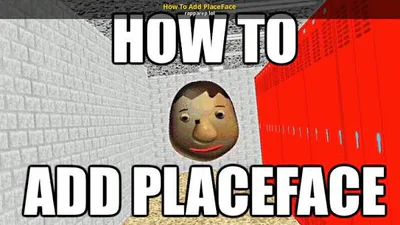
This tutorial doubles as a video and text tutorial so yeah. Here's how to re-add Placeface/Testenemy to Baldi's Basics Classic, no copy of OSB or any decompile required.
You will need a copy of Unity Assets Bundle Extractor, Baldi's Basics, and prior knowledge of Baldi's Basics modding of course.
STEP 1
Open up UABE (Unity Assets Bundle Extractor) then go to File->Open. Then go to your copy of Baldi's Basics then to BALDI_Data->Level2. UABE Should look like this now.
STEP 2
On UABE go to View->Search By Name, then type in the search bar "GameObject TestEnemy". This should highlight the name of Placeface, of course called "TestEnemy". Then in the side bar of UABE, click Export Dump. The export the text file to where ever you want, I would recommend putting it in BALDI_Data. Now click on the text file you just exported, it should look like this.
STEP 3
Now on the text file, go to the final line saying " 0 bool m_IsActive = false", now change the "false" in the line to "true". It should look like this, " 0 bool m_IsActive = true". Then when you are done with the text file go to file->save and exit the text file.
STEP 4
Go back to your UABE which should be the same as it was, then click Import Dump which should be on UABE's side bar. Now open your text file with TestEnemy's script in it. Then click save on UABE and save it anywhere that isn't BALDI_Data. It should be called Level2.
FINAL STEP
Grab your Level2 file and drag it into BALDI_Data, then press okay to any popups that should be on your screen. Now you're done and PlaceFace should be activated and in the game. To test, go into a game of Baldi's Basics and play. He roams around pretty fast and goes through rooms and out. He doesn't do to much or do anything special. His name gives all the information you need, "TestEnemy". Here's what he should look like in game.
But Yeah, that's how to add PlaceFace/TestEnemy to Baldi's Basics without a decompile like OSB. To restate, PlaceFace does not do too much. He only roams around quickly and enter rooms and leave. But that's how you do it. Thanks for reading this tutorial and bye!