
Comments

Project File Library
Description
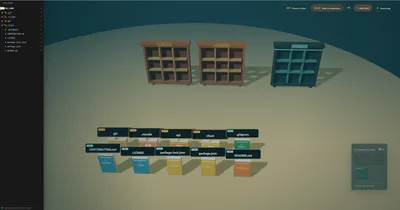
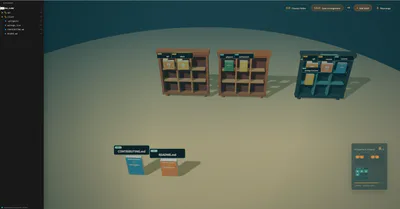
Turn your project folder into a small 3D library where files and folders become books, shelves, and quiet little rituals of organization. Choose a folder from your computer, and the app generates a 3D scene based on the files inside it. You can move books between the floor and shelves, create more shelves, save your arrangement, and come back later to find your library just as you left it.
Features
Choose a local folder and generate books from its files and folders
Organize books onto 3D shelves
Add unlimited shelves as your project grows
Save and restore different arrangements for different folders
Hide selected files from the sidebar using a special shelf
Browse your folder through a VS Code-like file tree
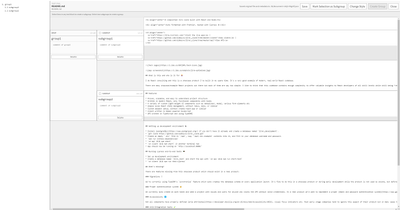
Double-click text files to open and edit them
Create custom groups and subgroups inside text files
Save edited text, group data, layout data, and style settings locally
Detect file changes and show diff information
Customize editor styles such as font size, colors, and panel widths
Controls
Click a book to select it
Click a shelf to move the selected book there
Click the ground to move a selected book back down
Double-click a file in the sidebar to open it
Hold left mouse button and drag to move the camera
Hold right mouse button and drag to rotate the camera
Privacy
This App works with files on your own computer. Your selected folder data is read and saved locally. Arrangement, editor, and style information is stored inside a `.lib` folder in the selected project root.