
Comments (2)


This is a really cool tool to use for streamlining 2d sprite animation. Great job!
Texture Packer Maker
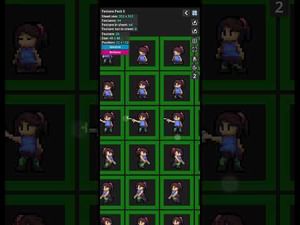
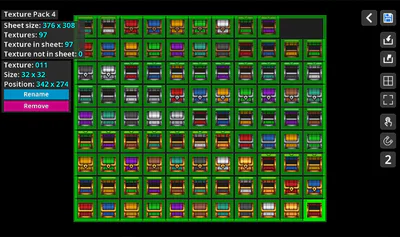
Texture Packer Maker is a tool for texture pack and sprite sheet creation with manual and automatic packing tools.
Functionality
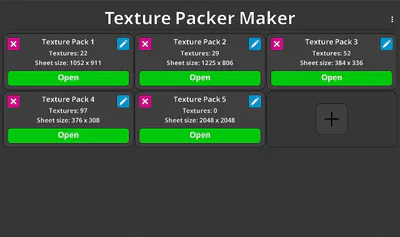
Project Management: Start a new project using the + button. Images imported during the initial setup are automatically packed into the sheet.
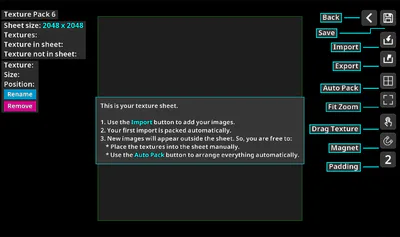
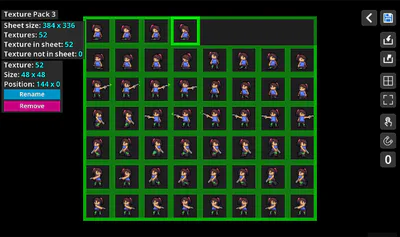
Manual & Auto Packing: New imports appear outside the sheet. Use the Auto Pack button to arrange all textures instantly, or enable Drag Texture for manual placement.
Custom Padding: Set a specific pixel distance between textures via the Padding button. This value is applied when using the Magnet or Auto Pack tools.
Magnet System: Enabling Drag Texture automatically activates the Magnet. When dragging an image near another or toward the sheet edges, they snap together for precise alignment.
Sheet Resizing: While in Drag Texture mode, three resize handles appear at the top, right, and bottom of the sheet. Drag these handles to adjust the sheet dimensions.
Exporting
Upon clicking Export, you can select your preferred format. The app generates two files in the project folder:
PNG File: The packed texture sheet.
Metadata File: A JSON or XML file containing the coordinates and dimensions of every texture.
JSON Metadata includes:
App Info: Name, version, and original image filename.
Sheet Specs: Format (RGBA8888) and total sheet dimensions (width/height)..
Texture Data: Individual coordinates (x, y) and sizes (w, h) for every sprite.
XML (Sparrow) includes:
SubTexture Data: Name, position, and dimensions.
Standard Compatibility: Industry standard format for most 2D animation tools.
-
-
Also available on
Google Play: https://play.google.com/store/apps/details?id=com.elideveloper.texturepackermaker
Itchio: https://eli-developer.itch.io/texture-packer-maker
-