
Comments

VN Maker
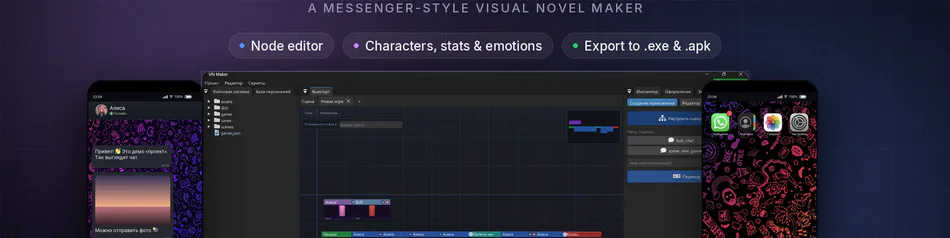
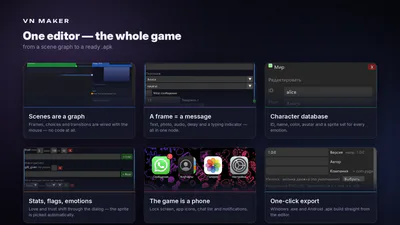
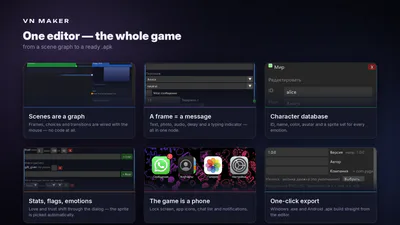
VN Maker is an engine for making visual novels with NO code at all. You build scenes visually out of nodes — background, music, character lines, player choices — and it all runs right away and turns into a finished app for Windows (and soon Android too).
⚠️ THIS IS VERY EARLY ACCESS
The engine is at the very beginning of its journey, and I'm releasing it this early on purpose. I really hope you'll see its POTENTIAL, and that from here we'll build it TOGETHER. Your feedback right now matters more than anything else.
🙏 I NEED YOUR HELP
• Leave a like if you like the idea — that tells me I'm on the right track.
• Comment: what to add, what to remove, what feels clunky, what's missing.
• Bugs, ideas, criticism — all of it is priceless. Every comment genuinely shapes what the engine becomes.
✨ WHAT WORKS RIGHT NOW
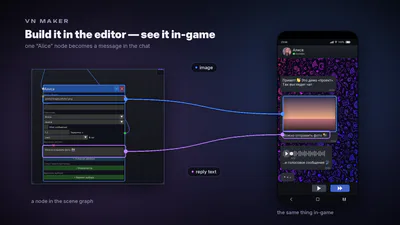
• 🌟 THE MAIN FEATURE — a visual NODE editor: build your story with the mouse out of nodes (scenes with background/music/dialogue, choices, branches, characters) and connect them with links. The entire game logic — visual, without a single line of code.
• Making visual novels for WINDOWS — the main, ready-to-use mode
• Project manager and novel templates
• A dark, Godot-style theme
• Russian and English — both in the editor and in the game itself
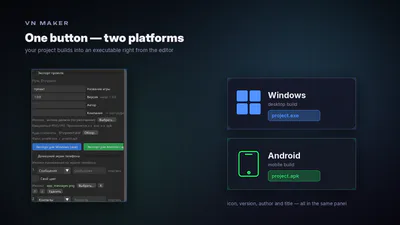
• Export to a ready-to-run .exe for Windows
🚧 STILL PROTOTYPES (in active development)
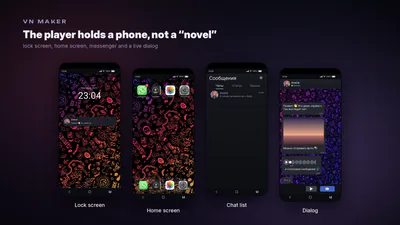
• "Phone OS" mode — visual novels styled as a phone
• "Empty project"
📦 HOW TO RUN IT
1. Download the archive below and unpack it into any folder.
2. Run VN Maker.exe. Nothing to install.
3. Click "New project" — and off you go!
Requires Windows 10/11 (64-bit). The engine is written in C++ and games compile into native apps — no Python or external runtime required.
📖 HOW TO USE IT
1. "New project" → pick a template (Windows novel) and a folder.
2. On the left — files and characters. Drag images/audio straight into the scene.
3. In the center — the node editor: build the story from nodes (scene, choice, branch), connecting them with links.
4. On the right — the Inspector ("Configure scene", "Translation") and the "Export" tab.
5. "Play" (top right) — test the game right inside the editor.
6. Export: the "Export" tab → "Export for Windows (.exe)".
Thanks for stopping by. Let's build this engine together 💜
Found a bug or have an idea? Drop a comment — I read everything.
#dialogue #early-access #Game engine #GameMaker #no-code #storygame #other