
Day 96: Today was boring. Making tools to make any possible ship is fun. Using it to make a bunch of them, not so much. But once I managed to force myself into robot mode, it wasn’t so bad.
Daily interesting stuff:
Reddit post, AMA of John Podlasek. There’s cool stuff there. Also he links to an older AMA of his.
Reddit post about selecting the right price for a game. Users shared different methods for pricing.
Reddit post, what makes a good prototype?. Simple question, hard answers.
Tasks done:
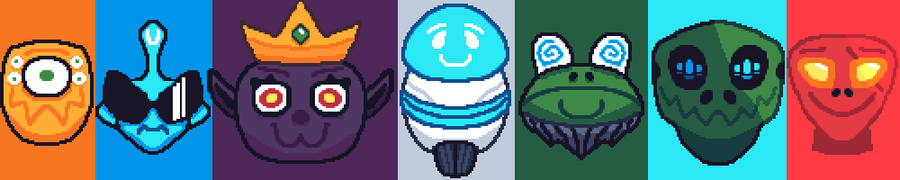
Implemented 16 ships. That’s it, that’s all I did today. And I think it’s okay. But since it would be short if I just stopped here, I’m going to describe the process for the configs:
Reorganize the order of the ship configs. The configs where already done during previous sprints. It’s entries in a List. But it wasn’t organized. So I put the tuto ship first and changed some indexes.
Add configurations for the two knight layouts you forgot. It’s just an entry in a list. I then have to specify the stats percent of that ship. Stuff like life, damage, mana, hitbox etc…
Test the menu with more ships.
Realize there’s some bugs.
Fix them. This was small stuff like “the first ship selected is last instead of the first”, “this text element doesn’t looks right”.
Created the ships prefabs. Those are the real objects that the player will manipulate. To create a new prefab follow the next steps:
Change the name of an existing ship
Put the right special power and delete the old one
Create a sprite for the ship
Import it in Unity
Modify the displaying sprite and its animations. For that I created a custom flip book anim component a while ago. So it’s super simple to change sprite anims. I just have to replace the references by drag & drop. If I used the Unity animation system instead, I would’ve had to create a new animation each time.
Save the prefab in the appropriate folder
Make sure to link the prefab into the config.
Repeat that shit 16 times (make breaks to not turn crazy). Maybe I could’ve better the process. But frankly I don’t see how I can do that and keep the flexibility I have now. It would be easy to do if I didn’t want to have any possible spritesheet with any animation. But that has a high chance of being indispensable if I work with a graphical artist.










0 comments