
Comments (4)

hey! this is pretty impressive even if it's only windmill isle act 1! are you willing to make this game open source or release the code? it has potential to be even better!
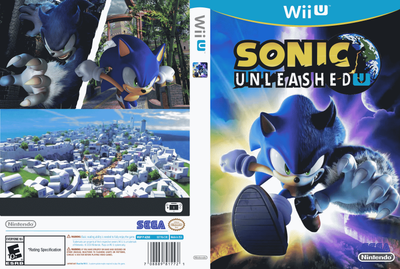
Sonic Unleashed Wii U Demo02
Sonic Unleashed Wii U Demo
Sonic Unleashed Wii U Super 4k
Public 1080p test.
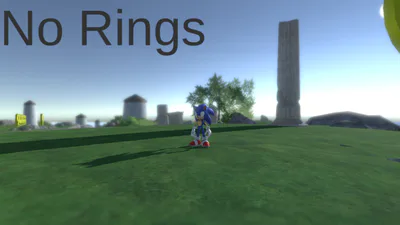
This is a demo/POC for a Unleashed game for the Wii U.
Game info:
! The game does not work with Cemu for unknown reasons !
Performance isn't the best.
It runs at 720p 30ish fps.
This game supports stereoscopy 3D.
! 3D only works with a 3D TV in SBS !
Game:
! This game only supports the gamepad !
A - to jump, home and air boost.
Y - death if you get stuck - does not reset the game.
X - Boost button or air boost.
Right Stick - to move
Right Left- to look around.
Gamepad:
You can change the quality.
Enable/disenable post processing. affects the performance.
You can listen to different songs.
3D features:
You can enable SBS 3D - performance is affected.
Change how far apart the two cameras are.
Bugs:
Some of the animations are glitched.
Sonic enjoys walking and ignoring gravity.
Performance bad.
How to install:
You'll need:
A modded Wii U to install it on.
A SD card that has enough space for it (16gb or 32gb is large enough)
Space to install the game (the game takes about 1gb)
Wup Installer GX2 or SCT (System Config Tool) to install it.
How to install:
not needed but I recommend making a folder called "Install" to the root of the SD
Unzip the .ZIP file and you should have a folder that should have .app files in it.
Move the folder onto the SD, into the "Install" folder or into the root of the SD.
Put the SD into the console and install it with GX2 or SCT
With SCT you'll need to go to Data Manager -> Title Manager -> Install.
When installed you should have a "DUMMY" game with the name "Sonic Unleashed Wii U".
Launch it and it should work.
How to uninstall:
You can use SCT to uninstall it or the system settings.
The game may create save data for whatever reason.
Thanks:
Thanks to the people at:
textures.spriters-resource.com
sonicglvl:
Special thanks to Retro&Dev for the Wii U Cafe SDK Deluxe.
Im_0mqr - play tester and helper
Note:
Sonic the Hedgehog and Sonic Unleashed is property of Sega and I'll remove this if they tell me to.