Alright! This past week I have been going at the Menu system pretty hard. To access the Menu you tap on the top left of the screen while playing in the Overworld.
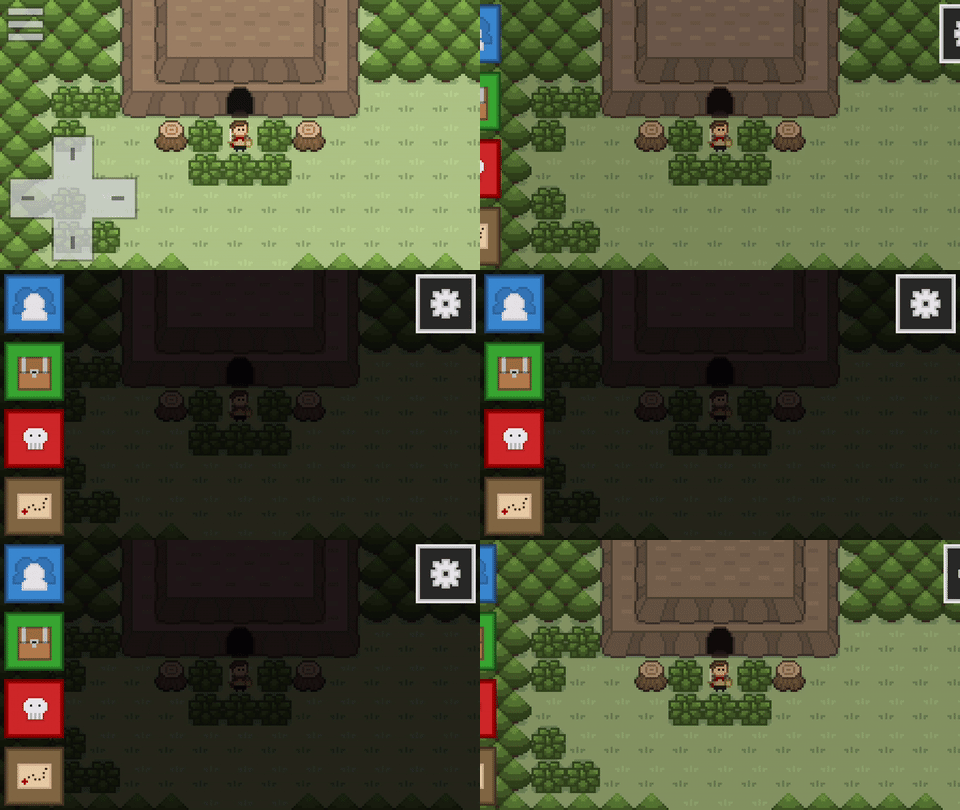
This brings up a variety of options: The Party Screen, Item Screen, Beastiary, World Map, and Options. For now I have been really diving into the Party Screen. When you click on the Party icon, you are presented with a stack of the members in your party.
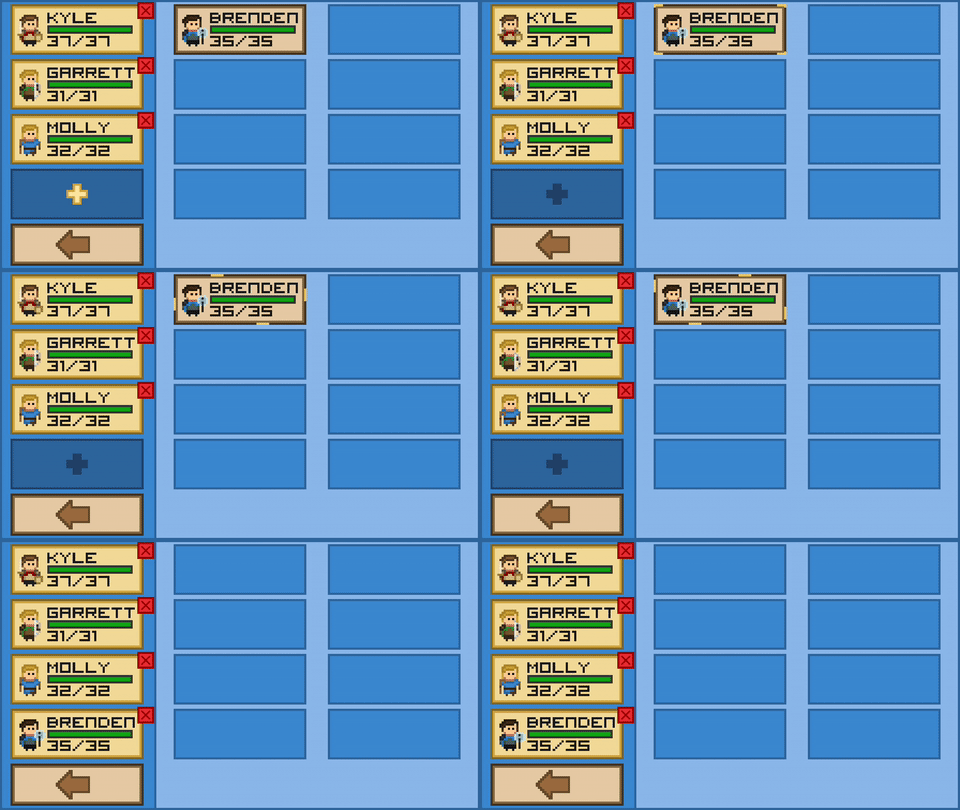
On the right side of your screen is a collection of the members of your army. You army will consist of anyone who is not currently in your party. Your party represents the heroes that you take into battle with you, and you can only have 4 heroes in your party at any time. To remove a hero from your party you can tap on the little x near the top right of their little character tile. You can remove as many party members as you like until you only have one hero remaining in your party! This will send unwanted party members into your army! Once you have a party with a size less than 4 you can add different heroes from your army into your party! Simply click on the gold plus, and select one of the glowing heroes in your army to add them to your party. If you want to view more details about your heroes, click on their character tile. This will bring you to the Unit Screen.
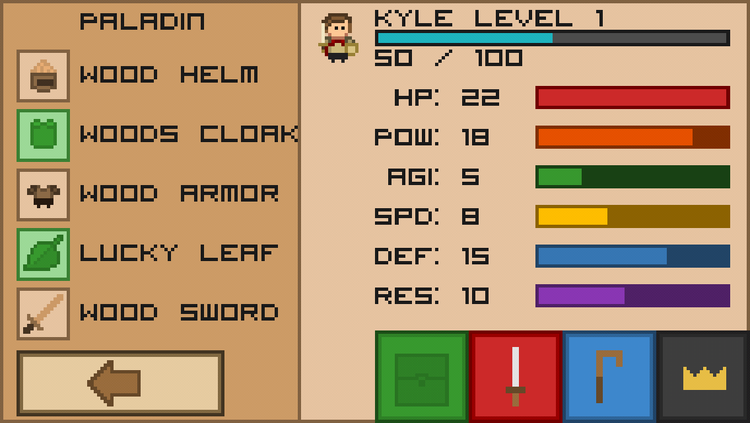
The Unit Screen shows more detailed information about your unit, such as their stats, equipment, attacks, and more! To switch between the different tabs in the Unit Screen you click on the icons in the bottom of the screen. Similar to tabbing between different types of attacks / spells/ and items in the Battle Screen. Under the equipment tab you will have a list of your currently equipped items, your stats are displayed on the right, you can see how close you are to leveling up, and your class is displayed! Under the attack and spells tab, you can view your attacks and spells!
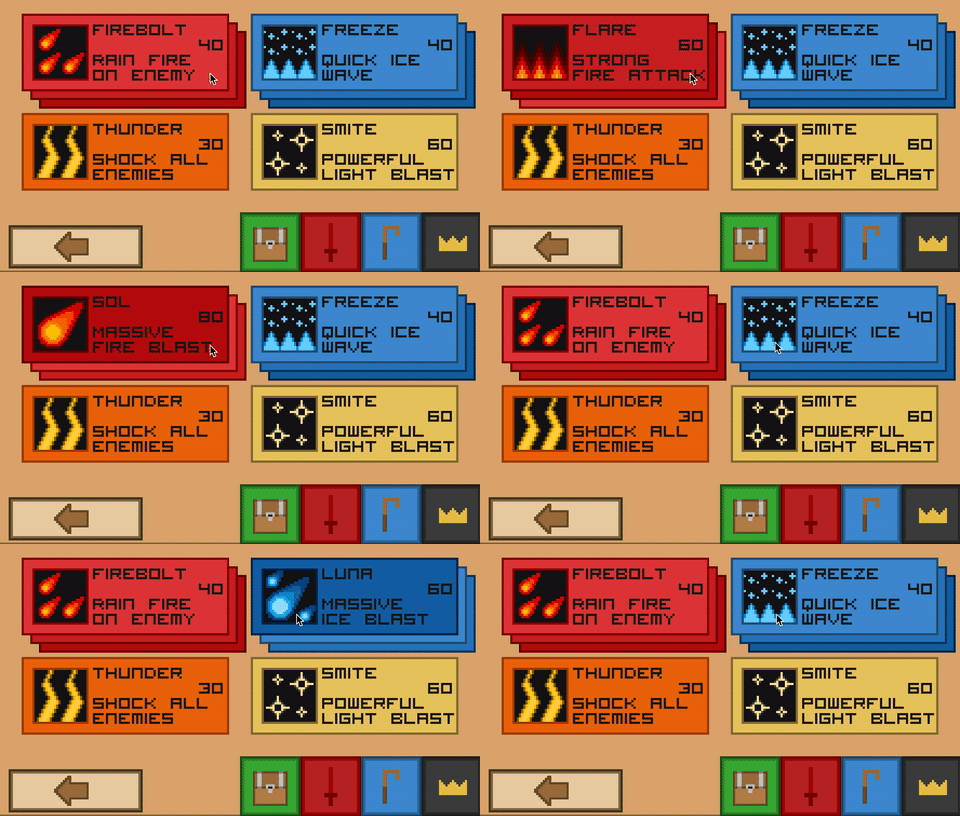
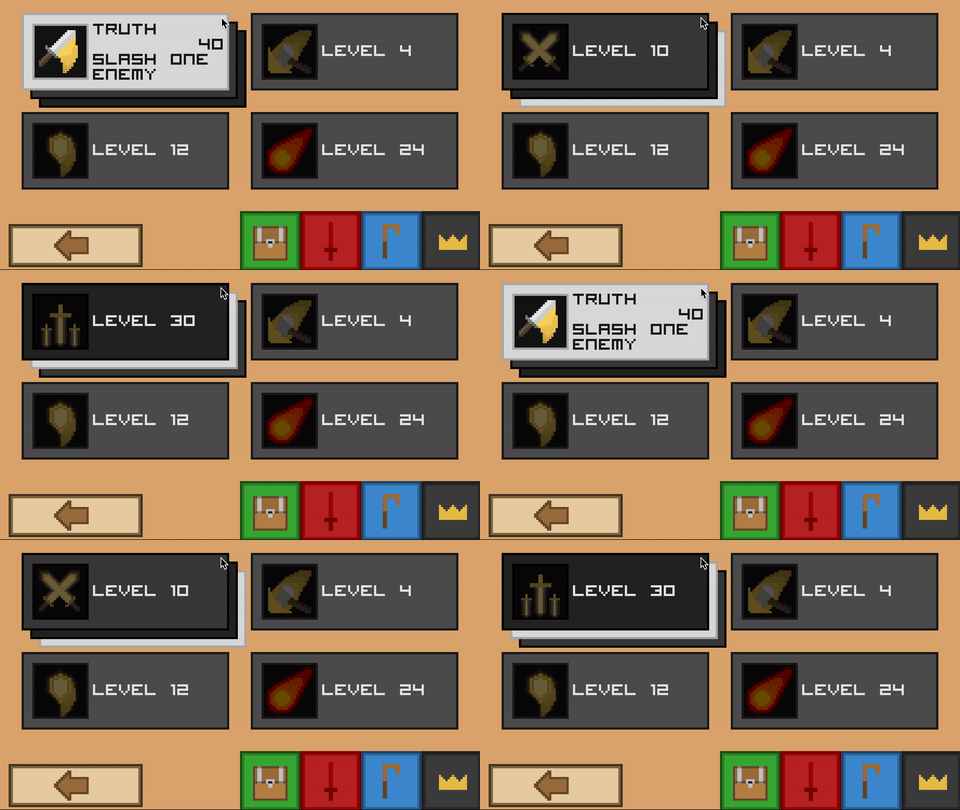
Spells and attacks that are not yet unlocked will be grayed out and display the level that they unlock at! You can scroll between different combo’s by clicking on the attack tile. This brings the next attack in the combo to the front of the screen. As you can see combo attacks get more and more powerful as the combo goes on!
Right now i am focusing hard on adding items and allowing players to equip them to their heroes! I plan to develop the equipment / item screen so players can view all of their items at any one time!
For the latest updates about Pixelot please check out my Twitter! Additionally you can sign up to be notified about the Beta and Production release of Pixelot at this link!
As always, let me know what you guys think and if you have any suggestions!




0 comments