Game
Annoyed? (With Learning)
6 years ago

Q. How to add character to your 2D game? (Part 2)

A. Explanation in the article.

https://gamejolt.com/games/Annoyed/521076


Part 2


Adding Character

  • Open your character blueprint (default in 2DPlatformerBP folder)

    We will need it later but open it to save time

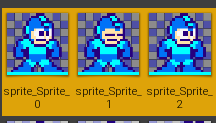
  • Make idle flipbook

    Select 3 idle sprites and make flipbook from them

folderdestination.png
select_3_sprites.png

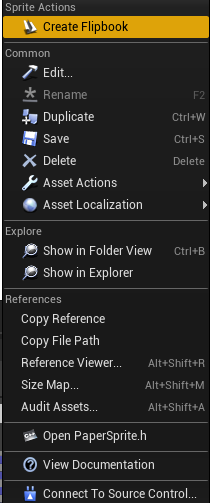
Right click --> Create flipbook

create_flipbook.png

Name it: „Idle”

  • Make run flipbook

    Select another 3 sprites and make flipbook
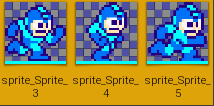
    3_run_sprites.png

Name it: „Run”

  • Open Character Blueprint

    Select sprite
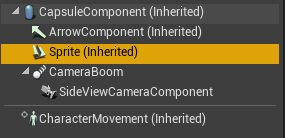
    select_sprite.png

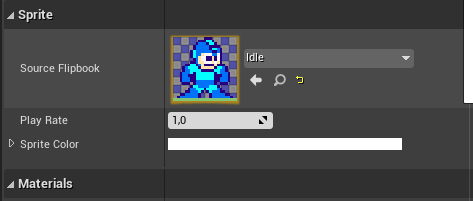
    Select Idle flipbook

    idle_sprite.png
  • Open idle flipbook

    In the right corner set frames per second to 3
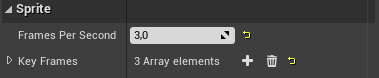
    frames_per_second.png
  • Open run flipbook

    Do the same thing but set fps to 10
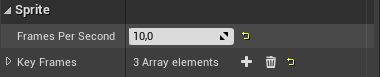
    10fps.png

In next tutorial I will show you how to implement new idle, running and jumping animations. If you like my work, like post and follow my game page. Followers will be able to request special explanation of any feature.


0 comments

Loading...

Next up

Hi, I'm posing some screenshots after polishing map. What do you think about it?

Hi everyone, Today I'm posting new room which I have been doing on stream. It's not 100% completed yet but it's pretty good for me. I showed up one key on my screen but no one claimed it :( If you want to get your key - read [article]. Have a good day!

New tutorial soon!

I'm posting coin sprites. You can download them and try to make rotating coin. If you don't know how, you should wait for tutorial. Don't worry I will help you :)

For now you only have to download these sprites and import them to UE4.

Happy Devruary! Devruary Day 4 celebrates @ElPichon ! They're just a bird who likes to draw! They're also the developer behind The Bunny Graveyard II and Chunky JUMP!. We also have a question for the devs of Game Jolt: How Did You Learn Game Dev?

I've just finished small map where you have to solve a riddle. It's pretty easy but I don't want to spoil anything. I'm posting some of the photos I took on ultra settings :) (don't worry, there are also low graphics settings)

Seal Island Intro! For #ScreenshotSaturday!

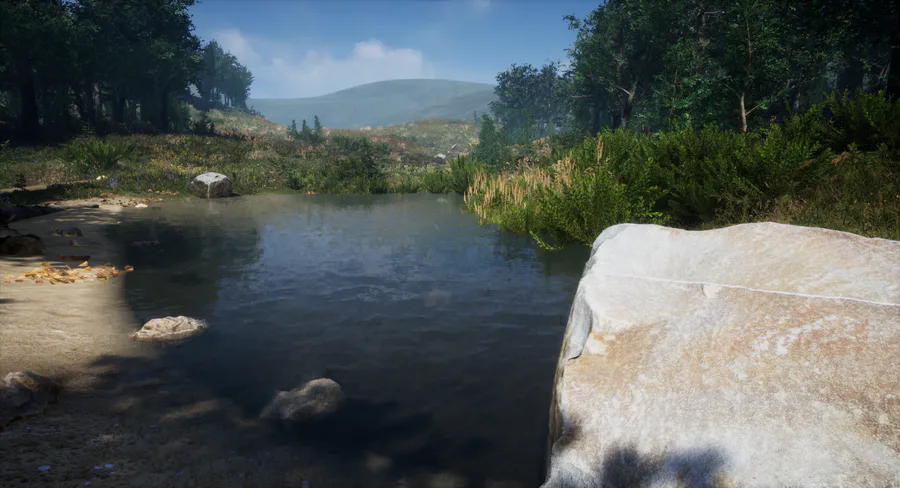
Hi, Today's dev-log will be short. I managed to add new main menu background. I added a map with camera, so now you can see live environment. I also added music to the menu. You can see background map on the photo. Have a nice day :)

Next tutorial tomorrow! I will show you how to make rotating coin and how to add points by picking them up.

Don't miss that tutorial!

https://gamejolt.com/games/Annoyed/521076

Hate me

Happy New Year everyone!