
Comments

Capture The Flag
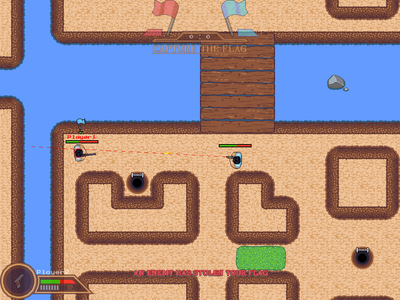
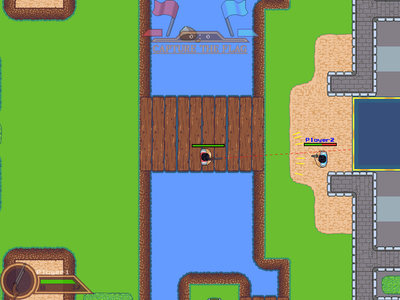
Capture The Flag is an online multiplayer capture the flag game which supports up to Ten players. The game is online only so one person has to host the game in order for other players to connect. This is my first time working with networking so there are some bugs that I haven't been able to fix, and the player interpolation isn't as smooth as I'd like it to be either.
----Setup----
*Note all of these instructions are also available in game, however they are not as indepth.
If you are having trouble setting this all up, please feel free to ask.
Hosting:
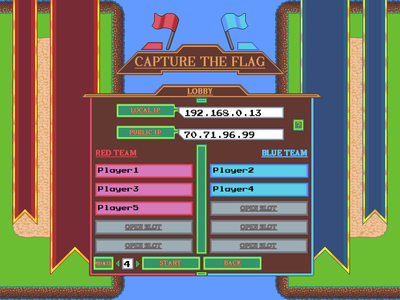
To host the game, one player needs to act as the server and run CTF Server.exe. Note that even if a player is hosting a game they can open up a CTF Client.exe program and connect to himself to play. Once the program opens, the host needs to designate a port to use. This can be any value, but the default is set to 8080 and i recommend you use that. After selecting a port the host needs to click the Host Game button to begin hosting a game. At the top of the server lobby screen there will be two IP Addresses printed out: the local address, and the public IP address. Players connecting to the server from the same internet connection should use the local ip address to connect, and players connecting from a different internet connection should use the public ip address. To connect with players via a public ip address the host must have forwarded the port they are using to host (the number you entered in the very first screen). Once all players are connected the host can set the score requried for a team to win the match (bottom left corner of the screen), and then hit the Start button to start the game. You cannot start a game unless there is atleast one player on each team.
Connecting:
To connect as a player first open up the CTF Client.exe program. If you are acting as the host you can still open the CTF Client.exe program and connect with yourself. Once the program opens press the play button. In the next screen you'll need to input the server's IP address, server's port, and your player name. Once the host sets up the server he will be able to see his IP address. If you are connecting to the host via a Local Area Network (from the same internet connection) you need to enter the host's local ip address, otherewise enter the host's public IP address (the host MUST have their port forwarded in order to connect using a public IP address). Next you need to get the port that the host is using to host the game (this is the port that the host entered in their first screen). Lastly enter any name you want for yourself and hit Play to connect to the server (only works if someone is actually hosting the game). If you fail to connect you either entered the server IP/port wrong, the server isn't hosting a game, or you tried to connect using a public IP address but the host has not port forwarded yet. If you are hosting a game and are trying to connect to yourself, you should enter your local IP address to connect. The next screen is just the game lobby. Here you can switch between the two teams. The game only starts when the host presses the start game button.
----General Overview----
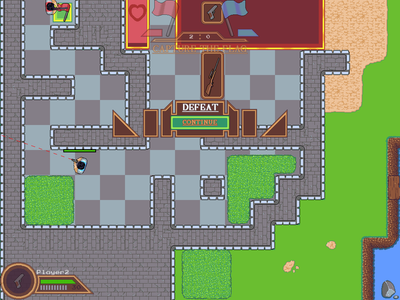
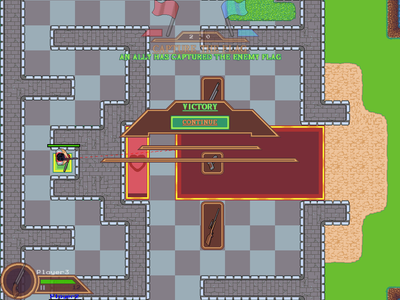
Two teams play against one another to steal the other teams flag while defending their own. The first team to capture the enemies flag a set number of times wins the match. The score required to win the match can be set by the server before a game starts.
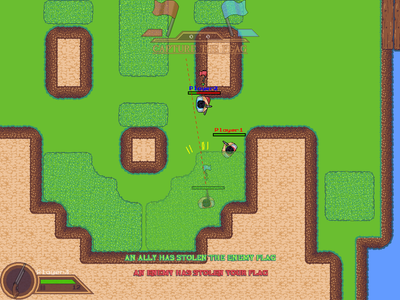
The game features a single map consisting of an overground and an underground section. Players can use stairs scattered throughout the stage to travel between the overground and underground section. The map is also filled with grassy areas where players can hide in. The map is symmetric so it should be easy to figure out where the enemy team's base and flag is located.
The game has 3 different weapons: a pistol, shotgun, and sniper rifle. To switch between the weapons a player has to stand on top of the weapon's icon located at either teams' base and then pickk up the weapon by pressing the right mouse button.
Controls:
Movement - Arrow keys
Aim - Mouse
(When holding sniper) Increase accuracy - hold left mouse button before releasing
Shoot - left mouse click
Pick up different weapons - right mouse click while standing on a weapon
Reload - R
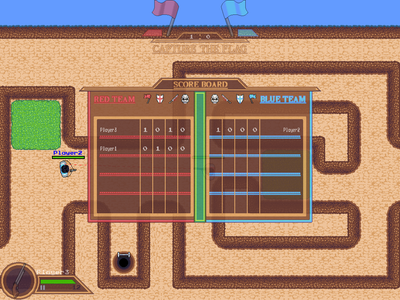
View Scores - Hold tab
*None of the sound effects/BGM used in this game are mine. The sources for all sound assets can be found in the sources.txt file located in the sounds folder. The font is also not mine but I don't have the source anymore.
#arcade