
Comments (3)

This game is a banger, I'd love to play it but I want you guys to decrease the volume of the fucking fan

this game is a master ppiece
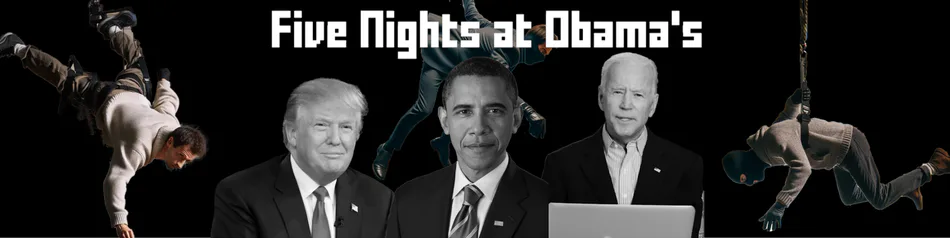
Five Nights at Obama's
New update!
Because of feedback that the fan was too loud, I have added an entire options menu!
How to use the options:
In the title screen, move your cursor over the title, it should now read "Five Options at Obama's" Click on the title to view the options.
Audio:
You can use the audio sliders to customize the volume of different sounds in the game. There is Master Volume, Fan Volume, President Volume and Phone Volume.
Subtitles:
Here you can toggle the subtitles for the phone calls ingame.
Clock type:
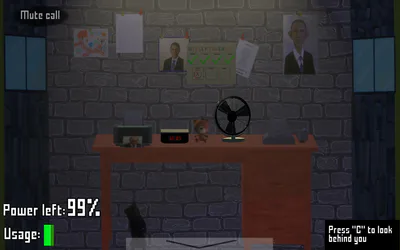
There are now 3 different clocks you can use: UI, Digital and Analog. With UI, the current night is displayed using the text below it (for ex. "Night 1"), with the other 2, there is a calendar on the wall. The night you are in now, is the square with the red cross, all the nights you've beaten, will be marked with a green check.
UI:
The current night is displayed using the text below it (for ex. "Night 1")
Digital:
This clock is on your desk, and it has the hour and minutes displayed.
The current night is displayed with a calendar hanging on the wall. The current night is the square with a red cross, and the nights you have beaten are marked with a green check.
Analog:
This clock hangs on the wall, and also displays the hour and minutes.
This clock also has the exact same calendar as the digital clock.
Time multiplier:
This multiplier influences how fast time goes ingame. This means the AI's are way faster or slower, the nights are shorter but harder, and the energy drains faster or slower.
This multiplier can be edited by a slider or by typing a decimal number in the inputfield next the slider.
The multiplier can go from 10x the speed all the way to Real Time.
Warning Text:
In this input field, you can write a text by your likings. What this does? When you start up the game, you usually (yes, usually :]) get a warning displayed. With the Warning Text option, this text can be changed.
Test options:
If you are unsure if you have the perfect options for you, on the bottom left there is a "Test Options" button, this will simulate a night without presidents or voters to catch you.
If you press "Escape" on the test night or the normal night, the options menu will be shown. The options will be saved once you closed the menu.
In the options menu, you have also a "Back to Main Menu" button on the test and normal night. This will bring you back to the main menu.
New President!
Kamila Harris has now been added to the game, because the voting system was a bit too easy.
Kamila will be active on every night except night 1.
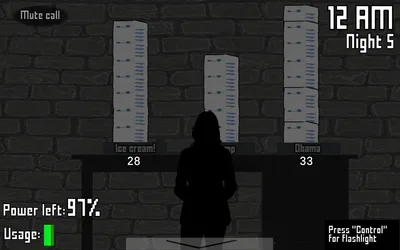
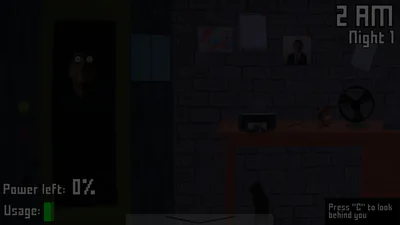
When you look behind you, you can now use Left Control to use a flashlight. This flashlight will cost you energy usage.
Every now and then, a new shadow behind you will be spawned, use your flashlight for a couple of seconds to get rid of the shadow (be warned, these couple of seconds will only remove 1 shadow, not all of them)
To prevent spawning shadows behind you, use the flashlight behind you for just a bit to reset the spawn timer.
Minor changes:
Because the night 4 call wasn't convincing enough, the phone calls are now recorded by me instead of being generated by an AI.
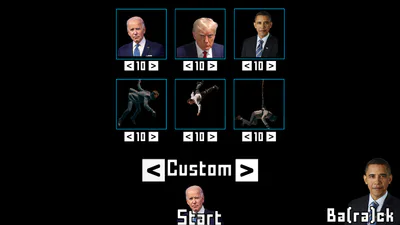
The Custom Night now has Kamala Harris.
If you click on the printer or on the teddybear's nose, a sound will be played. (Don't worry, I am not that cruel to make the printer sound also cost energy)
No matter what size of screen you have, the game will always be displayed on 16:9 (the resolution will be modified, it's not that there are black bars)
The voters are less agressive in night 2
There is a 1% chance you will get a different warning text as usual.
The fisheye effect on the camera has been removed, as it caused issues with the light and door buttons.
If you turn around while surviving a night, the text on the bottom right will say "Press "Left control" for flashlight" instead of "Press "C" to turn around", because of the addition of Kamala Harris.
Obama doesn't scream to early now when he jumpscares you if the power is down.
The camera button that is selected, will be highlighted in FNaF 3 green.
Alright, that was the update! Have fun!
Features
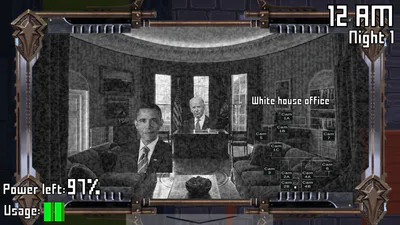
Iconic Candidates: Face off against Obama, Biden, and Trump, each with their own unique behaviors and strategies to steal and burn the votes.
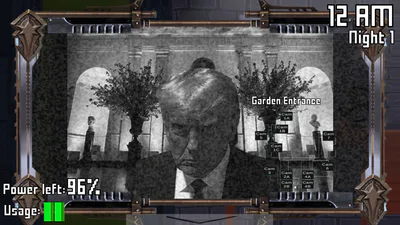
Strategic Surveillance: Use the White House's security cameras to keep an eye on the candidates as they move closer to your office.
Defensive Measures: Utilize the doors and lights on either side of your office to detect and block candidates when they get too close.
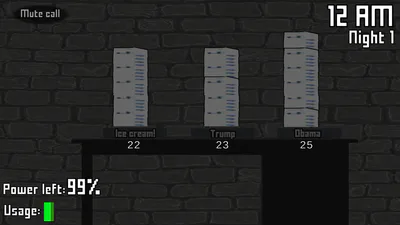
Vote Security: Frequently check the votes stacked behind you and fend off the sneaky Voters trying to rig the election by scaring them away.
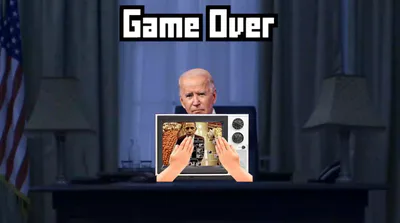
Endgame Reveal: Upon completing the game, enjoy a cutscene revealing the election winner with the final vote tally.
Additional Challenges: Unlock Night 6 for an extra level of difficulty, and if you conquer that, access the Custom Night mode.
Custom Night: Adjust the AI levels of the candidates and Voters from 0 to 20, tailoring the challenge to your preference.
Plot
The election is live, and the stakes couldn't be higher. The candidates—Obama, Biden, and Trump—are desperate to secure their victory and will go to any lengths to sabotage the competition. As the newly hired security guard at the White House, your job is to safeguard the votes from these relentless candidates. Monitor the cameras, manage the office's security systems, and keep a close watch on the votes behind you. As the night progresses, additional threats emerge as Voters attempt to manipulate the election results. Stay vigilant and outsmart them all to see who will ultimately claim the presidency. #fangame #horror #survival #strategy #parody #fnaf