Comments

Micro-Trolleybus Simulator
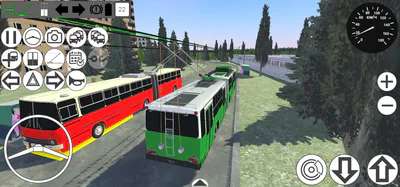
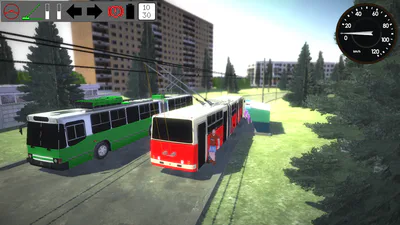
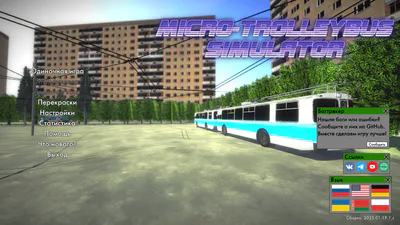
Micro-Trolleybus Simulator: a minimalist trolleybus simulator with arcade controls.
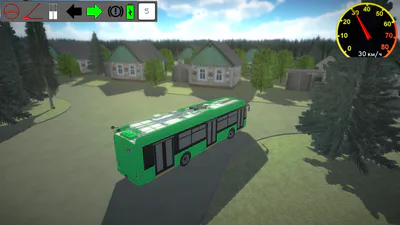
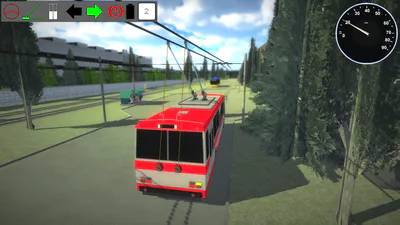
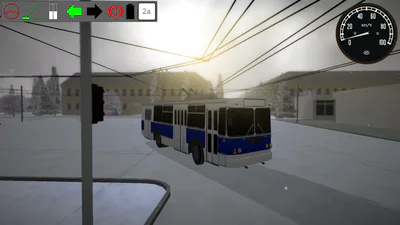
Feel like a trolleybus driver in the simplest trolleybus simulator! You have 17 trolleybus models to choose from. Each vehicle has its own characteristics, some even have autonomous driving capabilities!
The game has very simple controls that are easy to get used to. The minimalist graphic style does its job: the game looks beautiful and will run smoothly even on weak computers!
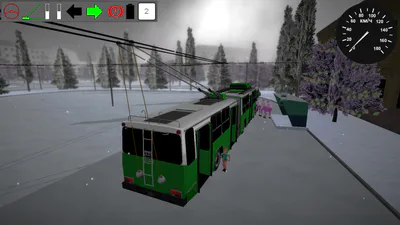
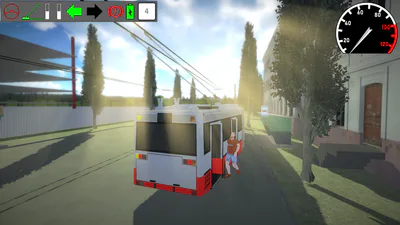
There are many graphics settings: at minimum settings, the game runs on almost any PC, but at maximum settings you will see a very beautiful picture, the beauty of which even screenshots and videos cannot convey!
However, please note that for stable operation of the trolley poles, you need a stable 60 frames per second, so if you experience any problems, first lower the graphics settings.
When you enter any map, all trolleybuses are under automatic control; you only need to find the trolleybus you are interested in and take control of it.
And playing with your own repaints will be even more interesting, because now you can customize any trolleybus to your liking! The game already includes several repaints for all trolleybuses. The necessary folder for installing repaints is indicated in the repaint menu. To apply repaints, you need to pause the game and open the repaint menu in the pause menu.
Controls:
WASD and arrow keys - turning and acceleration;
Spacebar - braking;
Tab - switch to the next trolleybus;
LShift + Tab - switch to the previous trolleybus;
M - switch between manual and automatic control;
T - raise/lower trolley poles;
Q - open/close doors;
R - trolleybus spawner window;
E - route selection window;
1 - left turn signal;
2 - right turn signal;
H - horn; C - switch cameras;
F1 - hide interface;
F2 - debug menu;
Y - attach/detach trolleybus (only on KTG-1);
Camera rotation only with left or right mouse button held down (on all platforms except Android).
All controls are also duplicated for touch control on Android OS.
Switches are very easy to navigate: when the trolley pole approaches the switch, press the accelerator pedal to switch to the left, or coast through it to switch to the right. If you are on a route, all switches will switch automatically in the direction of the route. To freely navigate switches on the route, you need to enable the "Free switch navigation" option in the settings.
To spawn or remove a trolleybus, open the spawner menu using the corresponding key and select the desired trolleybus from the list of models, or press the "Delete" button to remove the trolleybus you are currently in.
To select a route or remove yourself from a route, open the route selection window using the corresponding key and select the desired route from the list. Each route has a brief description of its path and time per lap. To free yourself from the route, press the "Release" key at the top of the same window.
To change the repaint, pause the game and open the repaint menu, select the desired repaint and press "Apply". If you don't have any repaints, go to the main menu and open the repaint menu, then click on "Download standard repaints" and wait for the standard repaints to download, after which the repaints will appear in your game. If you want to install repaints from other authors, download the repaint file with the ".mtsrepaint" extension and open it using the game (this will only work if the game is not installed from Google Play). On Windows, right-click on the repaint file, select "Open with" in the context menu, then "Choose another application," and specify the game's executable file. On Linux, the procedure is similar, depending on your file manager and shell. On Android, simply tap the file in any file manager, and find MTS in the list of applications (it may already be at the top of the list). If you want to create your own repaints, please ask the game community for help.
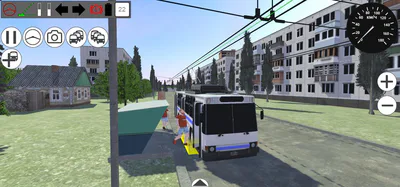
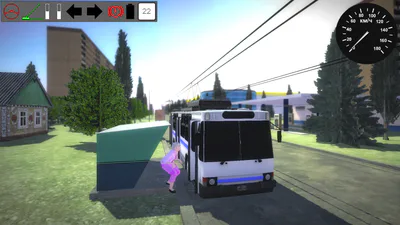
The stop markers have 3 colors: red - the stop is not ready, bots simply drive past, and players are advised not to wait, as this may break the stop; yellow - passengers are boarding the trolleybus; green - the stop is fully ready to receive trolleybuses and for passengers to board. If for some reason the stop remains yellow for a long time, it is broken and you need to restart the game. Please keep this in mind!
Have a good time playing!
System requirements for Windows:
Minimum: CPU: 2 cores 2 GHz; RAM: 512 MB; Video card: DX11, 800 MHz, 256 MB
Recommended: CPU: 4 cores 2.2 GHz; RAM: 512 MB; Video card: DX11, 1200 MHz, 512 MB
Ultra: CPU: 4 cores 3 GHz; RAM: 512 MB; Video card: DX11, 1500 MHz and higher, 1.2 GB