
Comments (36)
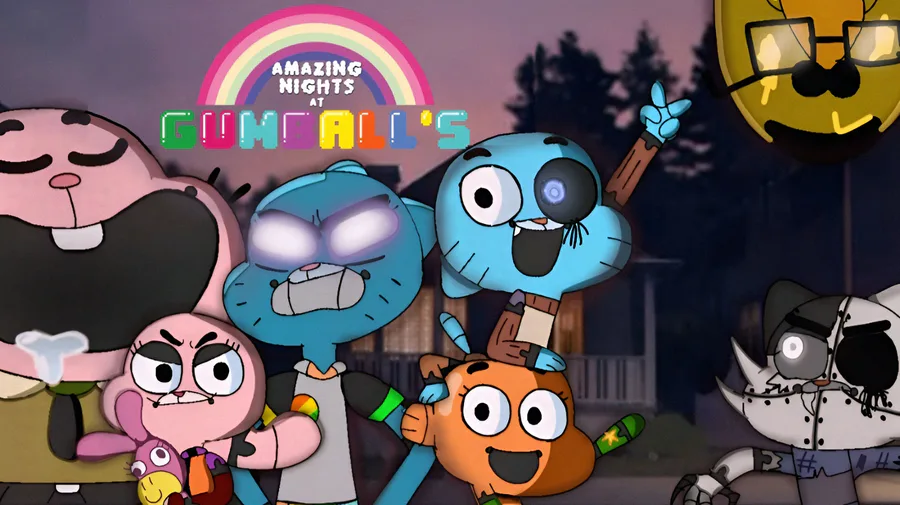
You could link your game to your ANaG community so it appears in that community's games. When you visit the game's page, the community appears below, as in the example below. If you don't know how to do this, there's a comment below with a tutorial :D
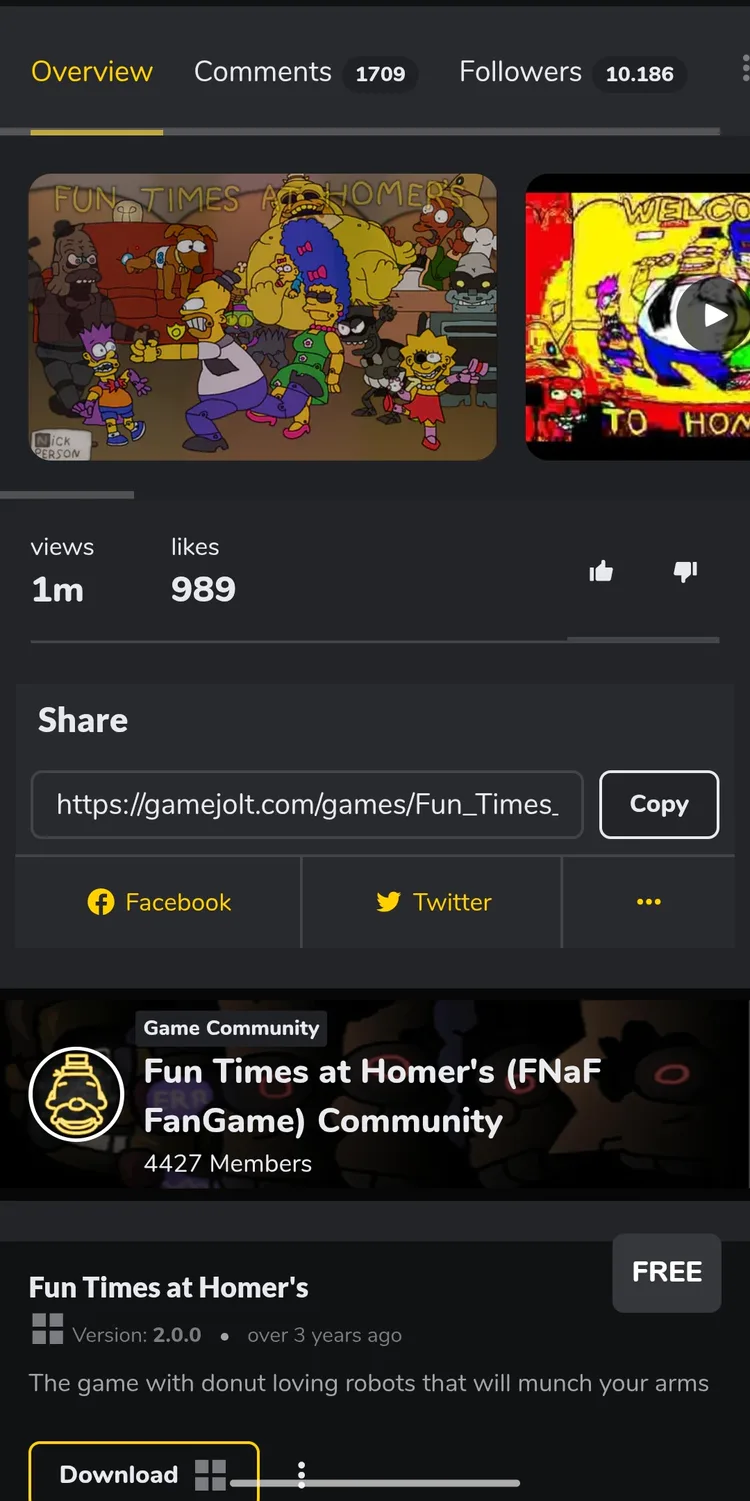
Have you made the page public? It shows me you don't have any games. 👀😁
Tutorial to public game:
The first thing we need to do is go to the game's page on Gamejolt (obviously), and click on the '⚙️' button.
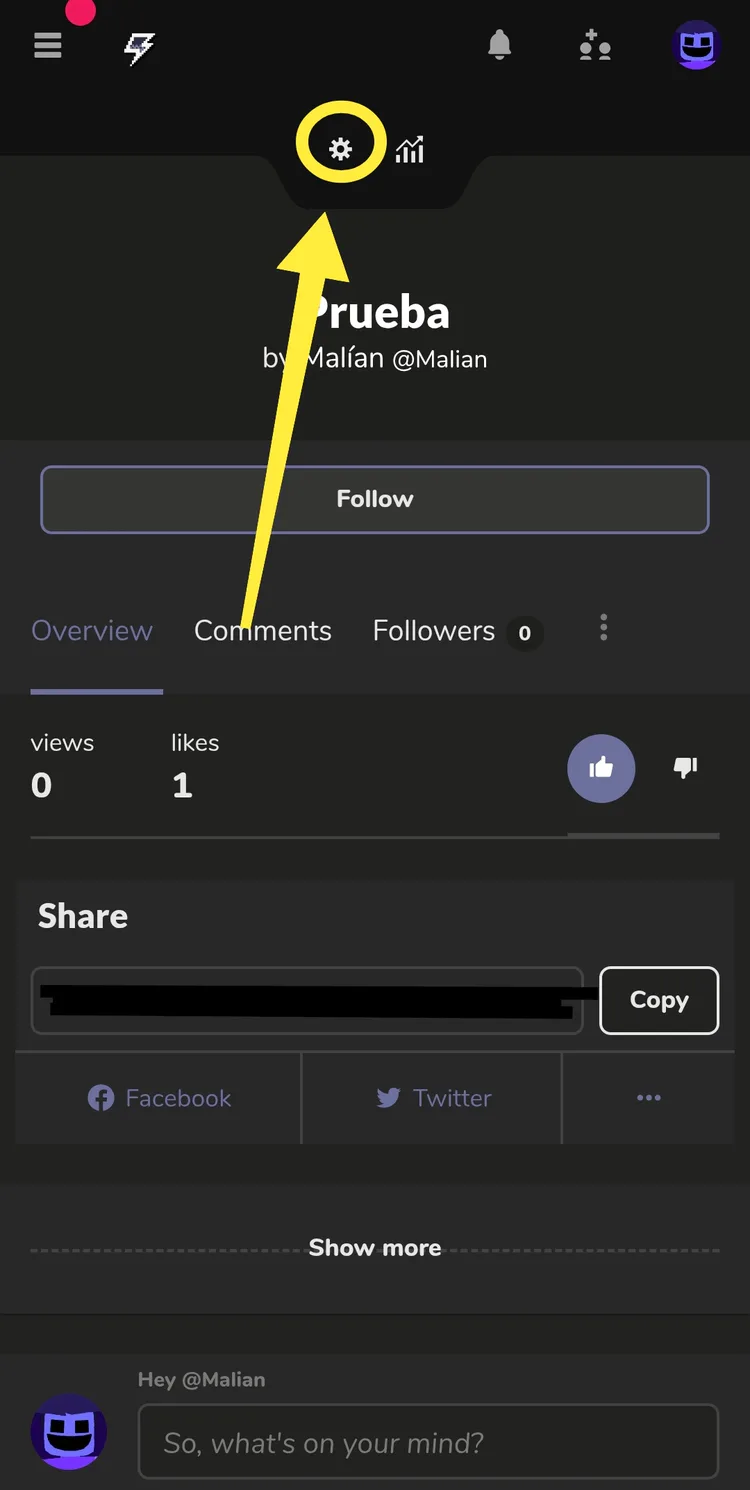
After entering the game page settings, click on the "Packages" button.
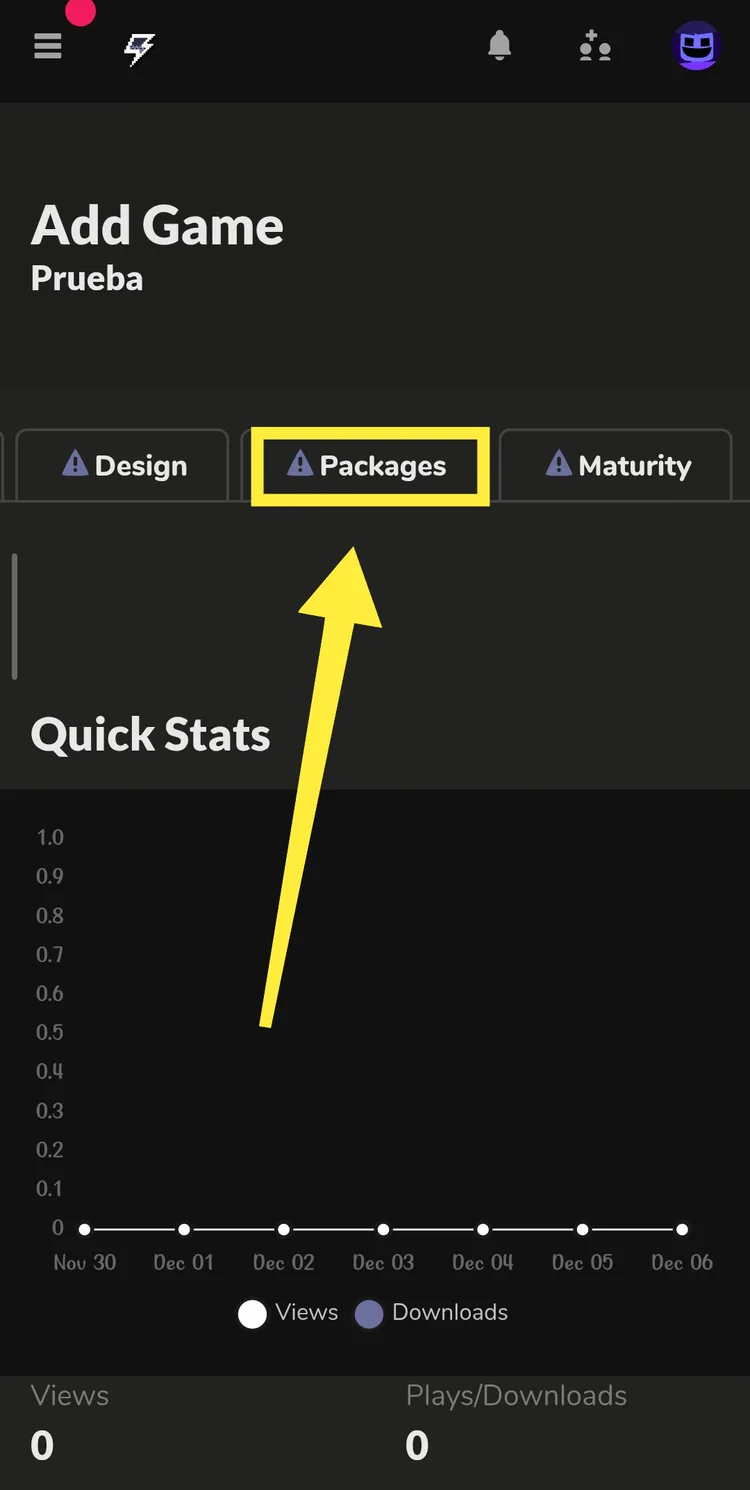
This point has several steps:
Mark it as free, obviously, since Scott said you can't sell fangames, you have to mark it as free.
In this step, you will set this game (or as Gamejolt calls it, 'Package') as the main one, so that if you have, for example, a joke game, the normal one will appear first, not the joke one, regardless of whether it came out earlier or later.
And lastly, and most importantly, is to create the package.
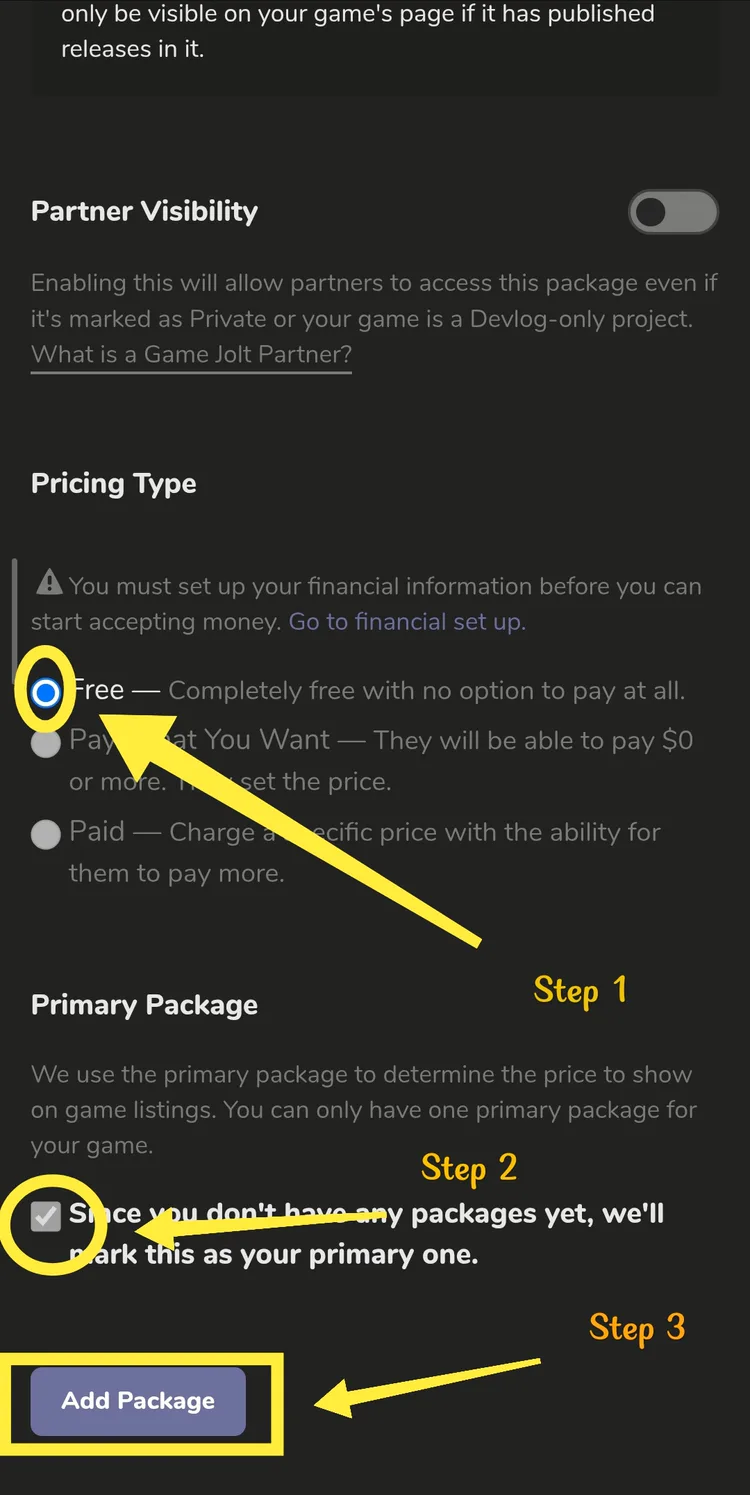
This point has several steps:
The first thing is the version number, although it may seem insignificant, it is very important:
First, if it's a full game, start with version 1.0; ignore Nick Person and his way of numbering versions.
If it's a demo or early access, you start with version 0.0, and if you reach 0.9, you have to go to 0.10 or higher, unless it's the full game.
1.x.x (Now only the one without an 'x' matters): 1.x.x is the highest number; this only changes when: I've changed the entire game with new graphics, a new menu, new mechanics, new characters, etc... In short, only for major updates.
x.1.x (Now only the one without an 'x' matters): x.1.x is the second number; this only changes when: I added a random AI button to the custom night, added a button to take it to the GameJolt page, etc. In short, only for minor changes.
x.x.1 (Now only the one without an 'x' matters): x.x.1 is the smallest number; this only changes when: I've fixed a bug with the doors, I've fixed a bug where your progress wasn't saving, etc. In short, only to fix bugs.
This is the most important one, the one used to upload the game to Gamejolt. After clicking, it will ask you which file you want to upload.
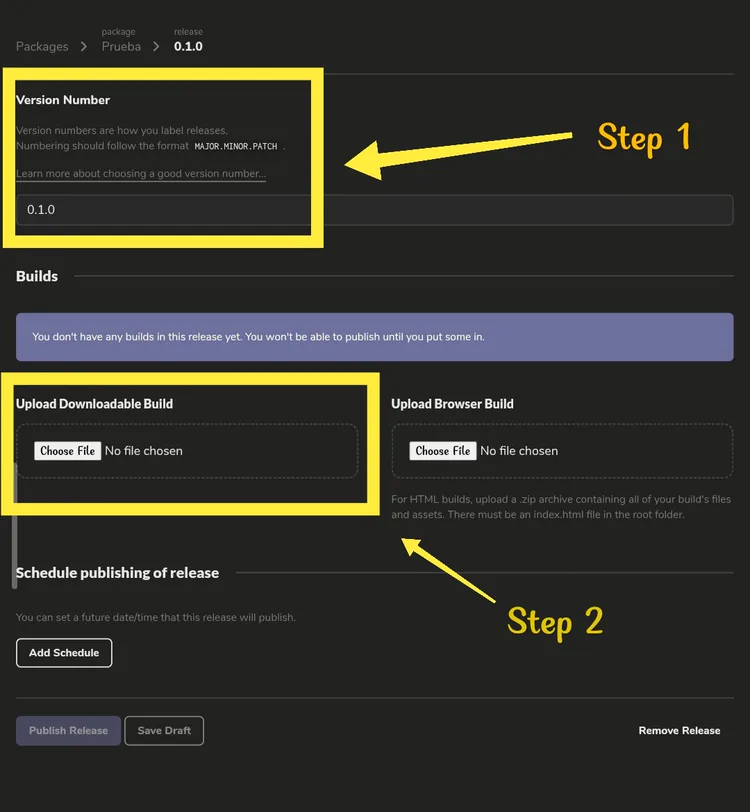
This point has several steps:
In the first one you will only have to specify which platform the game is for.
The second step is the most important: you must specify whether it's the game itself or an installer. This step is crucial, because if it's an installer and you don't select that option, Gamejolt Desktop will display an error when you try to open the game.
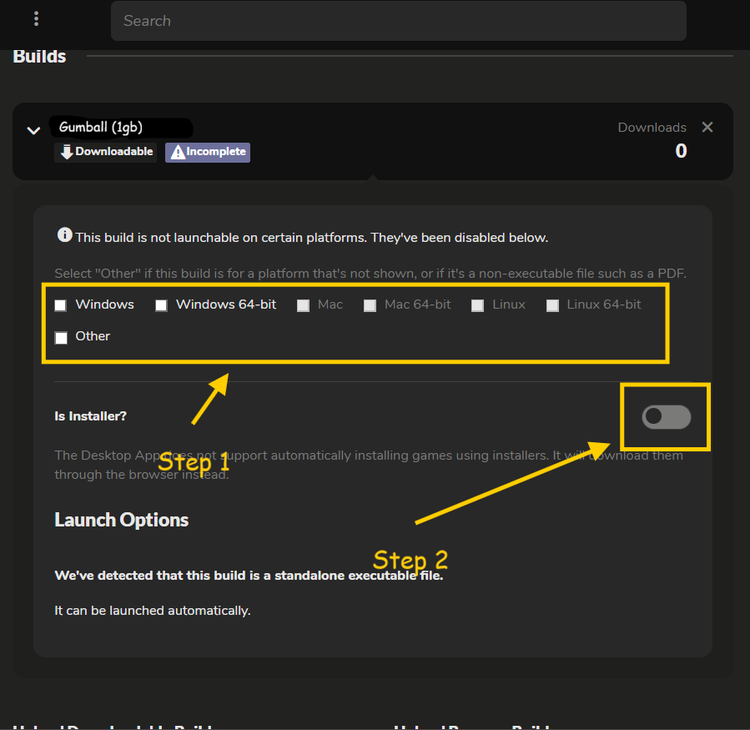
This point has several steps:
This is optional; if you wish to publish your game on a specific day at a specific time, you can entrust it to Gamejolt and they will publish the game when you wish.
This is the most crucial step; by clicking this button you will publish the game.
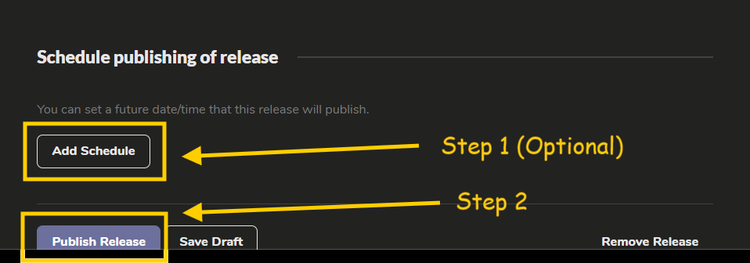
But it's not over yet!!!
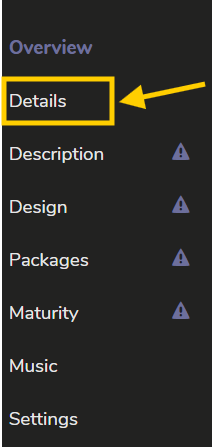
For this step you will first need to go to “Details”.
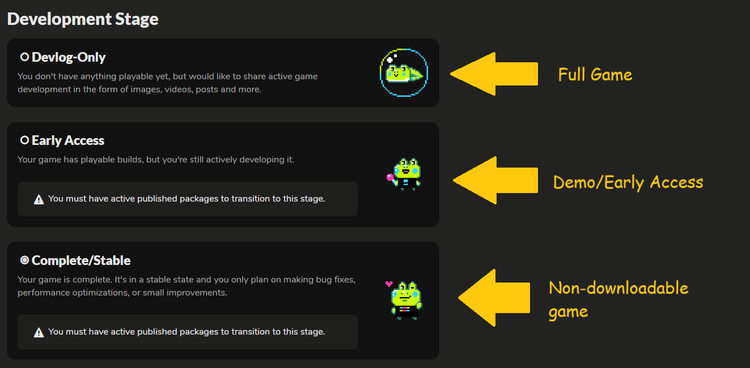
Here in the last step you will have these 3 options which are specified in the photo what each one is for.
This concludes the tutorial, thanks for watching 
I seem really annoying, but I do this so ANaG's looks super professional and people will support it more :P
Well, what I mean is: if you want to change the underlined part from saying “Share your creations!”
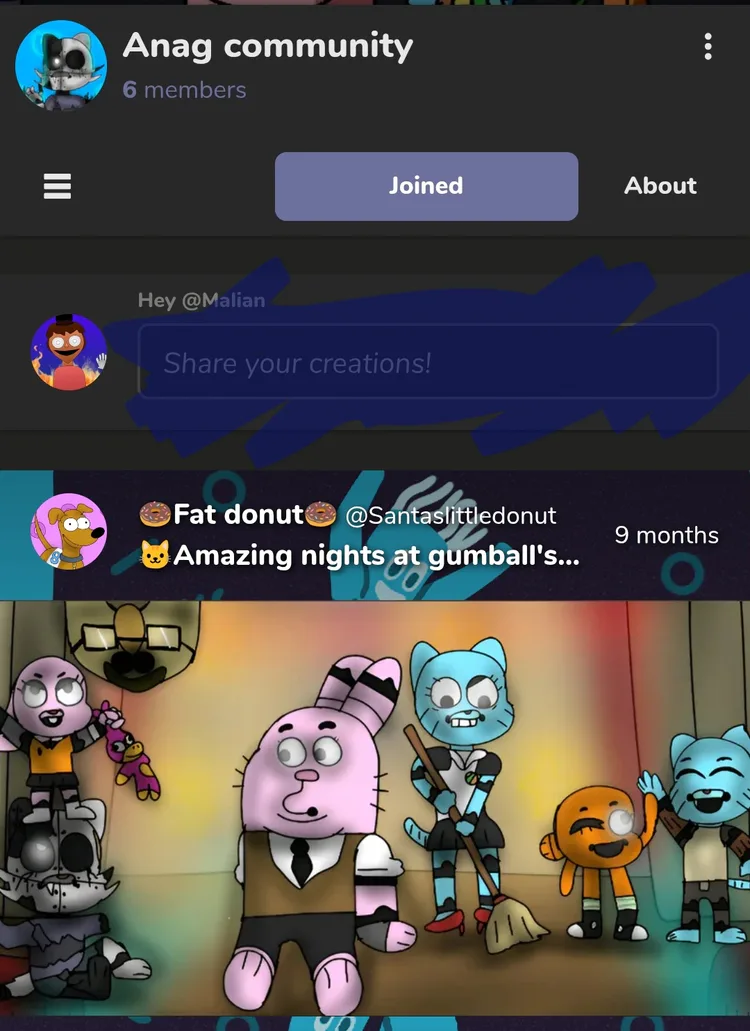
...to make it say something custom like here:
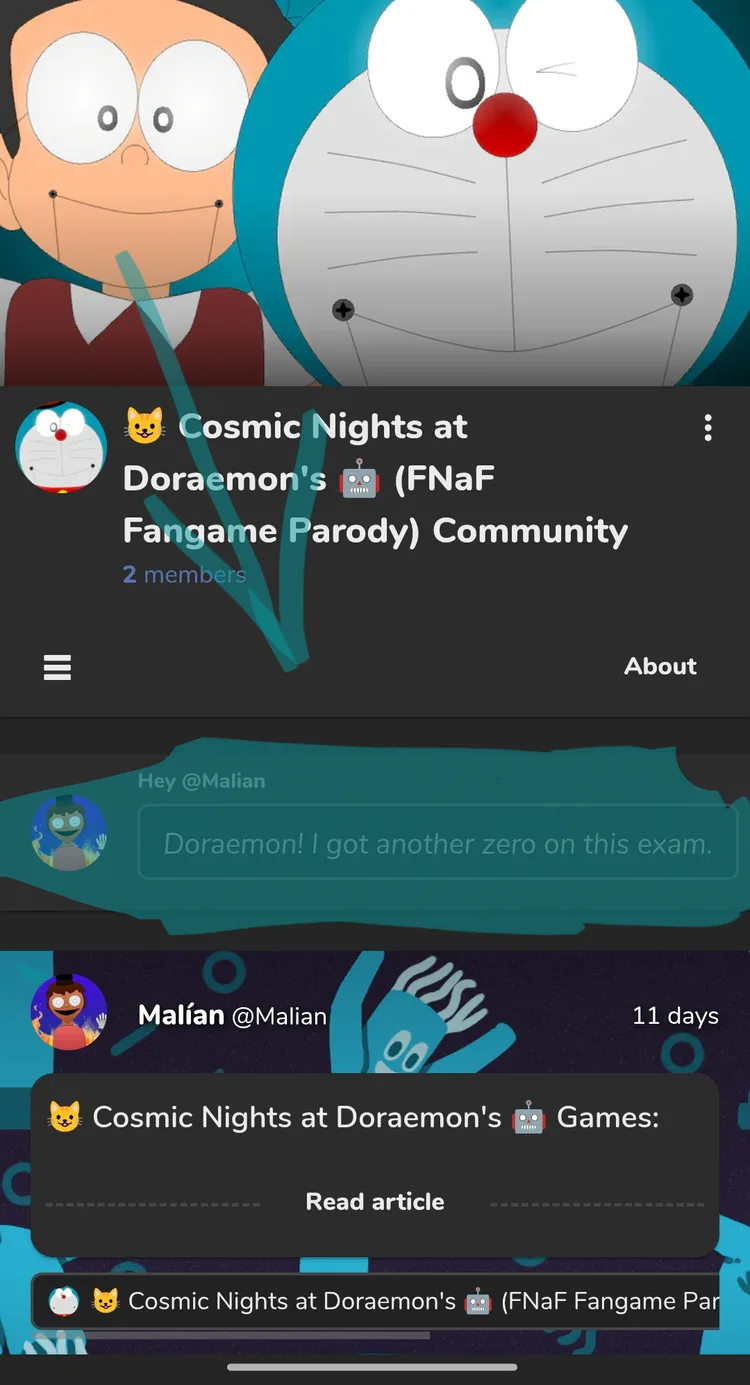
Tutorial:
Go to the “Edit Community” section in your community:
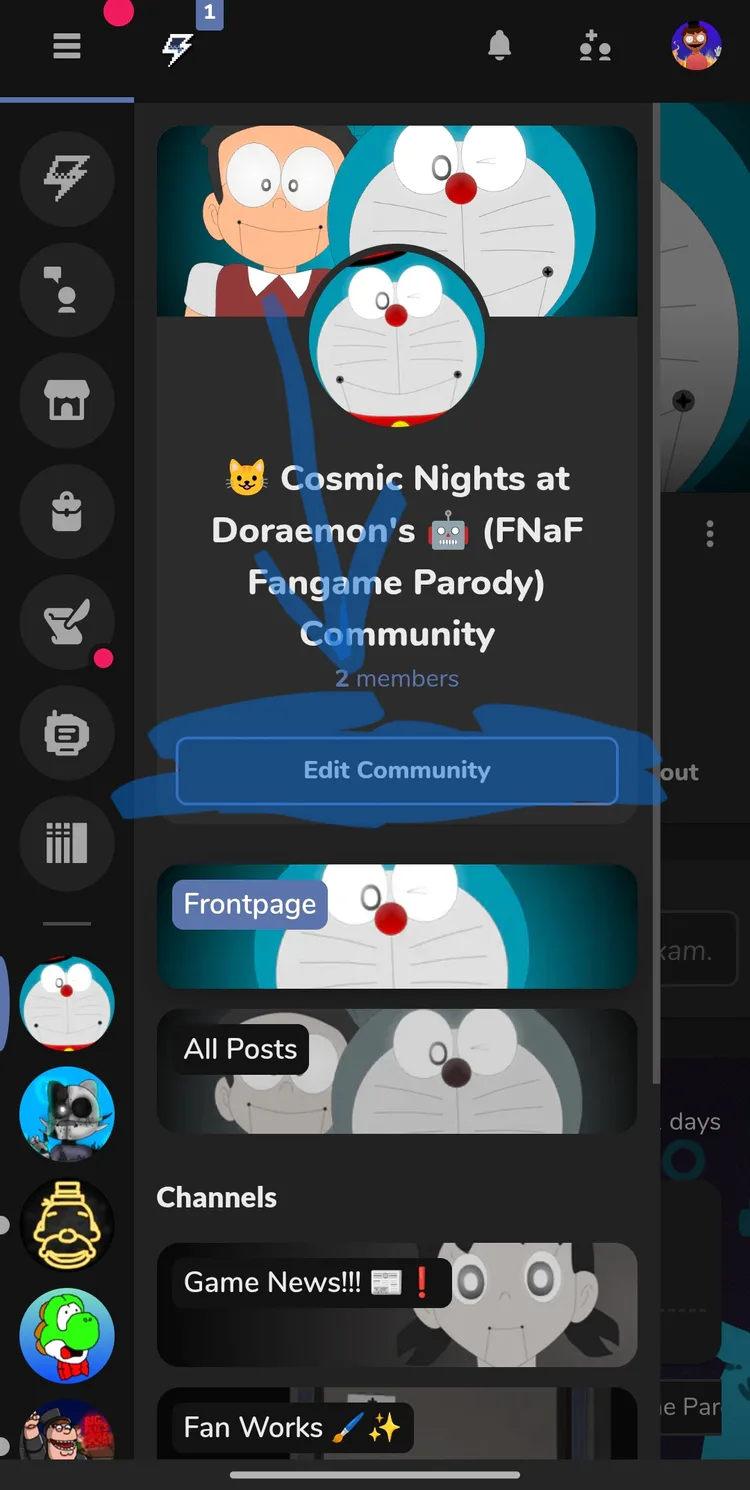
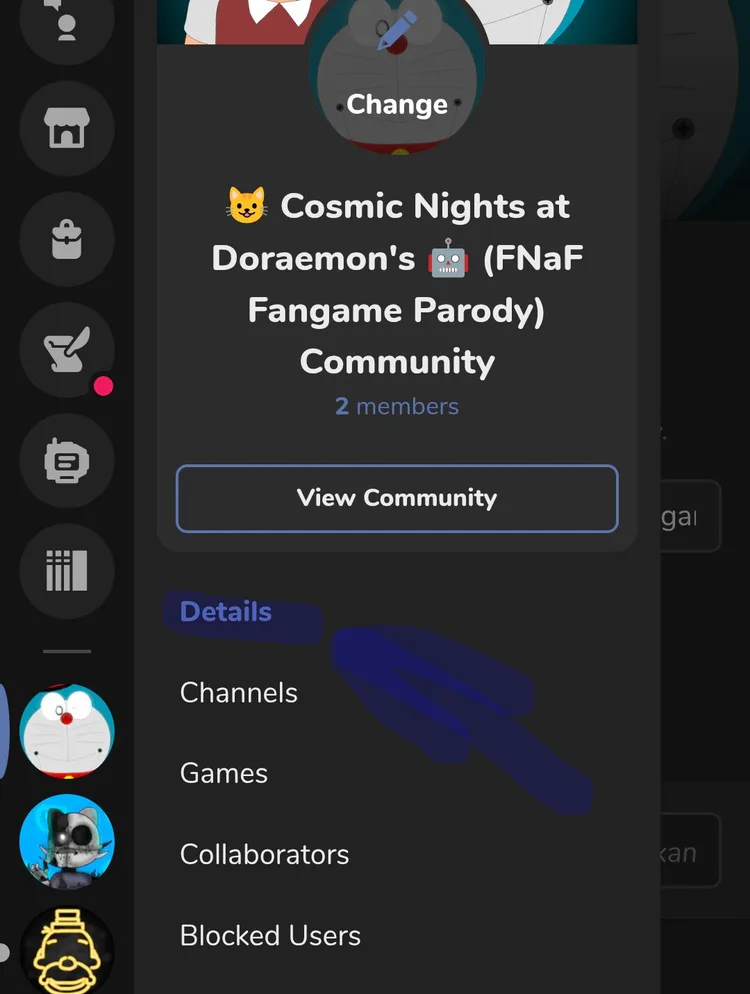
Inside “Edit Community,” go to the “Details” section:
And finally, inside the “Details” section, go to the underlined button, and there you can customize it. Click save, and that’s it.
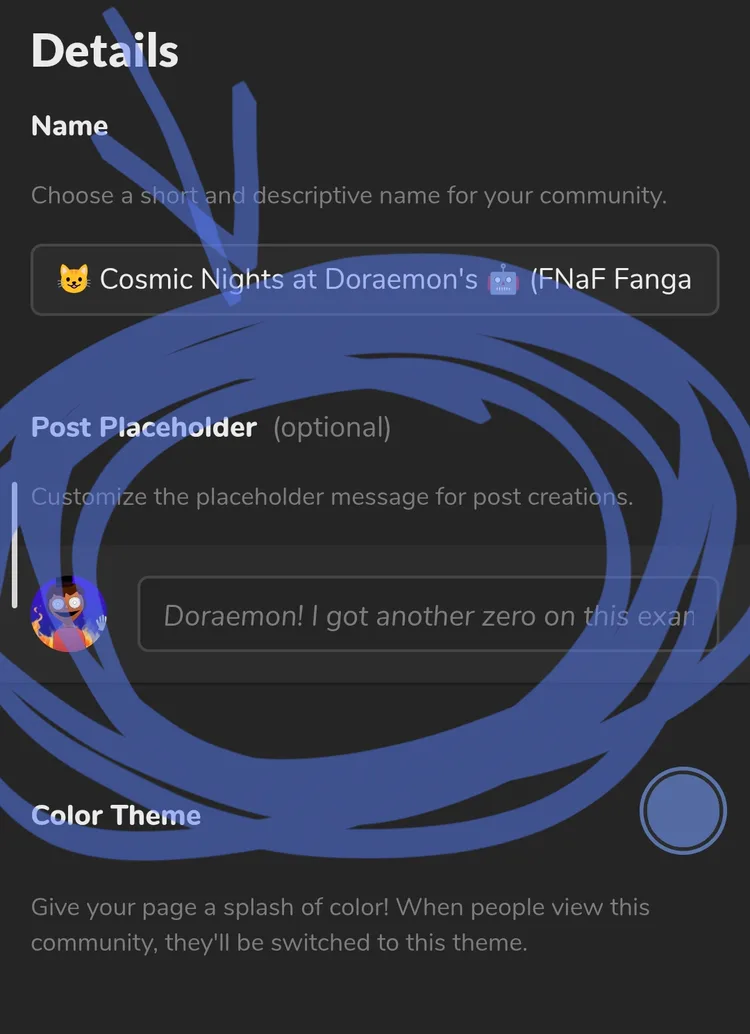
That would be all. Bye :D


Cartoon Violence
Fantasy Violence
Realistic Violence
Realistic Bloodshed
Comical Shenanigans