
When I was modifying the gameplay loop to implement the "stages" idea, one thing I knew I would need was a way to send score data from the main scene; the scene where all of the action occurs; to the "stage complete" scene and just, in general, save certain pieces of data throughout the runtime of the application. I wrote a very sloppy solution to a remarkably similar problem in my first game, Deathly Descent which has a "level results" screne telling you how you did on each of the five levels in that game. My solution to this problem then was, I'm ashamed to say, a game object called "Data Pass" that had a script attached to it that called DontDestroyOnLoad on awake and would retrieve all necessary pieces of data from the classes they were needed from when a method I had named "PassData" was called. In my mind at the time, this object was "passing data from one scene into another" using this object that would persist between scenes. This solution, unsurprisingly, caused me a number of headaches further down the road. I was a new and inexperienced game developer and truthfully, I didn't know what in the fresh hell I had just created when I coded this.
When I approached this problem here in Hensen Hopper, I wanted to solve it a lot more gracefully than I did in Deathly Descent. My solution this time to this problem is a static data container; a class designed to contain any piece of data that I need to remain throughout the game's runtime and be easily accessible in any scene.

Any seasoned programmer reading this probably knows the obvious solution whenever you need data that will persist throughout the runtime of an application regardless of what objects are created or destroyed is static properties rather than whatever the heck monstrosity I wrote in Deathly Descent.
To explain static properties to the programming uninitiated, think of objects as being pieces of art created by an artist. All of these works have attributes of their own: their title, genre, medium/media, etc. and these pieces of information may differ depending on which individual work you're looking at. In this analogy, static properties can be thought of as attributes of the artist themself: their name, birthplace, age, gender, and so on. These pieces of information are not tied to any of their works, they pertain to the artist themself, and no matter what attributes any one piece of their art has, these pieces of information remain the same. In programming terms, static properties are fields and methods that belong to a class itself rather than to an instance of it, and these properties persist throughout the lifetime of an application (including when new Unity scenes are loaded) and are unchanged by the instantiation of objects of the classes type, they only change when directly changed.
Currently, this container only allows me to create integer variables, but it'd be easy enough to expand it. How I've done this is by using a static C# dictionary which, if you haven't used those before, is C#'s equivalent to maps in C++, they are sort of like arrays or Lists but instead of their elements being accessed by an integer index, they're accessed by a key value which can be any type, including object references, In the case of my GlobalVariable class, strings are paired to integer values in the intVars dictionary. In laymans terms, I'm using a static dictionary to put nametags on integer data so I can get that data wherever I need to using it's name.
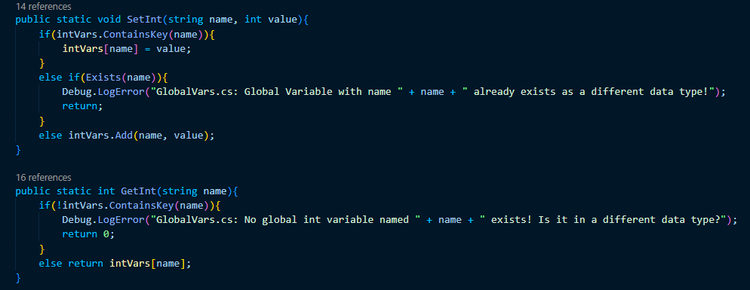
These two methods do just what their name implies. SetInt sets the value of whatever int stored in the dictionary is paired to a string key matching "name" if it exists, creating a new key and value pair if it doesn't, and GetInt returns the value paired to "name" if it exists, printing an error message to the Unity debug console if it doesn't.
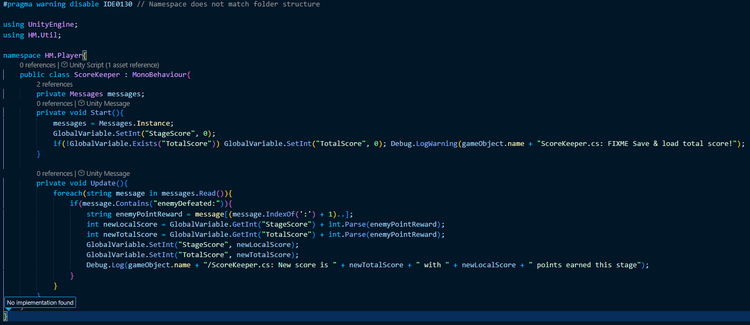
This felt like a more nuanced solution to me than simply creating a bunch of static variables to store whatever information I need to store right now because I can store MORE pieces of data in the future if I need to without needing to write new variables to contain it. This tool is basically a way for me to create static variables on demand without needing to manually write them into a class first.

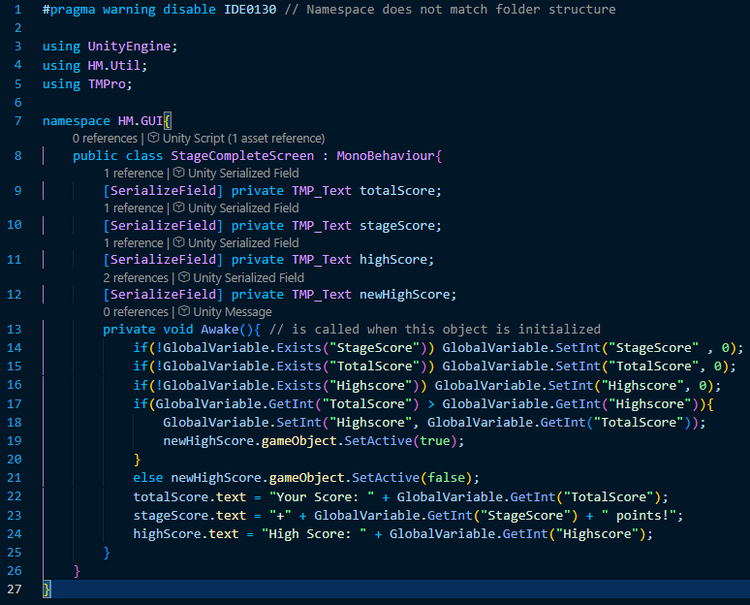
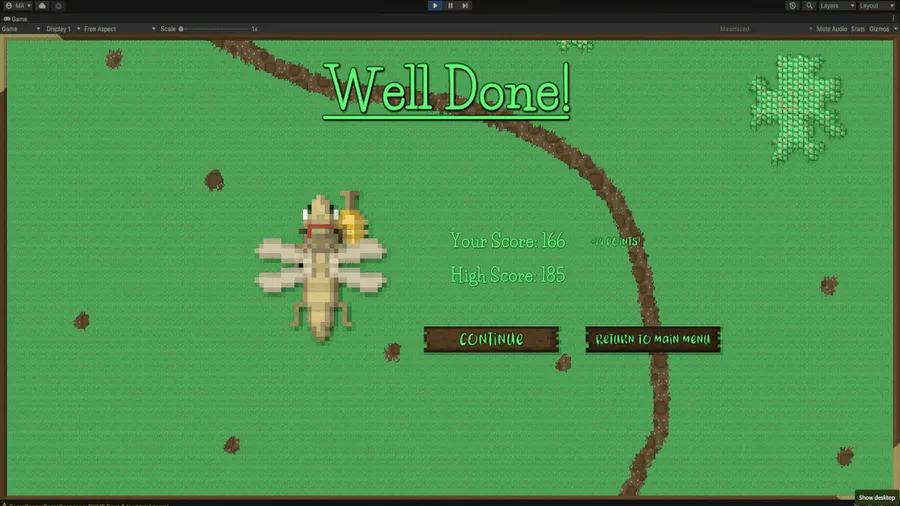
So far, I've used it for score-keeping and for storing the difficulty with my new gameplay loop and in the future, I will be initializing these global variables with values read from a JSON file and saved before the game is exited eventually!
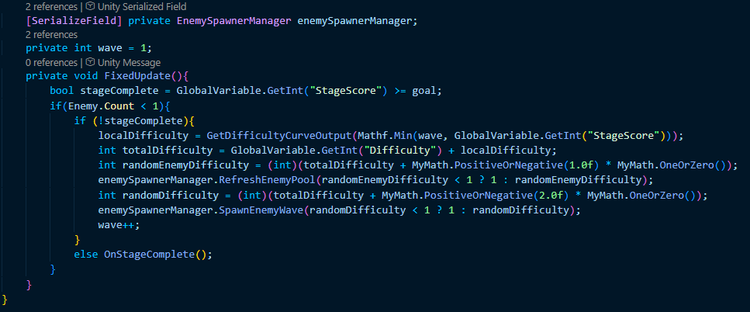
I do recognize that this is a potentially volatile tool if overused so I'm going to try to keep my usage of it minimal. I can also, obviously, expand upon this in the future as I see the need to.
That's all for this infodump! Thanks for reading!
















0 comments