


So I decided to scrap the methodology I had been going with and ranted about in my previous post. Instead of trying to have a script read an arbitrary integer and set the sprite of a SpriteRenderer component according to it's value, I have put together a relatively simple script that still sets the sprite of a SpriteRenderer according to an integer key value, however, it doesn't itself know what that key should be, another script has to tell it.
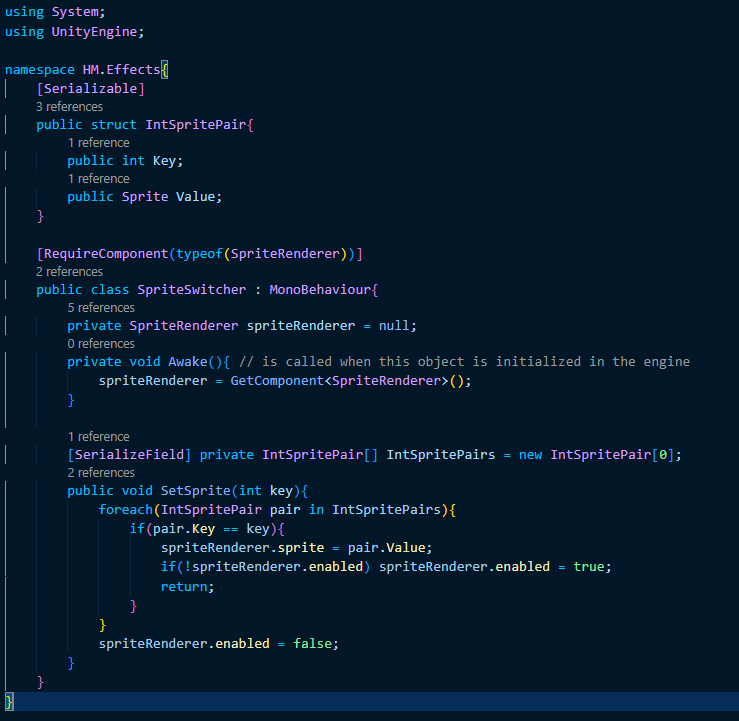
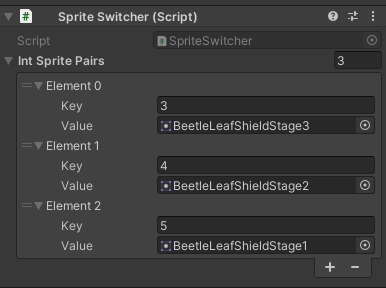
From here I simply attached this script to the beetle's sheild sprite renderer and the beetle shell overlay sprite renderer on the Player and set the sprite pairings via the inspector window.
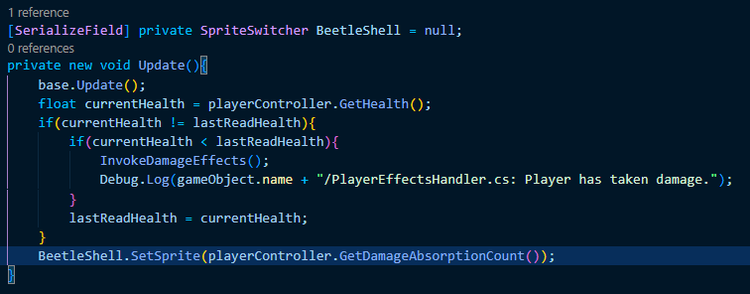
This way, for the beetle shell graphical render, I can simply call SetSprite from the PlayerEffectsHandler's update method and pass the player's damage absorptions count in as Key.
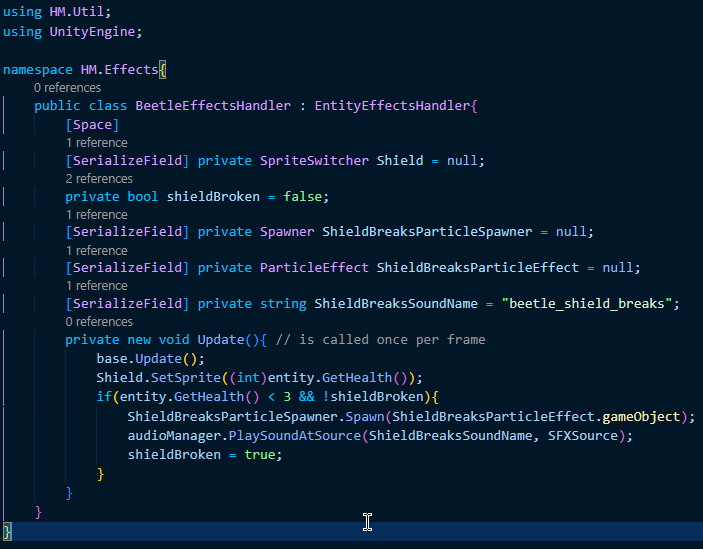
For the beetle's sheild, I wrote a BeetleEffectsHandler script that extends the EntityEffectsHandler I was using before to handle the beetle's shield effects. Before this, I had written an EntityHealthEvent struct in the EntityEffectsHandler that invoked UnityEvents when the entity's health hit a certain value solely to handle the shield's damage states and the effects for when it breaks which felt gratuitous to me since 3 of the four events did ultimately the exact same thing with slight variations and this property was not used by any other entity.
A common piece of advise that's given to programmers who are just starting out is any time you find yourself writing structurally identical code repeatedly only with differences in the values being used, try to turn it into a function/method instead. I believe the same applies in this case only with UnityEvents (which, when all is said and done, are effectively method calls themselves). That being said I also have this personal philosophy that it's best to avoid using UnityEvents if you can because they can make narrowing down the source of bugs quite difficult sometimes so I usually seek solutions that do not incorporate them so you can take this paragrap with a grain of salt.














0 comments