Note: Remember that you have to download each update manually. GameTranslate does not currently have any auto-update support.
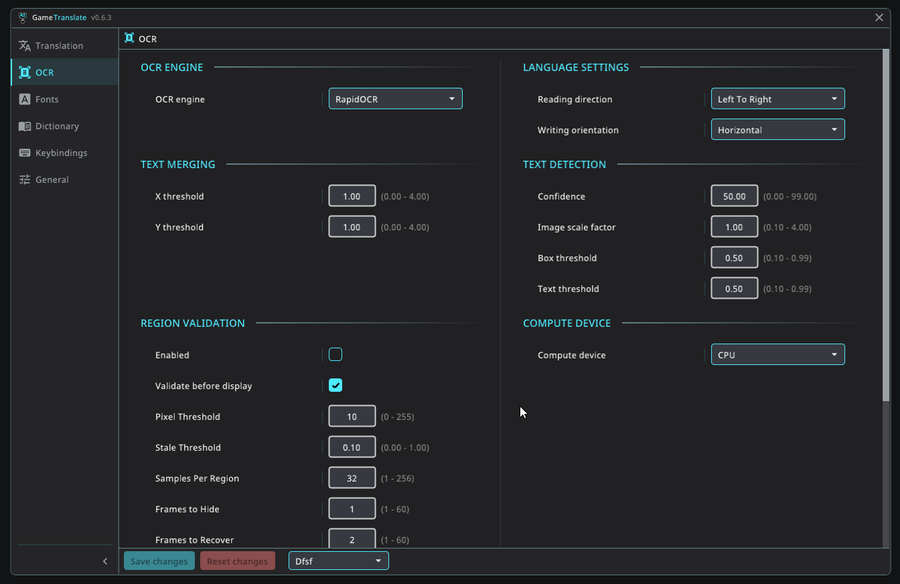
Region Validation
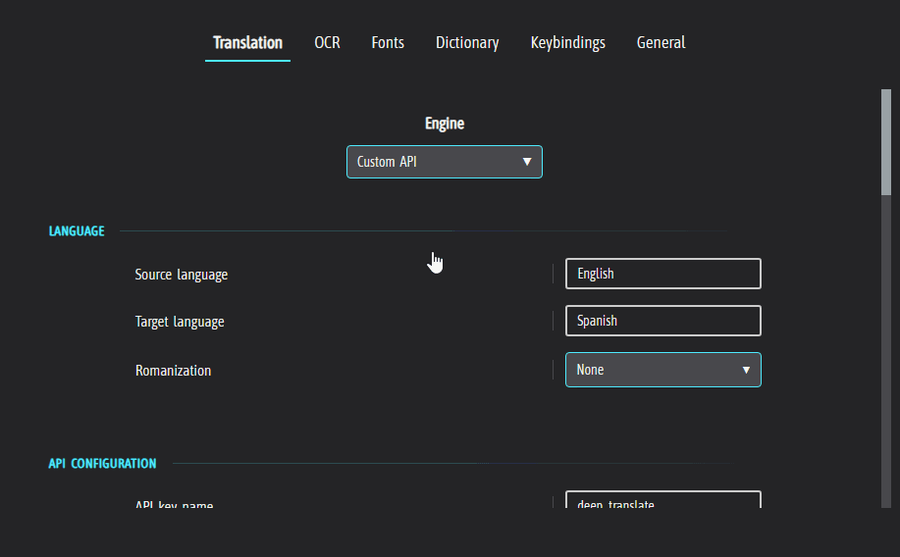
Region validation is an addition that massively can make translating in games look a lot smoother, especially if you're looking to translate a large portion of your game continuously. This feature only affects the Automatic Window, and you'll find its settings under the OCR tab. You will have to go there and manually enable it to use it at the moment since it will need testing before being enabled by default. It is likely that you'll have to change some of its settings to accommodate to the nature of the game you're playing.
External text panel
I've added an external translation results panel that you can put on your secondary monitor(s), or if you want it rendered over your windowed or borderless game, you can activate 'Always on top' in the panel's settings and drag it on top of the game.
I'd love to hear some feedback on this, it's been requested a few times before and I finally saw its real value and decided to take the plunge and implement it.
P.S. You can enable this in the 'General' tab, and then you'll find it under the 'Panel' section. I would recommend having 'Hide translation windows' set to true for most purposes. You can toggle this visibility with the 'Toggle visibility' keybinding.
Changelog
- Added Region validation, a new technique to smooth out automatic translations (found in OCR tab, Region Validation section) (Disabled by default)
- Added Panel, a new way to show translation results, through external, completely separate window(s) (found in General tab, Panel section) (Disabled by default)
- Added fade in and fade out functionality (found in General tab, Window section)
- The entire OCR pipeline now runs from a separate .exe to fully support using RapidOCR in 32-bit games in Internal mode. This also ensures speed of OCR stays consistent with Desktop/Attached
- Moved everything par the capture functionality off the render thread to make Internal mode a lot smoother
- WGC now runs on a separate worker thread
- Fixed a capturing issue with some DX12 games when using Internal mode
- Added option to enable GPU acceleration for main app UI and panel
- Added GPU acceleration check on first start up
- 'Show active' processes now display the Window title
- 'Show active' processes should now display every window of that PID (some games launch several windows, MMOs in particular)
- Reverted architecture detection change since user reported Attached mode no longer working for them
- Made other types of JSONPath allowed like $.. $[] etcetera for LLAMA
- Fixed an error that made custom placeholders not show when applying a locally created preset for Custom API
- Fixed bug that could make it impossible to clickthrough GameTranslate window when clickthrough was enabled
- Made Dashboard not clickthrough no matter if clickthrough is enabled or not
- Fixed JSON arrays not being valid in the tool, which caused a fallback function to be used where quotation marks could not be parsed properly
- Check load status of LLAMA model and display to user
- Make llama.cpp reload on model change and GPU layer change
- Fixed so that not fully loaded LLAMA models translation results are discarded rather than cached
- Removed 'Restore' button from non-owned presets in community repo
- Fixed 'Update' not showing for other users when you have updated your own community repo preset & uploaded the update
- Fixed z-order bug with Dashboard exit button
- Fixed deadlock in Internal mode with Dashboard
- Fixed translation windows blocking input to Dashboard if they were present behind it
- Added 'Toggle visibility' keybinding for translation windows
- Fixed 'Applied preset' info in LLAMA & Custom API resetting itself between sessions
- Old debug logs and screenshots (using debug mode) are now routinely deleted
- Fixed 'Spanish - English' model not being downloadable
- Fixed a bug that caused input to be completely blocked if 'Toggle GameTranslate' was triggered when hovering a GameTranslate window
- Fixed capture lockup caused by switching from Max Windows 2-5 to a lower value and then attempting to capture
- Made changes to opacity for Automatic window. If this causes clickthrough issues when you have Clickthrough set to true, please let me know!
- Fixed Automatic window border hover no longer registering
- Fixed so Windows mouse no longer is captured when using WGC
- Automatic border setting now has None, Hover and Always as its options
- Fixed Z-order rendering and dragging when windows are laid over each other
- Settings in the Dashboard are now just like the main app validated before being allowed to be saved
- Fixed 'Most Applied' sorting not working in community repository
- Made translation windows no longer react to clicks and drags when the dashboard is open
- Fixed highlighting on double-click in 'Show active' for minimized processes
- Fixed old content briefly rendering before new content in tutorial tooltips
- Potentially fixed a crash happening with games relaunching its window on startup
- Fixed some 'Tiny config' hovering issues
- Cleaned up user facing logs when in debug mode
If you're happy with the updates you're receiving and wish to support me, please consider giving a small donation at https://buymeacoffee.com/gametranslate
Thank you! ❤


0 comments