Note: Remember that you have to download each update manually. GameTranslate does not currently have any auto-update support.
## Language system rework
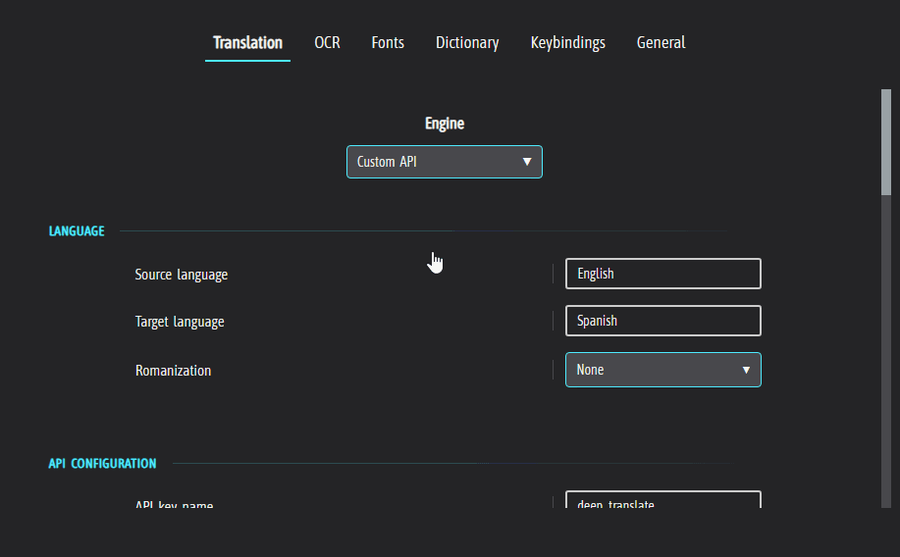
To improve user experience and increase support for future translation engine additions, I've unified the system to follow the BCP 47 code standard and I've also changed from having to manually type the correct language in LLAMA/Custom API to using a dropdown list with many languages. If there's a you'd like to see in the dropdown, or if there are any other issues, let me know and I'll get it fixed asap. I'll likely add the option to manually type out the language in the future.
## Improved LLAMA/Custom API preset creation
The preset creation UX was pretty terrible and I left it in a half-assed state. I've added some well needed visual cues and fixed some bugs.
## Steam release adaptations
I recently submitted a build review for Steam and was unfortunately told that their ToS strictly forbids users from providing their own API keys to the application. These are terrible news for GameTranslate's functionality and users' freedom, however, these things do of course have to be respected and there's nothing I can do about it.
Therefore Custom API is permanently removed from the Steam version, and DeepL is off the table for now. I've been told that I have to individually integrate any potential online API into the application, and that I have to manage user authentication and connection to these APIs myself. Payment has to be done through a Steam supported option. These are not trivial complications and I will have to carefully consider any API and the system that needs to be built to support this for Steam.
I cannot guarantee that any external APIs will ever be usable from the Steam version, but I sure hope I can provide it sooner rather than later.
## Persistent translation cache
The translation cache system that existed in GameTranslate up till this point only stored translations during the tool's session.
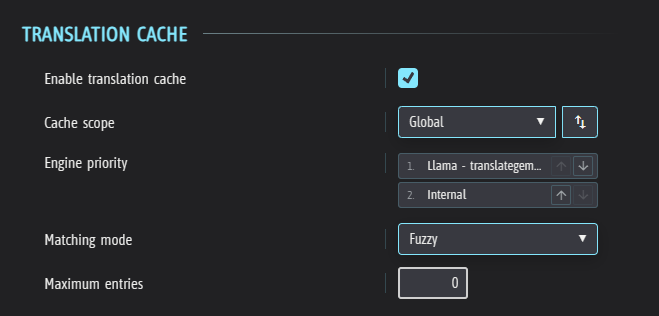
Today I can finally introduce a system that persists between sessions. It's a crucial system for users to save tokens when using online APIs, as well as for performance sake, especially when using heavy LLMs.
It is enabled by default.
Please let me know if you encounter any issues, or if anything is unclear. You'll find its settings in the Translation tab.
## Game scanning
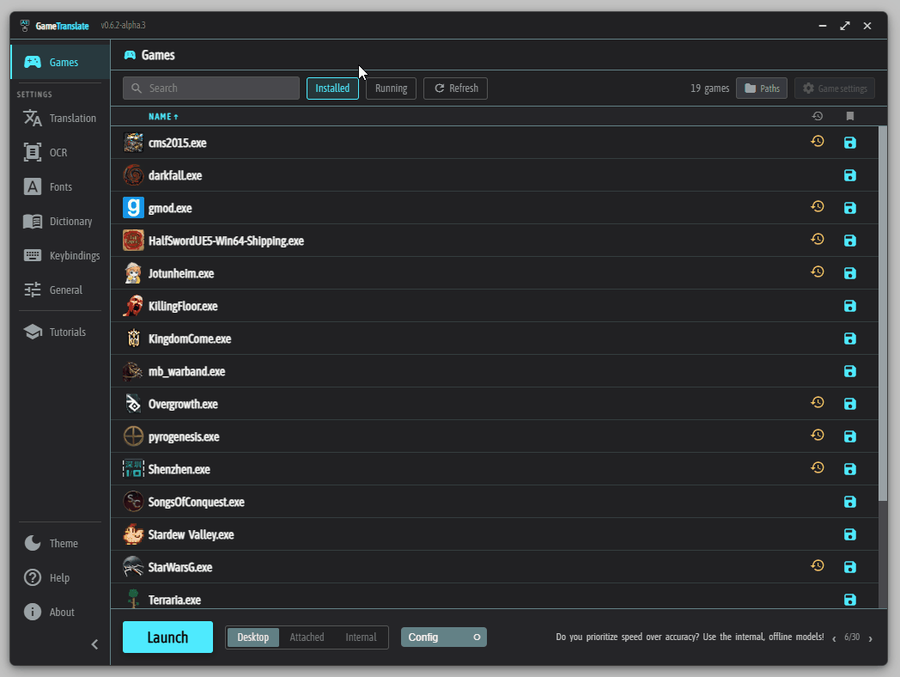
I went through the game scanning and filtering process from the ground up yesterday and found many ways to improve the process, both for the 'Installed' scanning and the 'Running' process scanning.
If the scan doesn't find your game (unlikely to find your game automatically if it isn't Epic Games or Steam), use the 'Paths' button to add a folder where your game(s) reside. If the scan still doesn't find your game, it is likely being filtered out, or the .exe is nested in many folders. In this case, use the 'Paths' button and add the specific game's .exe file. Unlike folder paths, the .exe paths completely circumvent the filtering.
As always, please let me know if you have any issues or feedback, it is super important.
## Internal mode capture performance
I put some long needed work into the capture process for the 'Internal' mode (DX9, DX11, DX12, OpenGL). It's been quite neglected since I added the 'Desktop' and 'Attached' modes. 'Internal' launch mode is just _a lot_ more convoluted and takes x4 the work in comparison to just working on 'Desktop' and 'Attached' since the latter more or less work identically under the hood. Hence, in the name of maximizing my efforts as a solo developer, this is the type of prioritization that is inevitable.
There's still a lot more work to do, especially for DX9 that is heavily suffering from GPU stalling due to being ancient. Not sure if I'll get that sorted soon though.
## Session statistics
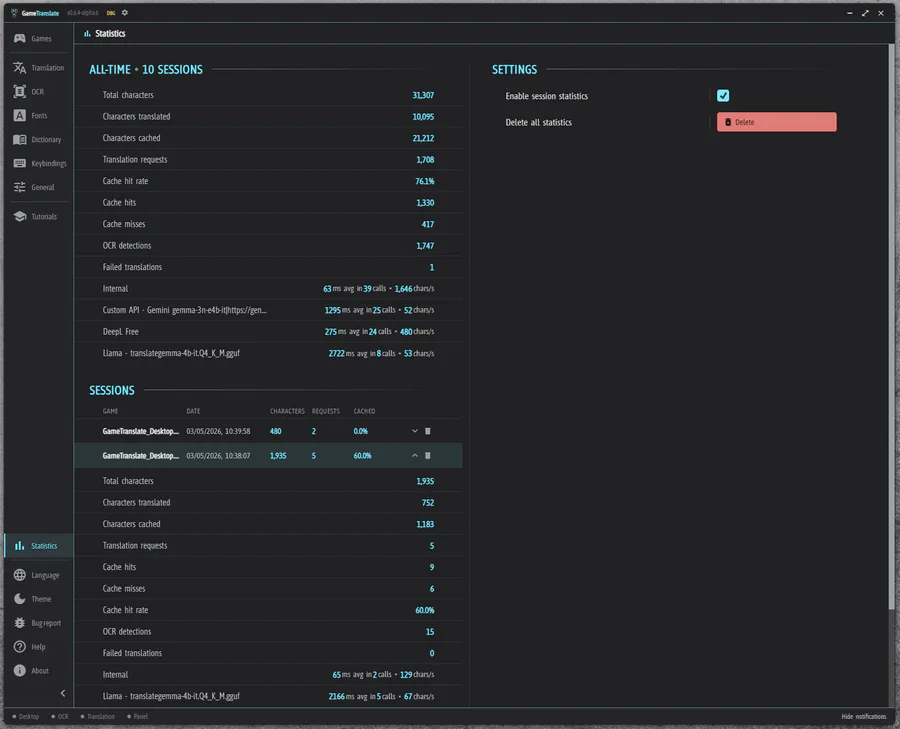
With the inevitable implementation of an optional subscription service for Steam when wanting to use online APIs, and because statistics always are interesting and useful, I got the idea to build a statistics page.
It tracks;
- Total characters, total translated characters, total cached characters
- Translation requests
- Cache hit rate, cache hits, cache misses
- Total OCR detections
- Failed translations
- Per-engine latency tracking and characters per second
I'm open to hearing ideas about what else could be useful/interesting to track! :)
Enabled by default, but you can easily opt-out of it. Everything is stored locally, it is for your view only unless you decide to share it.
## Default keybindings
I've noticed the sentiment is that the default keybindings have been confusing and a hindrance to using the application properly. I wholly agree, I've been annoyed at the keybindings myself since I set them and I can only really blame my terrible executive funtion for not taking care of it earlier.
The default keybindings now are as follows;
- Standard capture - Alt + C
- Fast capture - Now unset by default (my reasoning is that having two keys to use the same capture method is confusing - feel free to set the keybinding and use it instead of standard though, I sure will!)
- Capture mode swap - Alt + W
- Language swap - Alt + S
- Pause - Alt + A
- Close window - Alt + Q
- Toggle dashboard - Shift + Alt + D
As always, super welcoming to any feedback I can get! :)
## Changelog- Load glyphs dynamically
- Rename 'Glyphs' to 'Scripts' and move to 'Translation' tab to better represent its current function (Language rules)
- 'Restart required' dialog now shows affected settings
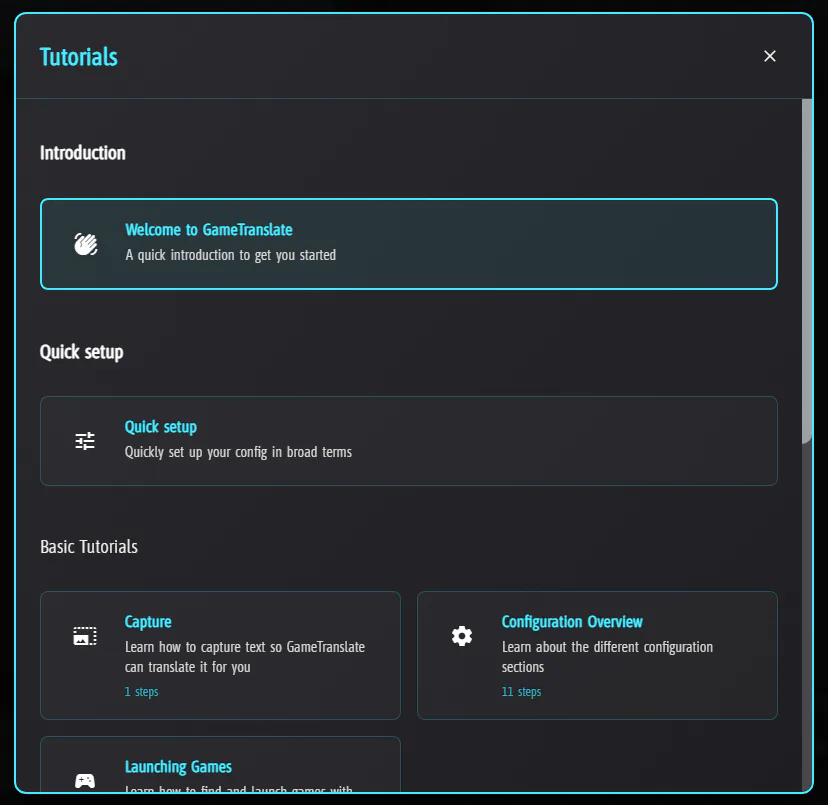
- Fix tutorial no longer using proper tutorial settings
- Rewrite the language code system throughout the app
- Add BCP 47 codes to language format
- Display language codes on the language format dropdown
- Let users search items in dropdowns if they are too large
- Each translation engine now keep their language choices individually
- LLAMA and Custom API's language selection is now done through dropdowns instead of manually typing the language to streamline UX and ensure compatibility
- Fix DeepL, LLAMA and Custom API failing to make use of the Dictionaries in some cases
- Engine selection for Translation / OCR now uses the same styling as the rest of the settings, however it sits on its own row for clarity
- Restyle Custom API/LLAMA preset creation to better match styling of the application
- Add UX improvements to Custom API/LLAMA preset creation such as Required fields visuals cues, Invalid URLs etc
- Fix JSON editor layout shift when typing Invalid JSON
- Validate settings on tutorial launch
- Remove 'save' steps from tutorials
- Make the hide/show notifications button be toggled by click instead of F1 key
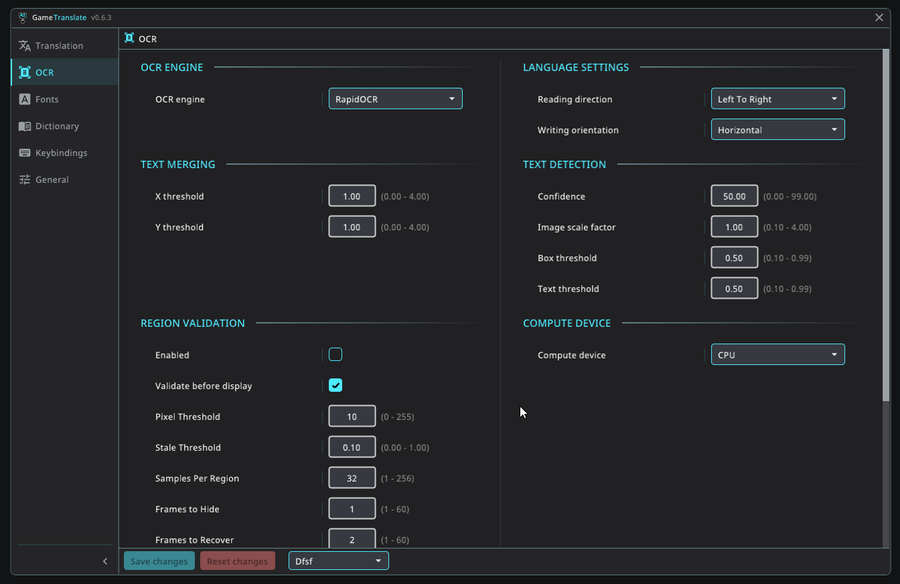
- Quick preset Comic, Manga & VN now set region_validation and failed_capture to false
- Remove Internal engine settings as they were broken after Microsoft store fixes (moving to a different engine anyways..)
- Fix some broken offline models
- Remove Custom API & DeepL from Steam build
- Make load of presets in Custom API & LLAMA community repositories faster
- Add 'performance' step in quick setup
- Set max width of settings sections to 650px to improve UX for very wide monitors
- Fix awkward extra padding when there is more than one column in Dashboard
- Add extra check to LLAMA preset upload to ensure users understand presets have to strictly offer translations and nothing else
- Make the translation cache system persistent between sessions
- Add cache deletion functionality for per game, per engine, per language pair (and combined with per engine/game), and all (full delete)
- Add 'Filter installed' and 'Filter running' checkboxes to 'System' in 'General' settings
- Cleaned up and improved the system that finds game .exes
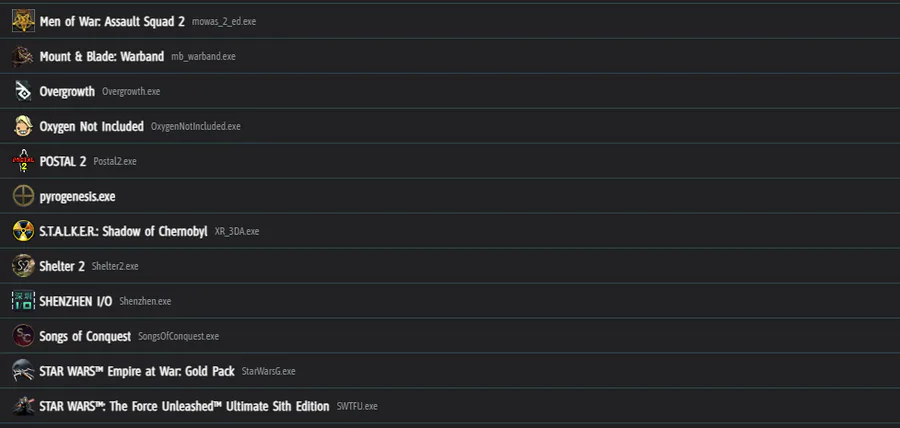
- Display the game's name in the game list (if found) and its .exe to the right of it
- Remove Custom API and DeepL from Steam version
- Fix file watcher crash on exit of main app
- Add cache and filter options to the settings search list
- Fix section names not showing in the settings search list when searching for font settings
- Show appropriate cursors for different functionality in the tool (move, resize, button etc). If clickthrough is enabled, the non-ingame cursors should only be shown when interacting with the Dashboard
- Fix capture tutorial not being centered when user has Windows scaling set above 100%
- Use PBO for OpenGL capturing (improves performance dramatically)
- Improve DX11 capturing (neat FPS boost)
- Improve DX9 & DX12 capturing (marginal FPS boost)
- Clickthrough is now always enabled when using fullscreen translation mode
- Disable 'Close window' and 'Capture swap mode' keybindings when using fullscreen translation mode (leave the mode by using the 'Fullscreen' keybinding again)
- Fix captures not working after preset switch mid-run
- Replace hardcoded strings
- Add missing keys
- Rename loads of locale keys
- Set default app size to 1600x960
- Replace all applicable icons in main app with Material icons
- Use the same horizontal padding for JSON and textarea as the rest of the rows in main app
- Create ellipsis & add hover tooltip for any locale text overflowing in buttons in the main app
- Add icons to all buttons in the main app (apart from Launch/Save)
- Fix DX9 error where buffer allocation failed and caused the dashboard to become invisible
- Add statistics page/functionality
- Fix visual keys in capture tutorial having capitalized text
- Remove fast capture section from capture tutorial
- Make fast capture keybinding unset per default
- Modify default keybindings
- Fix ALT keys not functioning in Desktop/Attached modes
- Fix a few translation paths adding to the cache even though the translation requests failed
- Change 'Samples per region' default to 16 from 32
- Change 'Validate Every N Frames' default to 6 from 2
If you're happy with the updates you're receiving and wish to support me, please consider giving a small donation at https://buymeacoffee.com/gametranslate
Thank you! ❤
Next up
Update 0.5.9 - In-game config dashboard & redesigned config!
v0.6.2 - Redesigned main app & Fullscreen translation

Update 0.5.7 - Typewriter effect & improved games list!
Update 0.5.5 - Dictionary lookup!
Update 0.6.0 - Community repository & new capture tutorial!
v0.6.1 - External panel(s) & Region Validation
Update 0.5.8 - Multi-window, real-time updates & monitor select!
Update 0.5.6 - New tutorial system!
v0.6.3 - Dashboard redesign & Font rework

Fan art for Foolish I'm feeling kinda better so I drew this
0 comments