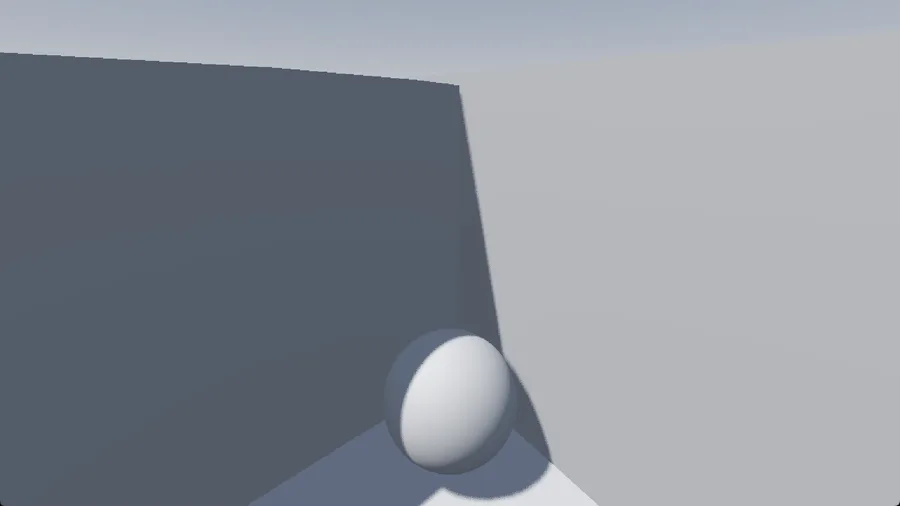




It might sound like something That'd be complicated to do but no lol
The player is just a RigidBody3D, set up in a way I felt best.
for the camera, the player has a child node called "CamGymbal" which holds the Camera (so you can move the camera from left to right, I didn't add looking up and down because I felt it was better that way)

CamGymbal has "Top Level" on, which makes it not follow its parent's position (which is the player) this is to prevent it from rotating along with the ball. We put the Gymbal to the Player position in code.
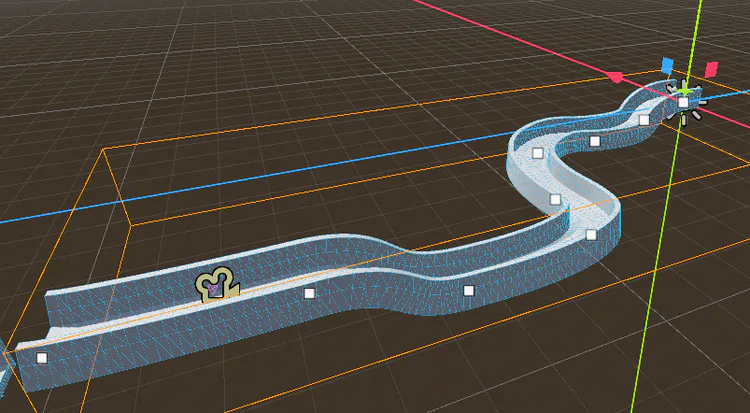
The Level layout is pretty simple to make, it just uses a Path3D with a CSGPolygon3D as a child node, which I connected to the path so the CSG Follows along the path.
This is what the CSGPolygon3D Looks like:
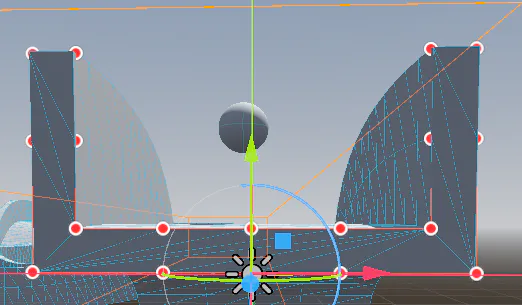
And this is how the Path3D works.
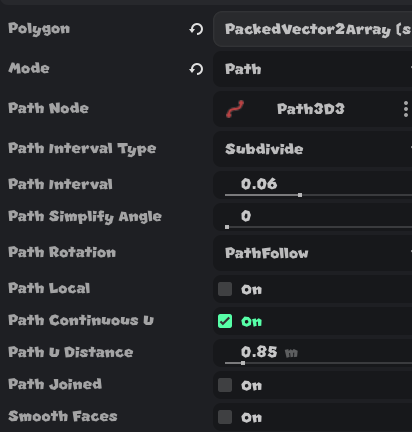
These were my CSGPolygon3D Configurations:
For code, It's pretty simple.

MicIdx is the Audio Bus Index for the Microphone Input
I added a "Mic" bus with the "Record" Filter, then connected it to "MicMute", which is a muted track.
This is to prevent the Microphone Input from being played back to you.
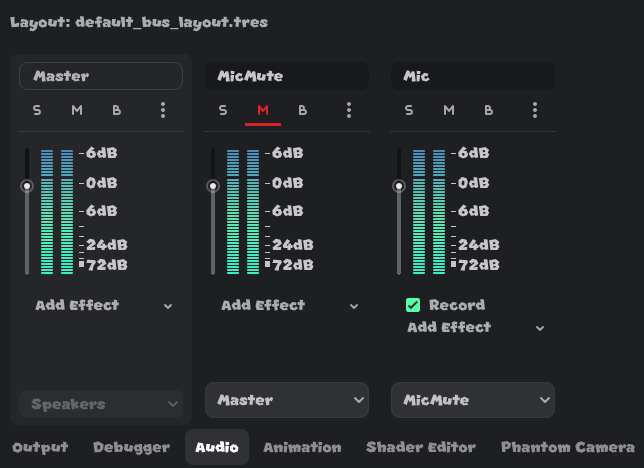
I then have an AudioStreamPlayer in the Scene set up like so:

Under _ready():
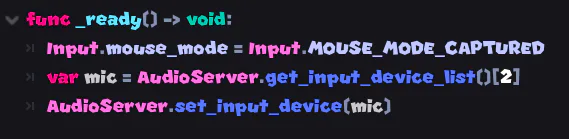
we set the mouse to be Captured to the Window.
AudioServer.get_input_device_list()[2]is my manual Implementation of setting the Input device to the correct Microphone lol.
get_input_device_list() returns a PackedStringArray
a Finished game would obviously put this in the Options or something but for Testing purposes I just did it manually
The line below it then sets the Microphone Input to the Device.
Under physics_process():

we set the Camera Gymbal's position to the Player's position so the Camera follows the player.
then we get the peak volume of the mic track using the MicIdx we got earlier.
peak volume basically means your microphone volume, since we have a "Record" filter on the bus.
in that same line, we also remap from -50 and 0 to 0 and 10
that means -50 is now 0 and 0 is now 10
-50 is the quietest I've seen my mic go, although it turns to -200 when turned off, no difference, since it caps the minimum to 0.
and 0 is the max input volume, so the loudest you can be.
If Sample is more than or equal to 3 (this is so it doesn't detect random noise, obviously a finished game would have all of this customizable in the options but this is just a test)
we -= the linear velocity of the player to the CamGymbal's global basis z, which is basically rotation to facing or something. Idk I suck at all this math vector stuff.
we divide that Initial Vector3 by 20 to make it wayy slower, then times that by Sample, which again. is our volume.
Under _input(event):

we check if event is InputEventMouseMotion and then rotate the Gymbal's y to -event.relative.x * 0.003 (we times that by 0.003 to make it slower)
Sable Gif:
















2 comments