 : Contexto:
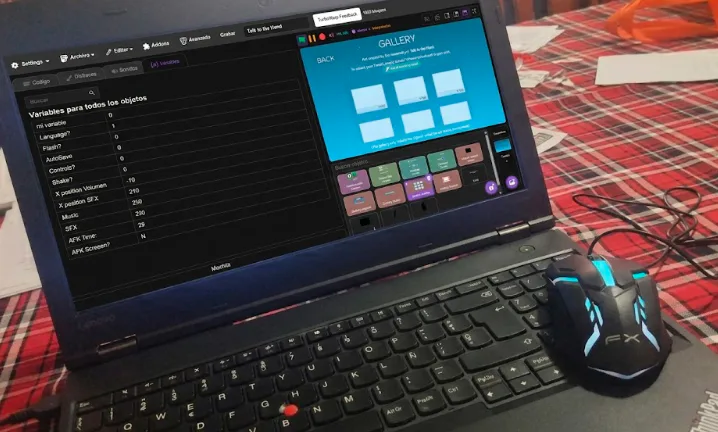
Últimamente como ya he mencionado antes me ha estado empezando a gustar programar y desarrollar "sistemas", "macánicas" y "ajustes avanzados" y he estado prácticando en tiempos libres y he logrado programar dentro de TurboWarp estos 3 sistemas que explicaré más a detalle a continuación:
-1er gif: Este es un selector de capítulos/niveles con deslizamiento... Pero en vez de usar 2-3 variables por cada capítulo se maneja mediante un calculo matemático en tiempo real que determina la posición, tamaño y difuminación. Puedes interactuar con el sistema mediante los botónes visibles o mediante las flechas de tu teclado (Sopiler: Es escalable y puedes tener más de 10 capítulos sin generar lag)
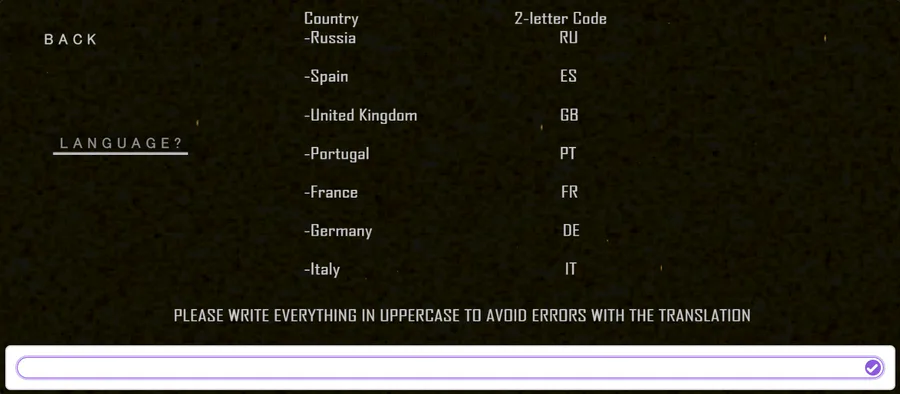
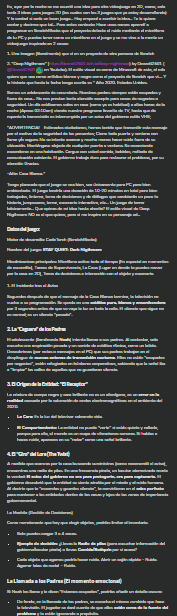
-2do gif: Este sistema es personalmente el que más me emociona compartir ya que son diálogos animados que son capaces de traducirse a si mismo en en los idiomas disponibles que pueden obervar en la imagen siguiente... Se traducen a si mismos si escribes correctamente el Código Nacional Del Idioma deseado... Ah y para continuar tienes que presionar ENTER
-3er gif: Y el más reciente pero no menos relevante... Cree yo (o bueno, no sé si alguien más ya lo ha creado) un movimiento para oficinas u escenarios para fangames de fnaf u otro tipo de videojuego! Gracias a un amigo @LurkerIndie  por ayudarme a mejorar el código para hacer el movimiento más suave aún de lo que se ve en el gif
Aviso desde ahorita que esto NO significa que RabGamesStudio o yo no haya avanzado con Talk to the Hand; al contrario... Hemos programado una nueva sección del menú que esperemos les sea de su agrado, pero lamentablemente no puedo mostrar nada hasta el siguiente Devlog o post enfocado en Talk to the Hand y su desarrollo :p
Si alguien requiere obtener nuestros sistemas programados (únicamente compatibles con TurboWarp) estamos planeando agregarlos en tiendas a un presio bastante razonable por lo que son los productos pero eso lo hablaremos cuando ya se vayan a vender, mientras tanto nos enfocaremos en el presente.
_______________________________________________________ : Context:
Lately, as I've mentioned before, I've started to enjoy programming and developing "systems," "mechanics," and "advanced settings," and I've been practicing in my free time and have managed to program these 3 systems within TurboWarp, which I will explain in more detail below:
-1st GIF: This is a chapter/level selector with a slider... But instead of using 2-3 variables per chapter, it uses a real-time mathematical calculation that determines the position, size, and blur. You can interact with the system using the visible buttons or the arrow keys on your keyboard. (Note: It's scalable and you can have more than 10 chapters without lag.)
-2nd GIF: This system is personally the one I'm most excited to share because it features animated dialogues that can translate themselves into the available languages, which you can see in the following image... They translate themselves if you correctly type the National Language Code... Oh, and to continue, you have to press ENTER
-3rd gif: And the most recent but no less relevant... I created (or well, I don't know if someone else has already created it) a movement for offices or scenarios for FNAF fangames or other types of video games! Thanks to a friend @LurkerIndie for helping me improve the code to make the movement even smoother than what you see in the gif
I want to make it clear right now that this DOES NOT mean that RabGamesStudio or I haven't made progress with Talk to the Hand; on the contrary... We've programmed a new menu section that we hope you'll like, but unfortunately, I can't show anything until the next Devlog or post focused on Talk to the Hand and its development :p
If anyone needs to get our programmed systems (only compatible with TurboWarp) we are planning to add them to stores at a fairly reasonable price for what the products are, but we will talk about that when they are going to be sold, meanwhile we will focus on the present.












7 comments