
We interrupt your daily flight to bring a new patch. It rebalances the Demo of the game to a more appropriate level for newcomers, and relocates the Demo button to a more visible and less confusing (hopefully) location.
Additionally, it adds crosshair settings for the Gamepad in the Options menu. You can customize how far the crosshair sits from the ship, and how it interacts with the enviroment. If anyone has suggestions on new settings, feel free to let me know!
Oh, and a new free paint job was also added, right on time for the big day!
Here is a full list of patch notes:
Additions:
Added a new free paint job: Cupid.
You may find it in the Free Paint Job section of the Aerostrike's Shipyard submenu.
Main Menu:
Relocated the Demo button from the Campaign menu to the Main menu of the game.
It should appear right above the Campaign button.
Visuals:
Added dynamic collision to the gamepad crosshair.
It will now collide with terrain and adjust its distance to the Aerostrike accordingly.
Can be turned off in the Options menu.
Added a dark Vignette that will darken the background around the edges of the camera.
The size of the Vignette will depend on the energy level of the area.
Demo:
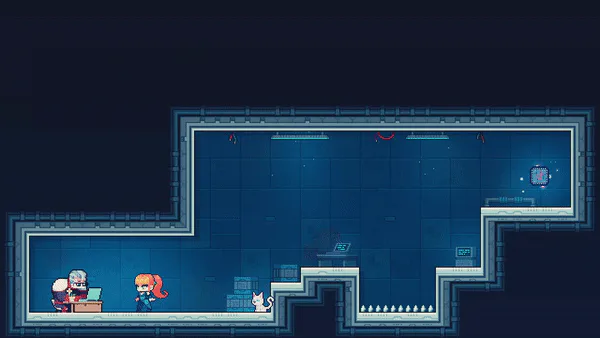
Added more tutorial text to the Demo map.
Relocated the second Dock Room to be accessible earlier.
Rebalanced all ambush battles.
Most changes involve reducing the amount of enemies in the field at once.
Most changes only affect Trial Run and Standard Test difficulties.
Campaign:
Added a Door Blocker to a Secret Door in Area 3 to improve the flow of Chapter 1.
Installed a failsafe in Chapter 1 that will prevent those that crossed the door from becoming softlocked.
Options:
Added Crosshair settings in the Gamepad Options submenu.
You can adjust various crosshair settings here, including Dynamic positioning.
Techical Changes:
Updated the Input library to version 5.4.0.
Added unique internal map marking keybinds.
With this, you can now mark rooms in the map with the right trigger button while using a gamepad.
The left trigger button will still mark rooms as well, even if not displayed as the key to do so.
Mouse controls remain unchanged.
Background work in preparation of a Steam release.
Should have no impact on non-Steam releases of Aerostrike
How to update the game manually:
Download the new version.
Delete the old game folder. Aerostrike's save files are stored in a separate folder, so it is safe to delete the old game files.
Create a new Aerostrike folder.
Extract the game files inside the new folder.
If anyone is met with any sort of weird bug, or simply thinks that the Demo should be as difficult as possible, feel free to leave a comment, send an email to the support address, or contact me via twitter. Stay safe pilots!







0 comments