Game
Hensen Hopper
1 month ago

I've set up all I need to to program the web bullet that will be fired by the spider!!! Next step: animation which I'll save for tomorrow since I work nights and wake up when it's dark out so I can listen to ghost stories in the dark while doing that.


The spider will fire a unique bullet that will be visually represented by a ball of spiderweb flying through the air. This bullet will freeze Hensen in place for a duration of 3 seconds when it collides with the PlayerController. A few changes needed to be made to the bullets and the PlayerController classes in order for this to be doable.
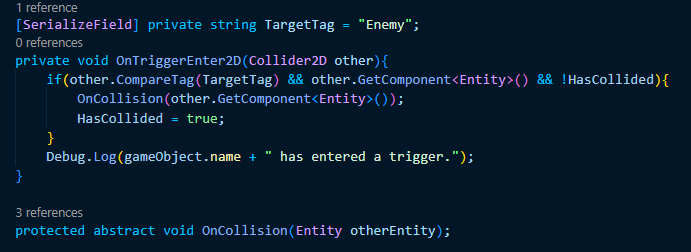
image.png

The first change I made was to make the bullet an abstract class. Previously, in the OnTriggerEnter2D method, I had been taking health from the entity but the spider's bullet does not take health so I decided to have an abstract method named OnCollision be called in place of doing that so I could create unique bullets that would do different things depending on how I implement that class. I feel like I REALLY should have had it this way to begin with, if I'm being honest.
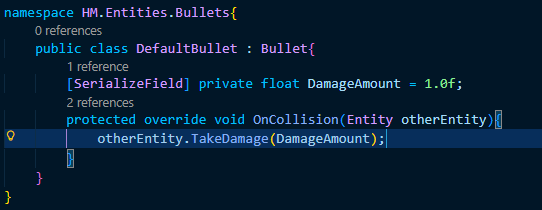
image.png

To preserve the previous functionality, I wrote a DefaultBullet class that implements the abstract OnCollision method with the behavior that was present in the OnTriggerEnter2D method before.
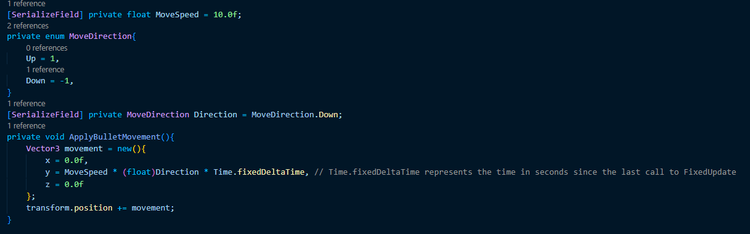
image.png

I also went ahead and added a direction enum to the bullet rather than setting the move speed to -10 when I want it to move down like I had been doing before.

This led to a funny moment where my IDE tried to tell me it wasn't possible to apply the multiplication operator on operands of float and enum types to which I simply went "sure it is" before casting Direction to the float type which works, by the way, because enums are REALLY just a set of fancy integers. I did also manage to record this moment and you can see it here: https://youtube.com/shorts/8PTzmItL064
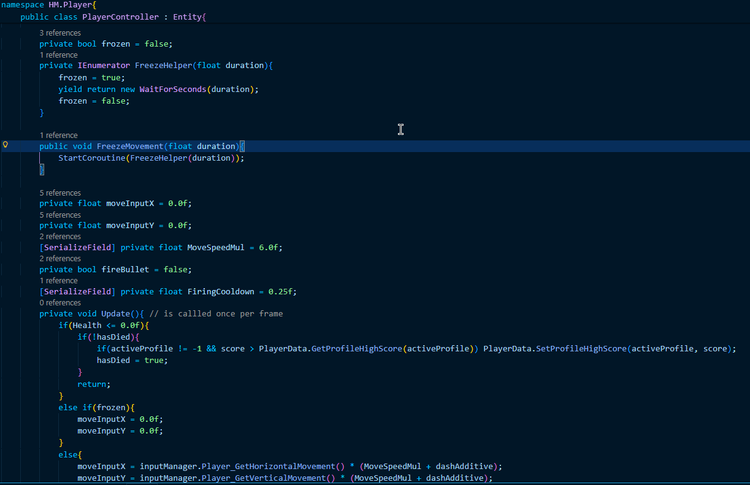
image.png

I also had to add a branch into the Update method of the PlayerController class in order to handle freezing the player's movement. After that was done, it was a simple matter of adding a public FreezeMovement method taking a float duration as a parameter that starts a helper coroutine that sets frozen to true and then back to false after waiting for (delay) seconds.
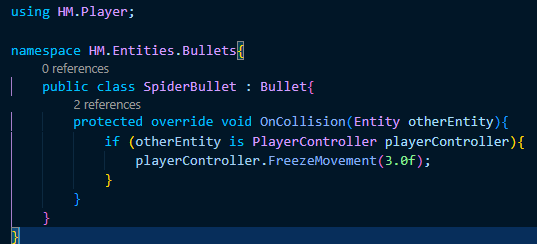
image.png

From here it was a simple matter of creating a new child class of Bullet that would call this FreezeMovement method OnCollision instead of damaging the entity. Something I love C# for, by the way, is pattern matching. Imagine if I had to check whether the otherEntity object had a PlayerController component and then GET that component? Honestly, I think I childed PlayerController to the Entity class SOLELY so I could do this in particular.



0 comments

Loading...

Next up

Very unfinished but the backdrop image, as it is in this video, is already leagues better than what I had last weekend! I'm going to work on it incrementally over the coming weeks as I work on implementing the stages idea I talked about before!

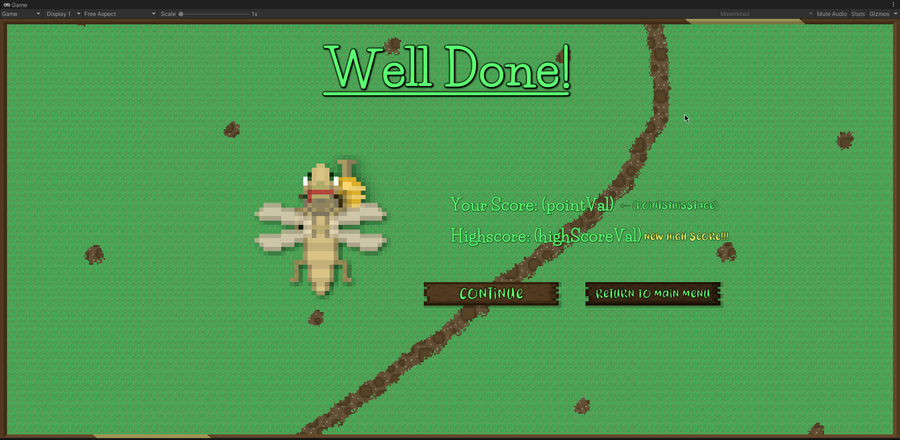
Been working on the artwork for the "stage complete" screen all morning! Right now I'm improving the shadows/shading for Hensen because he is a part of that screen. I do need to work out the contrast between the text and the backdrop image, I know.

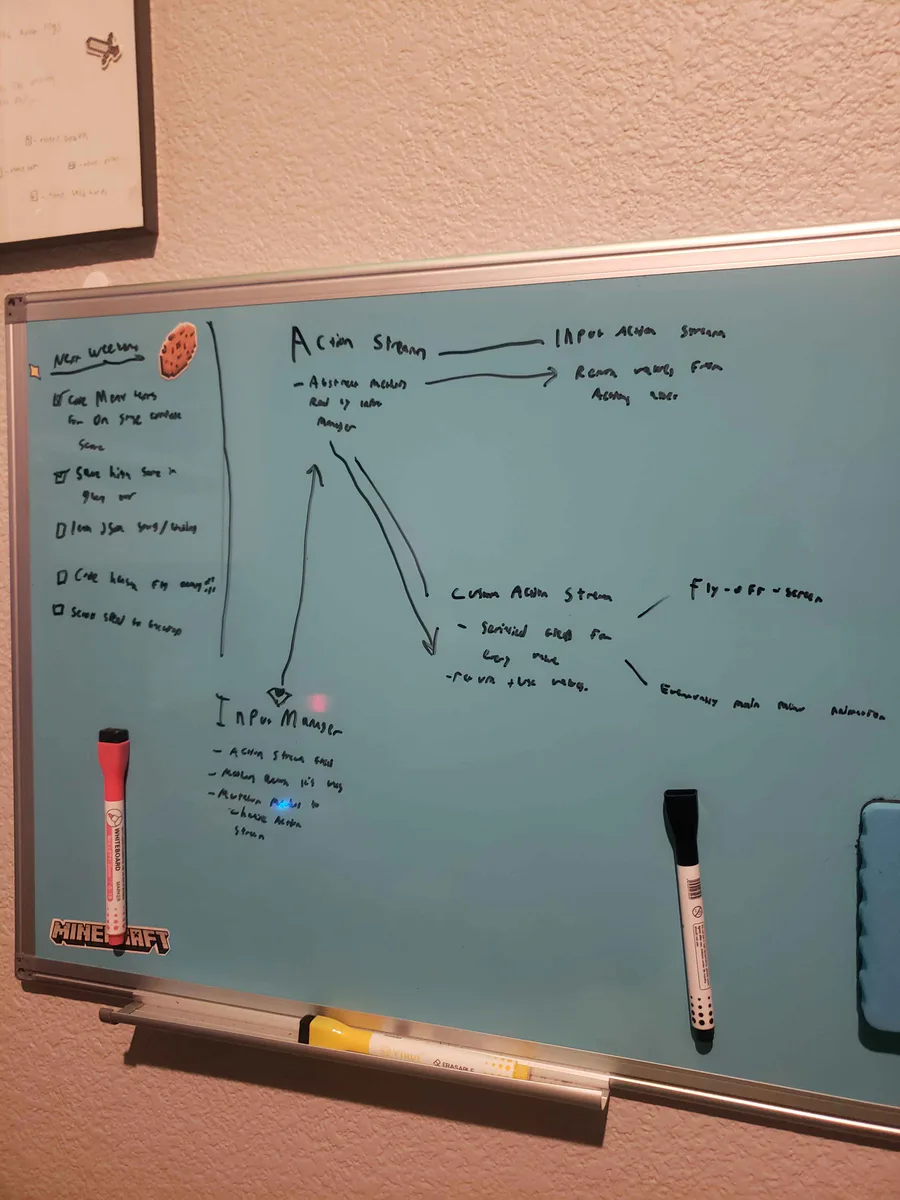
Alright, I've been thinking... I wanna do a fly-off-screen when you complete a stage in Hensen Hopper (classic shmup stuff) and I COULD just hardcode it into the character controller script but I came up with a more nuanced solution.

Doki Doki Literature Club is celebrating Monika's birthday and the 8th anniversary of DDLC with exclusive stickers, avatar frames and backgrounds on Game Jolt! 

Head over to the shop to collect yours 👉 https://gamejolt.com/#shop

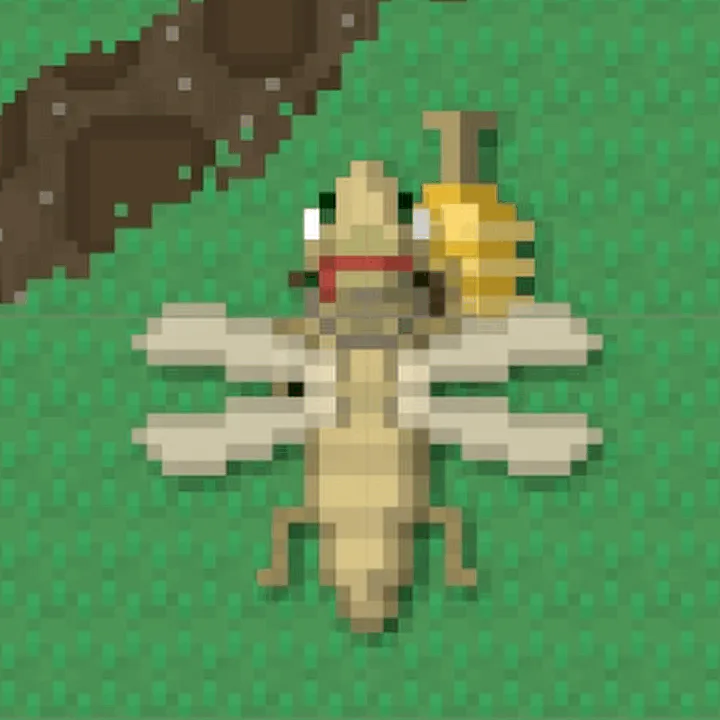
Close-up of the re-shaded Hensen!

Play @pm-studios ' Bandit Trap Open Beta!

Grab your rocket chairs, vacuums, and toilet tornadoes! Report one more time for our final beta! Live through March 23rd 6 am CET.

Complete quests based on the game!

Play the beta: https://bit.ly/BanditTrapBeta

This is a short video showing off the new procedurally generated enemy waves in Hensen! In theory, the game will become more and more unpredictable as I continue to build and implement new enemies!!!

This is just about the only situation in which I'll ever do this. I almost never put multiple calls to methods on the same line but here I've logged a warning to remind furure me to do something I didn't have time to do today in a glaringly obvious way.

This week's Fan Art Friday celebrates Bandit Trap! Accept the quest in your quest log to get started.

Defend your home or steal treasure in the open beta: https://bit.ly/BanditTrapBeta

I've worked out a process for drawing bushes that I'm using for the backdrop! First I draw the branches, then "paint" where the bush texture will be, copy it's alpha to a new layer in white, then draw it's shadows in a layer over the bush layer.