Game
Hensen Hopper

5 months ago

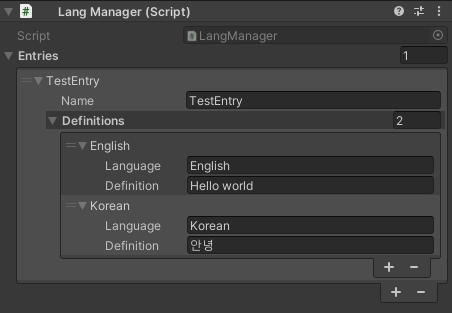
I wrote a modular language system! I can now add new entries with definitions in as many languages as I please and all from the inspector window in the Unity editor! This allows me to potentially have Hensen Hopper translated to other languages easily!


I literally thought this entire system out WHILE AT WORK over the last week haha! I got super excited multiple times and probably made my coworkers think I'm nuts by yelling things like "AHA!" and "I GOT IT!" and "This is gonna be GREAT!" out loud.

I work in a warehouse, noise isn't exactly a concern 🤣

Anyway, here's my infodump:
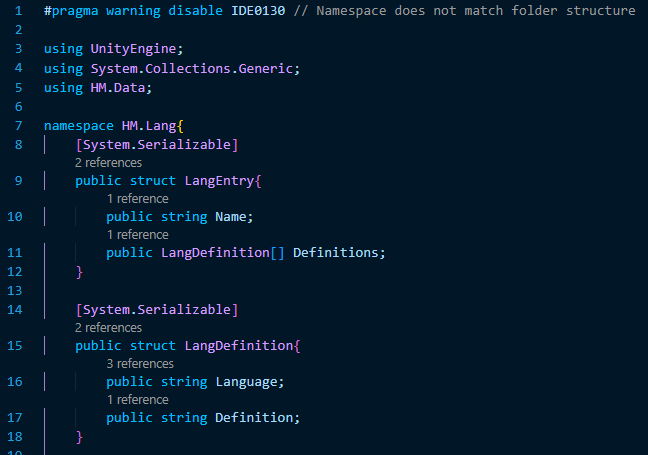
image.png

This is how the entries I can modify from the inspector window are structured internally. Pretty straight forward, LangEntry's contain an internal name and an array of LangDefinitions which represent the definition of that entry in a specified language.
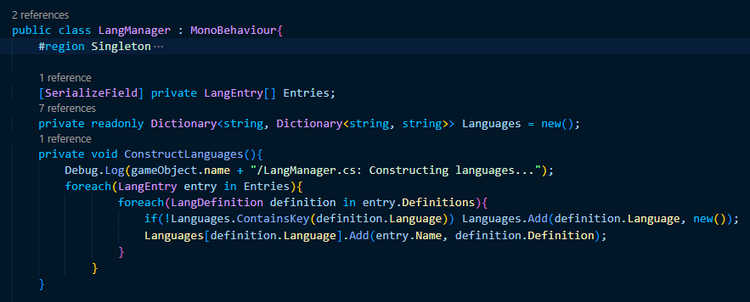
image.png

As you might expect, the first member of the LangManager class (the script that is attached to an object in the scene through which I can define lang entries from the inspector window) is a serialized array of LangEntries, however, for the sake of ease of access by other scripts, I changed the hierarchy relating entry names to languages to definitions a bit from how it functions in the inspector window internally. What's happening in this snippet is probably a bit difficult to follow intuitively if you're new to programming, but what is happening here is all of the string data contained in the Entries array (the language names, entry names, and definitions) is copied into a hierarchy of dictionaries. The outermost dictionary maps language names to inner-dictionaries that map lang entry names to their definitions in that language (if they exist).

image.png

This copying of data from the LangEntry array I modify from the inspector from to internal dictionaries might seem pointless at first, however, this is actually a best of both worlds scenario. It allows me not only to easily add new definitions for an existing lang entry in other languages but get the definition of that entry in the user's current language without needing to loop through every entry and it's definitions to find it!

image.png

The only drawback to this approach is that I cannot modify the game's lang during runtime as the internal dictionaries are constructed on awake, but, at the same time, I cannot imagine a situation in which I'll HAVE to so that should be fine.



3 comments

Loading...

Next up

I've been working on the backdrop today! Among other things I've done, I made a bush! I know, SOOOO impressive lol.

This is a short video showing off the new procedurally generated enemy waves in Hensen! In theory, the game will become more and more unpredictable as I continue to build and implement new enemies!!!

I've worked out a process for drawing bushes that I'm using for the backdrop! First I draw the branches, then "paint" where the bush texture will be, copy it's alpha to a new layer in white, then draw it's shadows in a layer over the bush layer.

Doki Doki Literature Club is celebrating Monika's birthday and the 8th anniversary of DDLC with exclusive stickers, avatar frames and backgrounds on Game Jolt! 

Head over to the shop to collect yours 👉 https://gamejolt.com/#shop

Here's a short video showing off the improved gameplay loop and "stage complete" screen. The updated artwork for Hensen and his gun and the honey bullets can also be seen.

Play @pm-studios ' Bandit Trap Open Beta!

Grab your rocket chairs, vacuums, and toilet tornadoes! Report one more time for our final beta! Live through March 23rd 6 am CET.

Complete quests based on the game!

Play the beta: https://bit.ly/BanditTrapBeta

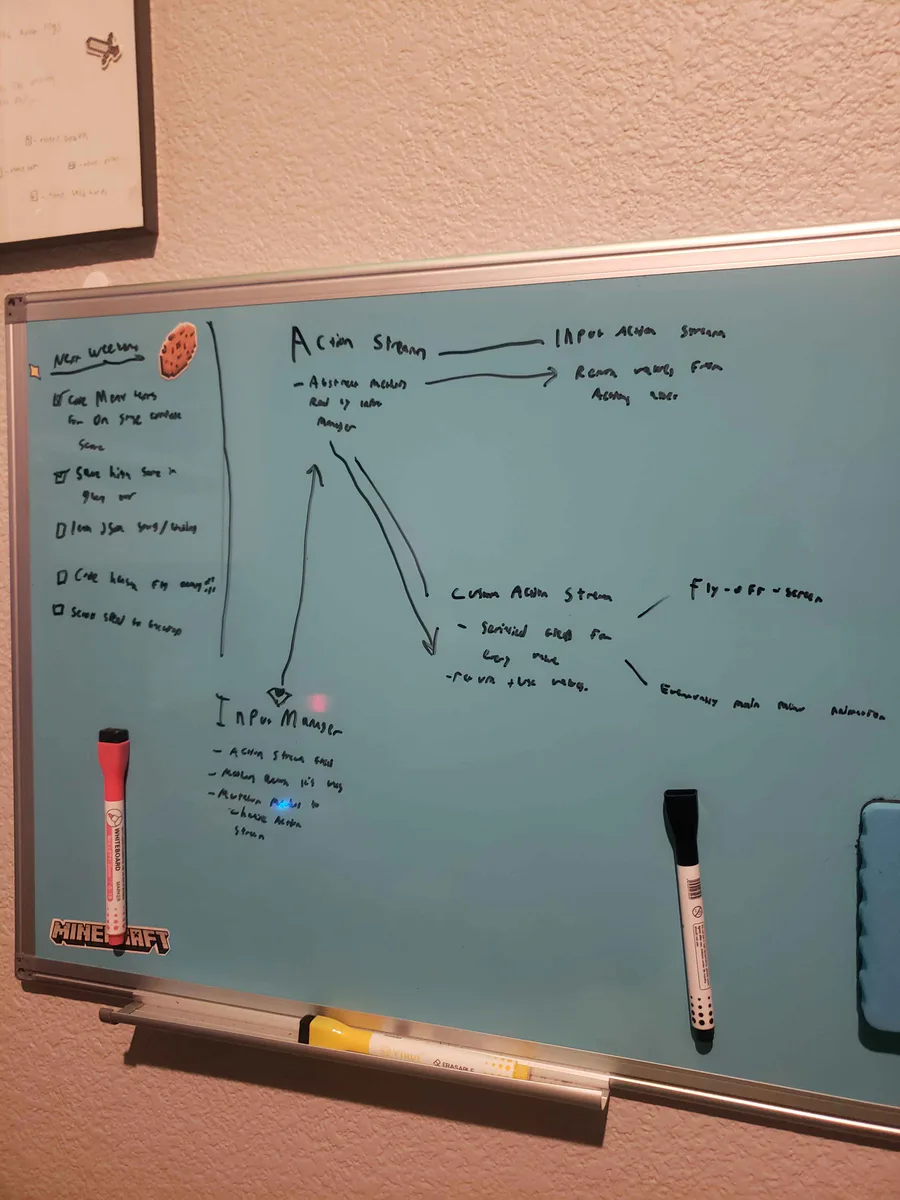
Alright, I've been thinking... I wanna do a fly-off-screen when you complete a stage in Hensen Hopper (classic shmup stuff) and I COULD just hardcode it into the character controller script but I came up with a more nuanced solution.

Very unfinished but the backdrop image, as it is in this video, is already leagues better than what I had last weekend! I'm going to work on it incrementally over the coming weeks as I work on implementing the stages idea I talked about before!

This week's Fan Art Friday celebrates Bandit Trap! Accept the quest in your quest log to get started.

Defend your home or steal treasure in the open beta: https://bit.ly/BanditTrapBeta

Okay, so the stages and score saving are both more or less working. Your score and high score will be saved throughout the lifetime of the application. Currently nothing saves when the game is closed, though, I'll be working on that next weekend.