


Comments (2)

nicee
Lodevice
-=- About -=-
A First-Person puzzle game where you play as a capsule morphed lady that uses a magnet device called "Lodevice" to solve puzzles due to the main character's financial crisis in the future world where Gen Betas carries humanity to its goldest age of technology.
this game has been develop since February 19th 2026 and now finally escapes it Indev state!
-=- Lodevice Chapter 1 : Medan Jumpers -=-
This is where the testing begins... Magnetic Fields and Jumps
-=- Lodevice Chapter 2 : Hexahedron -=-
"Cubes are important tool for science technology, they even help us to hold buttons to keep something active"
-=- Game Mechanics -=-
1. Magnetize
This is the main mechanic of the game, there are 2 types of magnet that you can use,
Horseshoe Magnet is a concentrated force magnet, it can only attract, because it combines the 2 poles of the magnet
Bar Magnet is a magnet that can both attract and repel, like every magnets in real life, basically, opposite pole attracts, and similar pole repels
Bar magnet lets you attract to or repel from Magnetic Panels, though Horseshoe Magnet can only attract but cannot repel
Magnetic panels are wall-mount magnets, when you attract to or repel from ferromagnetic panels the magnet forces are measured by how far you are from them, closer means stronger, and further means weaker,
Magnetic panels also have circles on them to indicate how stable/straight the outcome force will be, closer to the center means more straight, and further from the center means more sideways.
2. Parkour
This is the second main mechanic of the game, it basically a skill of a platformer, you can move faster by sprinting both on ground or mid air, and the movement speed is instantly changes back to normal without any inertia after stop pressing the sprint key, even in mid air it will not left any inertia or Momentum, momentums are only happen in magnetizing or in high speeds without pressing any movement keys, when you are in high speed while pressing a movement key trying to slow down, instead of slowing down immediately, your speed keeps in the same value, so instead of pressing a movement key when your speed is still too fast, try to press a movement key to the opposite direction of your momentum when your speed is slower.
3. More
Discover more game mechanics inside the game!
-=- Features -=-
1. Color-blind support
Magnetic Panels are marked with letter N(North) or S(South) same case with Bar magnet, the crosshair indicates which pole of the magnet
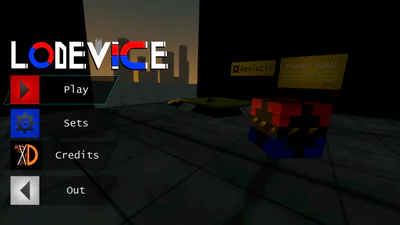
for clearer information you can turn on the color blind mode in the settings by going into Sets>Display>Colorblind Mode
2. Adjustable Graphics
Tired of lags? try to set the graphic! by going into Sets>Display>Graphics
The game gives you 4 options, Low, Medium, High, and Ultra(kill).
Low option is the lowest of all, it mainly decrease the screen resolution and turns off the Anti-Aliasing.
Medium option is the same like Low but better screen resolution.
High option is the default option.
Ultra(kill) option is the highest of all, it has the increases screen resolution to its limit, and turns on the Anti-Aliasing.
Ultra(kill) option may kill your device
more info here: https://pakrixd.itch.io/lodevice